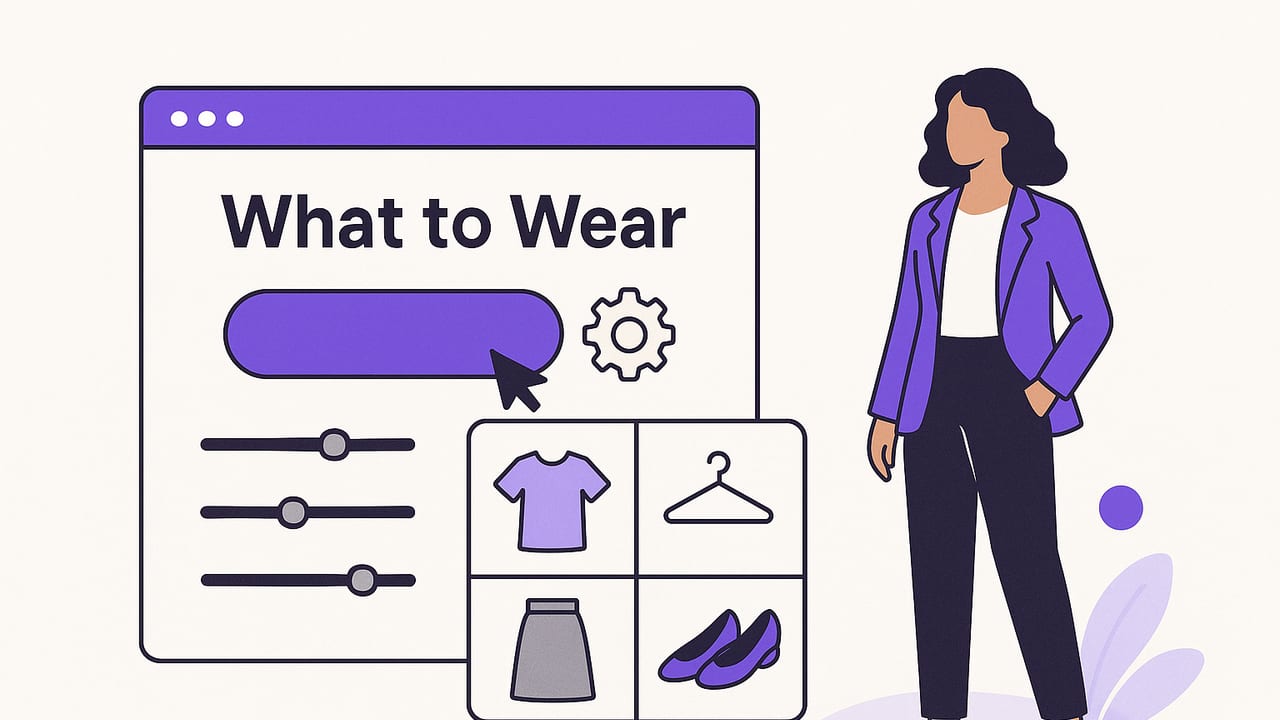
Getting dressed shouldn’t feel like a puzzle. A what to wear generator uses your wardrobe data, the day’s context, and style rules to propose outfits that work. Whether you’re optimizing a capsule wardrobe, planning a week of looks, or preparing for an interview in the rain, the right setup can turn daily indecision into a repeatable system.
This guide explains how a what to wear generator works, which inputs matter most, how to tune outputs to your life, and practical workflows you can start using today.
What Is a What to Wear Generator?
A what to wear generator is a tool (often powered by AI) that recommends clothing combinations based on parameters like occasion, weather, location, and your available garments. It can be as simple as a rules-based engine or as advanced as a multimodal AI that analyzes garment photos, color, texture, and historical preferences to predict outfits you’ll actually wear.
At its best, it behaves like a personal stylist that knows your closet, your calendar, and your constraints. The key is feeding it good data and guiding it with clear goals.
How It Works: From Inputs to Outfits
Most generators follow a similar pipeline:
- Ingest wardrobe data: Garment photos, category (top, bottom, outerwear), attributes (color, print, neckline), fit notes, and seasonality.
- Read context: Weather forecast, dress code, location, activities, time constraints (e.g., bike commute), and laundry status.
- Apply rules + models: Style heuristics (color harmony, proportion) combined with AI similarity and preference learning.
- Rank & present: Several outfit candidates scored for practicality, aesthetics, and novelty.
- Feedback loop: You save, tweak, or reject looks, teaching the system what “good” means to you.
Inputs That Dramatically Improve Results
High-quality inputs produce better suggestions than any fancy algorithm. Prioritize these:
- Clear garment photos: Front-on, good light, plain background. One item per frame.
- Category + subcategory: “Top → Button-down” is better than “shirt.”
- Color + palette tags: Hex or descriptive tags (navy, camel, cream). Note your core colors.
- Seasonality & warmth: Lightweight linen vs. heavy wool matters.
- Fit notes: Cropped, oversized, slim, ankle length, heel height.
- Occasion suitability: Office-appropriate, gym-ready, casual Friday, black-tie.
- Care status: In laundry, needs tailoring, dry-clean only.
- Comfort constraints: No heels on commute, prefer sleeves for presentations, avoid synthetics in heat.
| Input You Provide | What the Generator Learns | Example Effect |
|---|---|---|
| Weather + wind | Thermal needs, layering, fabric choices | Suggests merino base + trench on chilly, windy days |
| Dress code (smart casual) | Formality range and footwear filters | Chooses loafers over sneakers, adds unstructured blazer |
| Activity (walking 2 miles) | Comfort & durability constraints | Recommends breathable fabrics and cushioned shoes |
| Palette (navy, tan, white) | Color harmony & mix limits | Combines navy chinos with tan knit and white sneakers |
| Preferred silhouette | Proportion and balance | Pairs oversized top with slim bottom for contrast |
Style Rules Generators Commonly Use
Even AI-driven tools lean on classic style heuristics. Knowing them helps you nudge outputs:
- Color harmony: Monochrome, analogous, complementary, or 60/30/10 distribution (base/accent/pop).
- Proportion play: Oversized top + slim bottom, cropped top + high-rise bottom, long coat + tapered pant.
- Texture mixing: Smooth + textured (silk with denim), matte + shine in moderation.
- Rule of three: Outfit looks intentional when it includes three elements (e.g., top + bottom + layer or accessory).
- Repeating motif: Echo a color or material twice (belt with shoes, stripe with stripe).
Simple Scoring Logic (for the curious)
// Pseudo-scoring for a what to wear generator
score(outfit) =
  + fit_to_weather(outfit, weather)
  + formality_match(outfit, dress_code)
  + color_harmony(outfit)
  + comfort_for_activity(outfit, plan)
  + user_pref_similarity(outfit, history)
  - laundry_conflicts(outfit)
  - redundancy_penalty(outfit, recent_wears)
In practice, AI models estimate some of these terms by learning patterns from your saved looks and photos.
Practical Workflows That Save Time
1. The Weekly Plan
- Import next week’s weather and events.
- Block themes: Mon presentations, Tue commute, Fri casual.
- Generate 3 options per day; save 1, keep 2 as backups.
- Note gaps (e.g., need waterproof loafers) in a wishlist.
2. Travel Capsule
- Set trip days, temps, and dress codes.
- Lock a palette (e.g., navy, white, camel) to maximize mixing.
- Limit shoes to 2 pairs; enforce every top matches both bottoms.
- Generate a 10× outfit grid from 8 items.
3. Gym-to-Dinner Bridge
- Mark base gym outfit.
- Ask generator for “quick elevate” add-ons (overshirt, leather sneakers, tote).
- Save a micro-capsule for recurring use.
Prompt Templates That Yield Better Results
If your what to wear generator accepts natural-language prompts, try these structures:
- “Smart casual office, 65°F with light rain, 20-min walk. Navy-tan-white palette. No heels. Suggest 3 looks and a waterproof outer layer.”
- “Brunch + museum date, modern minimal style, allergy to wool. Prioritize comfort and light layering. Include one statement accessory.”
- “Carry-on only, 4 days, highs 72°F. Two shoes max. Generate a capsule with mix-and-match looks, avoiding duplicate silhouettes.”
- “Formal presentation, camera on. Request high-contrast top for video, no loud prints, breathable fabrics.”
Weather, Occasion, and Palette: A Quick Mapping
- Hot + humid: Linen, Tencel, open weaves, light colors, minimal layers.
- Cold + dry: Wool, cashmere, heat-tech base, boots with tread, structured coats.
- Wind + rain: Waterproof shells, trenches, quick-dry pants, avoid suede.
- Formal: Clean lines, muted palette, polished shoes; one subtle texture.
- Creative casual: Wider silhouette range, bolder color or print, statement accessory.
Closet Data That Powers Great Suggestions
Adopt a simple schema when cataloging items:
- Item basics: Category, subcategory, brand, size, seasonality.
- Visuals: Front photo, optional back/close-up.
- Attributes: Color tags (max 3), fabric, pattern, rise/inseam, neckline.
- Fit & comfort: “All-day”, “short events only”, stretch, breathability.
- Care: Machine wash, dry clean, delicate.
- Restrictions: “Not for client meetings”, “No rain”, “Breaks in heat.”
Keep tags consistent. Choose a small controlled vocabulary to avoid duplicates (“navy” vs “deep blue”).
Common Mistakes and How to Fix Them
- Too many colors: Lock a palette per season or trip; let the what to wear generator prioritize mixable pieces.
- Unrealistic shoes: Feed activity data; blacklist fragile materials in rain.
- Ignoring proportion: Add “cropped”, “high-rise”, and “overlong” tags so the tool balances shapes.
- No feedback loop: Save “keep” looks, and mark “not me” on misses. AI improves with your signals.
- Poor photos: Re-shoot dark or cluttered images; it directly affects picks.
Feature Checklist for Choosing a Generator
- Accepts clear garment photos and auto-detects categories.
- Weather and calendar integration.
- Palette controls and style profiles (minimal, classic, street, romantic).
- Occasion presets and custom constraints (bike commute, client-facing).
- Outfit ranking with explanations (“Chosen for wind + smart casual”).
- Learning from your saves and rejections.
- Exportable packs for travel and shareable boards for feedback.
- Optional virtual try-on to validate proportions before wearing.
- Privacy options: on-device processing or clear data policies.
Mini Case Studies: Prompts In, Outfits Out
Scenario A: Interview in Light Rain
Prompt: “Interview, business formal, 58°F, light rain, 30-min transit. Prefer navy/white. No high heels.”
Likely output: Navy tailored suit, white poplin shirt, low-heel black leather loafers, trench with umbrella, slim belt; optional silk scarf for a soft accent.
Scenario B: Summer City Weekend
Prompt: “City walk + patio dinner, 82°F, humid, modern casual, tan/white/olive palette.”
Likely output: Olive lightweight shorts, white linen camp collar shirt, tan leather sandals, canvas tote, slim sunglasses. Add a breathable overshirt for AC.
Scenario C: Office to Drinks
Prompt: “Smart casual office to bar, 70°F, prefer loafers, keep accessories minimal, avoid black.”
Likely output: Camel knit polo, navy pleated trousers, brown loafers, tan belt, cream unstructured blazer. Optional pocket square for polish.
FAQ
Is a what to wear generator better than a mood board?
Mood boards inspire, but generators operationalize: they match your actual clothes to your calendar and weather. Use both: mood for direction, generator for execution.
Do I need a capsule wardrobe?
No, but a limited palette and compatible silhouettes multiply outfit options and make automated suggestions stronger.
How much data do I need to start?
Even 20–30 well-tagged items can produce strong looks. Add new pieces gradually; quality beats quantity.
Can generators handle personal quirks?
Yes, if you encode them: “no wool”, “no body-con for office”, “no suede in rain”. The more explicit your rules, the better the results.
A 10-Minute Setup That Pays Off Daily
- Photograph 10 tops, 6 bottoms, 4 shoes, 3 layers against a plain wall.
- Tag color, season, formality, and any “avoid” notes.
- Create two style profiles: “Office smart casual” and “Weekend relaxed.”
- Sync weather and add your calendar for the next 5 days.
- Generate 3 looks per day, save favorites, reject the rest.
- Review on Friday: which combos worked, which didn’t, and why.
In a week, your what to wear generator will start sounding uncannily like your best-dressed friend.
“Every outfit is a decision under constraints. Encode the constraints, and good style becomes repeatable.”
Final Thought
The promise of a what to wear generator isn’t “fashion by algorithm.” It’s a calmer morning, a suitcase that always works, and a closet that earns its space. If you want these benefits plus realistic virtual try-on and a smart digital wardrobe on iOS, consider trying Outfit Maker as a subtle, powerful addition to your routine.
