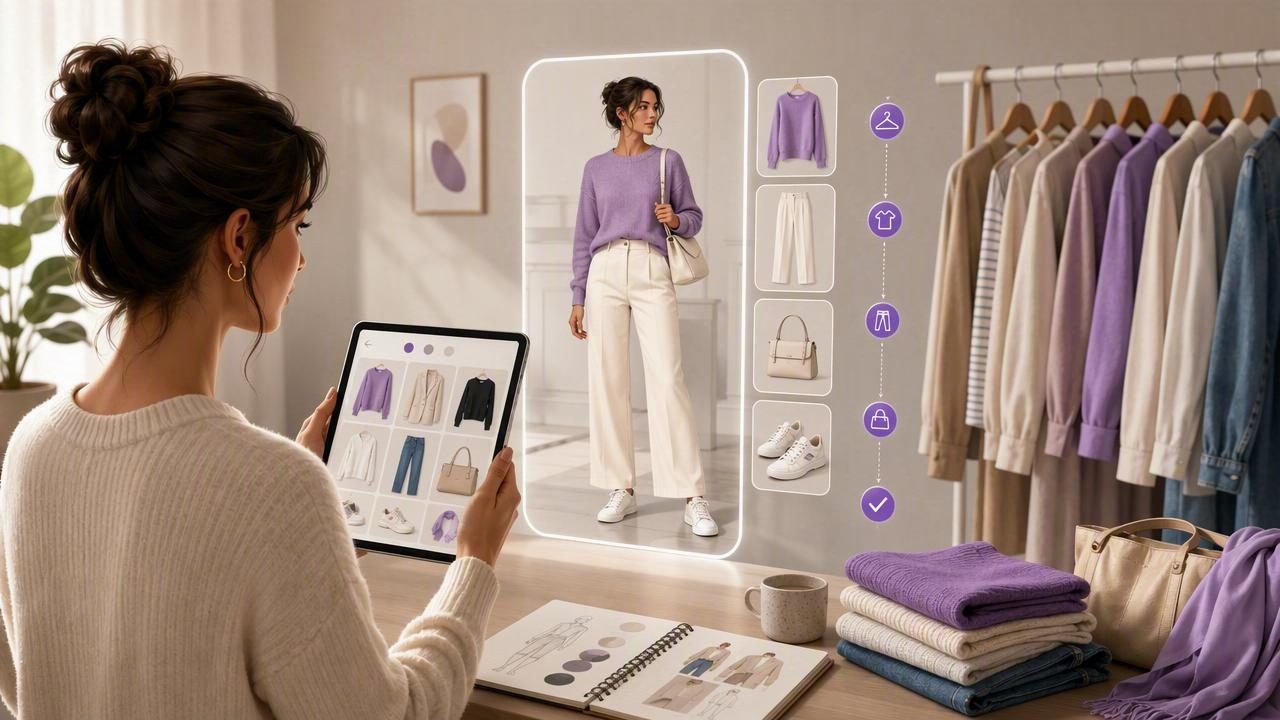
Virtual try on isn’t just for shopping online—it’s one of the fastest ways to get more wear out of the clothes you already own. With a simple digital wardrobe workflow, you can test outfit combinations, plan for real-life occasions, and reduce the daily “what do I wear?” loop without pulling half your closet onto the bed.
This guide walks you through an organized, repeatable process: how to capture clothing images, build a reliable tagging system, run quick outfit experiments, and keep your results realistic enough to make confident choices.
What “virtual try on” means for your own closet
In a personal wardrobe context, virtual try on is the process of previewing how pieces work together—silhouette, color balance, layering order, and overall vibe—before you physically change clothes. It typically combines:
- Digital wardrobe inventory (your items photographed and organized)
- Outfit building (mix-and-match combinations saved as looks)
- Virtual styling preview (a visual mockup—sometimes AI-assisted—of how the outfit may appear on you)
Done well, it becomes a smart closet organizer system: you know what you own, what works together, and what you actually wear.
Why virtual try on is worth it (beyond convenience)
1) Fewer bad outfit days
When you can preview proportion and layering, you catch common issues early: cropped top + mid-rise pants gaps, overly bulky outerwear, or a shoe that shifts the outfit from “polished” to “too casual.”
2) Faster weekly fashion planning
Instead of deciding every morning, you can batch decisions. A 20-minute session can produce 5–7 outfits you already feel good about.
3) More wears per item (and smarter purchases)
A digital wardrobe makes cost-per-wear visible. If you struggle to style a piece virtually, it’s a signal: either you need companion basics, tailoring, or to stop buying that category.
“If you can’t build three outfits with it, it’s not a gap—it’s a future regret.”
The core workflow: from closet photos to confident outfits
A reliable virtual try on process depends less on “perfect tech” and more on consistent inputs. Here’s the workflow that scales.
Step 1: Capture clean, consistent clothing images
Whether you use flat lays, hanger shots, or on-body photos, consistency is what makes mixing and matching easy.
- Lighting: indirect daylight near a window; avoid strong overhead yellow bulbs.
- Background: plain wall, door, or a neutral sheet on the floor.
- Angles: straight-on for tops/jackets; include full length for dresses and trousers.
- Details: take one extra photo for texture/print if it’s important (ribbed knits, subtle checks).
Tip: If colors look off, lock exposure on your phone camera and keep distance consistent.
Step 2: Build a digital wardrobe structure (categories + tags)
Your closet becomes searchable when every item has a few standardized attributes. Think of tags as filters you’ll use when you’re in a hurry.
| Attribute | Examples | Why it matters for virtual try on |
|---|---|---|
| Category | Tee, blouse, blazer, jeans, skirt | Enables quick outfit building templates |
| Color family | Black, navy, cream, olive, burgundy | Prevents clashing and supports capsule planning |
| Warmth | Lightweight, mid, heavy | Makes outfits realistic for weather |
| Formality | Relaxed, smart casual, business, formal | Stops “looks great, wrong occasion” mistakes |
| Fit notes | Cropped, oversized, high-waist friendly | Improves proportion decisions |
| Fabric/texture | Denim, linen, knit, satin | Helps with layering and seasonal styling |
Step 3: Add a “real-life constraints” layer
This is what turns a digital closet into an outfit planner you can actually trust.
- Shoes you can walk in: tag “commute-friendly” or “2+ hours standing.”
- Care requirements: “dry clean,” “wrinkles fast,” “hand wash.”
- Comfort triggers: “tight waistband,” “needs strapless bra,” “itchy.”
These tags reduce the gap between “cute” and “wearable.”
A repeatable outfit formula for virtual try on sessions
When you’re staring at a digital wardrobe, infinite options can slow you down. Use an outfit formula so your virtual try on experiments stay focused.
The 5-part outfit builder
- Base: top + bottom (or dress/jumpsuit)
- Structure: layer that shapes the silhouette (blazer, cardigan, denim jacket)
- Footwear: sets the formality level
- Accessory anchor: belt/bag/jewelry that repeats a color
- Outerwear (optional): final reality check for the weather
In virtual try on, build 3 variations per base (shoe swap, layer swap, accessory swap). That’s how you create variety without buying more.
How to make virtual try on results look more realistic
Even with great tools, realism depends on inputs and expectations. Here’s what improves accuracy most.
Proportion and fit: add “fit logic” notes
- Rise + length: tag bottoms with “high rise,” “ankle,” “full length.”
- Volume: tag tops as “fitted,” “straight,” “oversized.”
- Balance rule: pair volume with structure (oversized top → slimmer bottom, or add a belt/structured layer).
Color accuracy: use a quick calibration habit
Phone cameras can shift colors. A simple trick: photograph one neutral item (white tee or black blazer) in the same lighting as your new item so you can visually compare and adjust expectations.
Fabric behavior: account for drape
Virtual try on previews can understate how fabrics move. Use fabric tags to keep combinations believable:
- Slippery (satin, silk): can bunch under tight layers
- Bulky (chunky knits): may not layer under fitted jackets
- Wrinkle-prone (linen): good for relaxed looks, less for crisp tailoring
A 10-minute “virtual try on sprint” (weekly routine)
Try this once per week to plan outfits faster than you can scroll for inspiration.
- Check your calendar: list 3–5 key moments (office day, workout, dinner, travel, errands).
- Pick 2 hero items: pieces you want to wear (new purchase, neglected skirt, favorite jeans).
- Filter by constraints: weather + comfort + dress code.
- Build 5 outfits: use the 5-part formula; create 2 alternates for the trickiest day.
- Save and name outfits: “Tue—Client meeting—navy blazer,” not “Look 14.”
Result: you start the week with decisions already made, but still flexible.
Advanced organization: a simple metadata format (optional)
If you like structured organization (or want consistency when you rename photos), you can keep item metadata in a notes app or spreadsheet using a predictable format. Here’s a compact JSON example you can copy and adapt:
{
  "item_id": "TOP_042",
  "category": "blouse",
  "color_family": ["cream"],
  "pattern": "solid",
  "season": ["spring", "summer"],
  "warmth": "light",
  "formality": "smart casual",
  "fit_notes": ["relaxed", "tucks well"],
  "constraints": ["wrinkles fast"],
  "pairs_well_with": ["BOT_011", "JKT_006" यानी]
}
You don’t need to be technical—this just illustrates the kinds of tags that make virtual try on faster and more accurate over time.
Common mistakes (and how to fix them)
Mistake 1: Cataloging everything before styling anything
Fix: Start with your top 30 most-worn items. Build outfits immediately. Momentum beats perfection.
Mistake 2: No occasion tags
Fix: Add 4–6 occasion filters: “work,” “weekend,” “date night,” “formal,” “travel,” “loungewear.” Then build at least 2 outfits per occasion.
Mistake 3: Saving outfits without notes
Fix: Add one line: “Swap sneakers for loafers,” “Add tights below 10°C,” or “Needs strapless bra.” These notes turn a virtual outfit into a wearable plan.
Privacy and comfort: keep your wardrobe data under your control
Because virtual try on often uses personal photos, treat your digital wardrobe like any sensitive dataset:
- Review permissions: limit photo access to what’s required.
- Use strong device security: passcode/Face ID.
- Back up intentionally: if you store wardrobe photos, know where they sync (and who can access shared albums).
Putting it all together
The best virtual try on experience comes from a simple loop: capture consistent photos → tag with real-life filters → build outfits using a repeatable formula → save notes → refine based on what you actually wear. Over time, your digital wardrobe becomes a personal styling system that reduces decision fatigue and improves your hit rate on outfits you genuinely enjoy.
If you want to try this workflow on iOS, a dedicated digital wardrobe and AI outfit generator app like Outfit Maker can help you organize items and preview combinations in one place.
