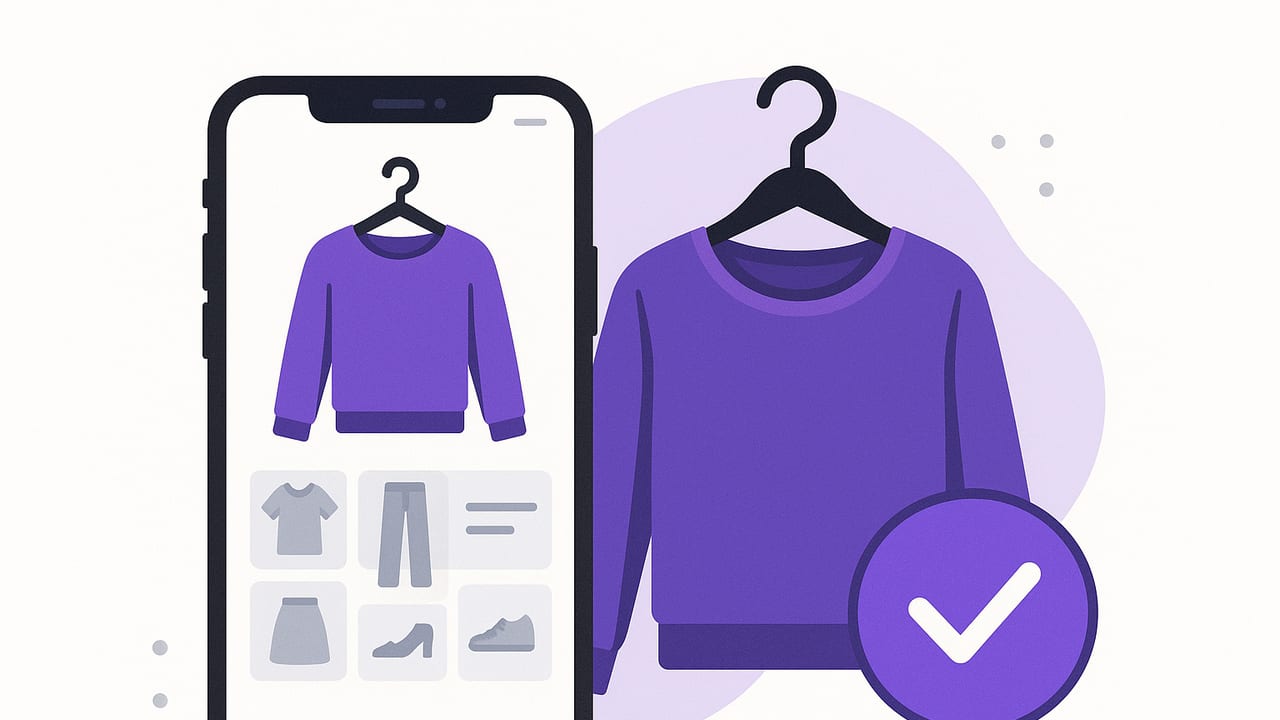
If you’ve ever stared at your closet and felt overwhelmed, an iPhone outfit planner can turn that decision fatigue into a simple, repeatable system. Instead of trying on multiple looks in real life, you organize your wardrobe digitally, mix and match items with a tap, and plan what to wear for work, weekends, trips, and events—without pulling everything off the hangers. This guide walks you through how to choose the right app, set up your smart closet, and create workflows that help you get dressed faster while using more of what you already own.
What an iPhone Outfit Planner Actually Does
At its core, an iPhone outfit planner is a wardrobe database plus a styling assistant. You catalog your clothes with photos, tag them with useful attributes, assemble outfits virtually, and schedule what you’ll wear on a calendar. The best tools layer in AI suggestions, weather context, and shareable boards so you can compare looks or get a second opinion—without changing clothes.
Core Features to Look For
- Smart closet catalog: Add items with background removal, batch edits, and clear categories (tops, bottoms, layers, shoes, accessories).
- Flexible tagging: Color, material, fit notes, care instructions, seasonality, formality, and occasion.
- Outfit builder: Drag-and-drop or AI-generated looks; save and edit quickly.
- Calendar & reminders: Plan outfits by date and time; repeat events; see what you wore last time.
- Weather integration: Automatic forecast to nudge you toward season-appropriate choices.
- Virtual try-on or AI visuals: See proportions and color harmony without changing clothes.
- Sharing & collaboration: Share boards with friends or a stylist; comment and compare.
- Analytics: Track cost-per-wear, most-worn items, and wardrobe gaps.
- Privacy & portability: Local photo storage, export options, and clear data policies.
| Feature | Why It Matters | Quick Test |
|---|---|---|
| Background Removal | Makes item photos clean and easy to style together | Remove background on 5 items in under 3 minutes |
| Tagging System | Find what you need faster and surface hidden combos | Search: “blue, smart casual, spring” in under 2 seconds |
| Outfit Calendar | Plan ahead, avoid repeats, reduce morning stress | Schedule a week’s looks in 10 minutes or less |
| Weather Awareness | Suggests layers, fabrics, and shoes that fit conditions | See rain + 55°F trigger waterproof jacket/boots |
| Virtual Try-On/AI | Validate proportions and color harmony instantly | Before/after comparison feels realistic and helpful |
| Sharing | Compare outfits and get feedback quickly | Send a link/image board in under a minute |
| Analytics | Identify MVP pieces and underused items | View top 10 most-worn and cost-per-wear at a glance |
Set Up Your Digital Closet in One Weekend
You don’t need to upload your entire wardrobe at once to get value from an iPhone outfit planner. Start with your current season plus your daily essentials. Aim for 40–60 items to begin; you can add the rest over time.
Step 1: Photograph Your Garments
- Lighting: Use natural daylight near a window. Avoid overhead yellow lighting that distorts color.
- Background: Hang on a plain wall or lay flat on a neutral surface. Leave space around the item for clean background removal.
- Framing: Fill most of the frame with the garment; include the full silhouette.
- Consistency: Shoot in batches: all tops, then bottoms, etc. Consistency makes your digital closet feel cohesive.
- Detail shots: If your app supports it, add close-ups of patterns, texture, or hardware for future reference.
Step 2: Create a Useful Tagging Taxonomy
Great tagging is the secret sauce of a high-performing wardrobe planner. Use a small, consistent vocabulary so search stays reliable.
- Category: top, bottom, dress, outerwear, shoes, bag, accessory
- Color: neutral (white, black, gray, navy, beige) + accent (red, green, cobalt, blush, mustard)
- Material: cotton, wool, denim, silk, linen, leather, synthetic
- Season: spring, summer, fall, winter (use two for transitional pieces)
- Occasion/Formality: casual, smart casual, business casual, formal, athleisure
- Fit notes: oversized, tailored, cropped, high-rise, relaxed
- Care: machine wash, hand wash, dry clean, delicate
Example tagging schema you can reuse:
{
  "name": "Navy wool blazer",
  "category": "outerwear",
  "colors": ["navy"],
  "season": ["fall", "winter"],
  "occasion": ["smart casual", "business casual"],
  "material": "wool",
  "fit": ["tailored"],
  "care": "dry clean",
  "notes": "Pairs with white tee, striped knit, dark denim; avoid with bulky hoodies"
}
Step 3: Build Two Starter Capsules (3x3 Grid)
A compact 3x3 capsule is nine items that can create dozens of outfits. Start with one for work/school and one for weekends.
- Work capsule example: navy blazer, gray trousers, dark denim, white tee, striped knit, light blue shirt, black loafers, white sneakers, leather belt.
- Weekend capsule example: vintage denim jacket, black jeans, olive chinos, graphic tee, chambray shirt, oatmeal hoodie, slip-on sneakers, hiking boots, canvas tote.
Save at least five go-to outfits from each capsule. Label them by purpose: “Monday Meeting,” “Client Casual,” “Sunday Brunch,” “Park Day.”
Daily and Weekly Workflows That Stick
The value of an iOS outfit planner comes from light, repeatable routines. Here’s a framework you can implement immediately.
Morning in 90 Seconds
- Open the app’s Today view to see weather and calendar.
- Filter by season + occasion (+ color mood if you like).
- Pick a saved outfit or swap one piece. Confirm and log the look.
Sunday 10-Minute Plan
- Review next week’s events (meetings, dinners, workouts).
- Schedule outfits for each day. Add notes like “bring umbrella.”
- Flag laundry or repairs. Move low-wear items into rotation.
Laundry Day Maintenance
- Archive items out-of-season; unarchive what’s coming up.
- Update cost-per-wear if you track it.
- Prune duplicates you never reach for.
Pro tip: If your app supports virtual try-on, do a quick mirror selfie session once per season in your favorite silhouettes. That gives the AI better references and steadies your fit decisions.
Formulas That Reduce Decision Fatigue
Use simple rules to generate consistently strong looks from your digital closet.
- One anchor + two basics: Pick one “interesting” piece (color, texture, pattern) and keep the rest neutral.
- Rule of thirds: Go 1/3 top + 2/3 bottom or swap. Cropped tops, mid-rise pants, or a half-tuck create flattering proportion.
- Two-tone focus: Choose a base color and one accent. Let shoes or a bag echo the accent.
- Texture triangle: Limit to three textures per outfit (e.g., denim, leather, knit) for cohesion.
Plan Trips and Events with Ease
Outfit planning on iPhone shines when you’re packing or navigating a dress code.
Travel Capsule Checklist
- Weather-appropriate outer layer (packable if possible)
- 2 bottoms that pair with 3 tops each
- 1 dress or jumpsuit for flexible smart casual
- 2 shoes: one walkable, one dressier
- Accessory kit: belt, scarf, compact umbrella, small crossbody
Use your planner’s packing list or collection feature to group items. Build 6–8 outfits from those pieces and save them under your travel dates.
Event Dress Codes by Keyword
| Dress Code | Keywords to Filter | Outfit Starting Point |
|---|---|---|
| Smart Casual | neutral blazer, dark denim, leather sneakers | Blazer + knit tee + clean denim + loafers/sneakers |
| Business Casual | trousers, button-down, loafers | Shirt + trousers + belt + loafers; add cardigan or blazer |
| Cocktail | silk, satin, minimal jewelry, heels/dress boots | Little black dress or sleek jumpsuit + statement earring |
| Outdoor Wedding | linen, block heel, wrap, light layers | Flowy dress + block heels + shawl; consider wedges on grass |
Advanced Tips for Power Users
- Color mapping: Tag items by undertone (cool, warm, neutral). Filter by undertone to build cohesive palettes quickly.
- Fit notes as data: Add notes like “needs higher waist” or “best with crop tops.” Later, search “high-rise + cropped” to pair instantly.
- Cost-per-wear tracking: Input purchase price; review monthly which items earn their keep. Rotate low-CPW pieces into staple outfits.
- Duplicate elimination: If two items fill the same role, retire one digitally; if you don’t miss it for a month, consider donating.
- AI ideation, human curation: Let AI suggest new combos, then save only the ones that match your lifestyle and dress code.
Privacy and Data Considerations on iPhone
Your closet is personal. Before committing, check where photos are stored, how sharing is handled, and whether you can export your data. Ideally you’ll have control over your images, the option to keep items private by default, and a clear way to delete or export your wardrobe if you switch apps later.
Common Mistakes and How to Avoid Them
- Over-tagging: Use a compact vocabulary. Too many unique tags break search.
- Under-photographing: Silhouette accuracy matters. Retake blurry or distorted shots.
- Ignoring seasons: Archive off-season items so your filters stay clean and relevant.
- Skipping notes: Fit and comfort notes save future you from repeats of so-so outfits.
- Not reviewing analytics: Schedule a monthly 5-minute review to learn what you actually wear.
Quick FAQ
Do I need a ring light?
No. Natural daylight near a window generally produces the most color-accurate photos. A ring light helps at night or in dim rooms.
How many items should I upload to start?
Begin with 40–60 in-season essentials. Add specialty items later. Momentum beats perfection.
What if my style changes?
Tag new pieces, archive older ones, and create fresh capsules. Your iPhone outfit planner should evolve with you.
How do I get honest feedback?
Use the app’s sharing or board features to send 2–3 options to a friend whose style you trust. Ask which they’d wear and why.
Wrap-Up
The right iPhone outfit planner turns your wardrobe into a searchable, visual system. Photograph a focused set of items, tag them with a consistent vocabulary, build small capsules, and commit to a weekly planning ritual. Layer in weather, analytics, and occasional AI suggestions, and you’ll spend less time deciding—and more time wearing what makes you feel like you. If you want an option that combines realistic AI try-on with a smart closet on iOS, Outfit Maker is a lean choice to explore.
