A smart closet organizer can turn a crowded wardrobe into a practical tool for deciding what to wear. Instead of scrolling through photos of every item or repeatedly trying on the same combinations, you can create a digital closet, group garments in useful ways, and plan outfits from clothes you already own.
The key for beginners is to start small. A catalog does not need to include every sock and accessory to be helpful. Begin with the garments you wear most, add details that make items easy to find, and use outfit planning to solve real wardrobe problems. This guide covers a manageable setup, a concrete outfit example, and what digital tools—including AI try-on—can and cannot tell you.
What a smart closet organizer does
A smart closet organizer is a digital record of clothing and, in some tools, a way to plan combinations from those items. You might add photos of your garments, label them by category or color, and save outfits for work, weekends, or other occasions. The result is a digital wardrobe you can browse without opening drawers or pulling everything off hangers.
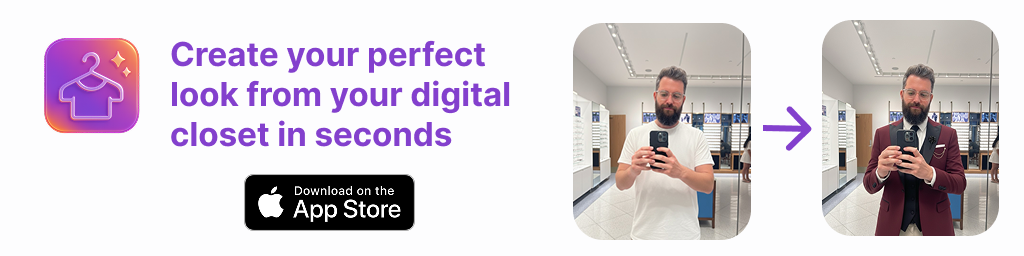
Some apps also offer virtual try-on or AI-generated outfit previews. These can help you visualize how items might look together using photos. Think of this as a style-planning aid, not a reliable prediction of exact fit, sizing, drape, or fabric behavior. A preview can make a combination easier to imagine, but it cannot replace checking the real clothes on your body.
1. Start with a small, useful section
Cataloging an entire wardrobe at once can feel like a chore. Choose a section that will help with an immediate decision: everyday tops, workwear, or the clothes you reach for on weekends. Add around 15 to 25 frequently worn pieces, then pause and see whether the catalog is useful before expanding it.
It can help to choose clothes you are comfortable wearing now. Set aside pieces that need repair, are out of season, or do not fit your current needs. You can decide later whether they belong in your active digital closet. The goal is not to document everything you own; it is to make the clothes you use easier to see and combine.
2. Take clear, consistent clothing photos
Good photos make a digital closet easier to scan. Lay each item flat or hang it against a simple background, use even light, and keep the whole garment in frame. Try to photograph items from a similar angle so the catalog feels consistent. If a pattern or detail is important, add a second close-up when the tool allows it.
- Keep the background uncluttered: Busy surroundings can make garment edges harder to distinguish.
- Show the true color as well as you can: Daylight can help, but screens may still display shades differently.
- Include the complete shape: Avoid cropping hems, sleeves, or collars that affect how an item looks.
- Use a repeatable method: Similar photos make it quicker to compare pieces later.
You do not need professional images. Clear, recognizable photos are more useful than perfect styling shots, especially when the closet is just for your own planning.
3. Add only the labels you will actually use
Tags help you find an item without remembering exactly where it appears in the catalog. Start with basic categories such as tops, bottoms, dresses, outerwear, and shoes. Then add a few practical details that support your decisions: color, season, occasion, or whether a garment is casual or formal.
Avoid creating dozens of labels before you know what you need. If you often search for clothes suitable for rainy commutes, a weather tag may be useful. If you mainly need outfits for an office, an occasion tag could matter more. Use consistent terms: for example, choose either “navy” or “dark blue” rather than using both for similar pieces.
For more ideas on what to include and how to keep a closet catalog manageable, see this guide to building a digital closet.
4. Build outfits around real situations
A catalog becomes more valuable when it helps answer a specific question: What can I wear to the office on a cool day? What is comfortable for a long walk? Which pieces work for a casual dinner? Start with occasions that come up regularly rather than trying to create an outfit for every possible event.
One simple method is to choose a base item, add a complementary piece, and then consider the practical details. For example, start with a white button-down shirt from your closet. Pair it with dark straight-leg jeans for a relaxed office day, then add a navy cardigan if the room is cool. Choose loafers for a polished feel or clean sneakers if the dress code allows them. A belt or simple earrings can finish the outfit, but they are optional.
This example also shows why item details matter. If the shirt is sheer, too formal for the setting, or difficult to tuck in, the combination may not work as expected. A digital outfit view can help you compare the shirt, jeans, and cardigan visually, but you still need to consider comfort, dress code, temperature, and how the actual garments sit together.
5. Save combinations you would wear again
When you find a useful combination, save it with a short name such as “cool office day” or “Saturday errands.” A note can record why it works: comfortable shoes, layers for changing temperatures, or a top that pairs well with two different bottoms. These small reminders make saved outfits more helpful than a collection of unlabeled pictures.
Try to save looks you have worn or can realistically imagine wearing. An outfit may look coordinated on a screen but feel uncomfortable, impractical, or unlike your personal style in real life. If that happens, edit the combination or remove it. Your saved looks should support your routine, not create pressure to wear clothes that do not suit you.
6. Use virtual try-on as a visualization tool
AI outfit generator features and virtual try-on can offer another way to explore combinations from your own garments. Depending on the app and the images provided, a preview may help you compare colors, layers, or the overall styling direction without changing clothes each time. This can be especially useful when you are deciding between two possible combinations.
Keep the limits clear. A generated image is not a measurement or a fitting-room result. It may not accurately represent garment length, how a fabric stretches or drapes, the feel of a material, or the precise fit on your body. Lighting, photo angles, and image quality can also affect what you see. Use a preview to narrow down options, then try on the real outfit when fit and comfort matter.
For example, a preview might help you compare a cardigan worn over a shirt with the same shirt under a jacket. It cannot confirm whether the layers feel bulky or whether the sleeves restrict movement. Those questions require the actual garments.
7. Keep the digital closet current without over-maintaining it
A digital wardrobe is most useful when it broadly reflects the clothes available to you. When you add a frequently worn item, catalog it while it is easy to photograph. When an item is donated, stored for another season, or no longer fits your needs, update its status or remove it from the active view if your organizer supports that.
Set a light maintenance habit rather than scheduling a full closet audit every week. A quick seasonal review may be enough: check whether the items you need are visible, correct any labels that are confusing, and save a few combinations for the weather ahead. If upkeep begins to take longer than choosing an outfit, simplify the categories and stop recording details that do not help you.
Beginner mistakes to avoid
- Trying to catalog everything on day one: A smaller, useful collection is easier to finish and maintain.
- Using inconsistent labels: Repeated, predictable tags make search and browsing simpler.
- Saving outfits only because they look good in a preview: Consider comfort, occasion, weather, and your own preferences.
- Expecting exact fit or fabric predictions: Digital visualization is not a substitute for trying on clothes.
- Making the system too complicated: If you will not use a tag or note, you probably do not need to add it.
A simple first-week plan
- Choose one category: Pick the clothes you use most often, such as tops or workwear.
- Photograph a manageable group: Add clear images of the pieces you reach for regularly.
- Apply a few consistent tags: Start with garment type, color, and one relevant occasion or season label.
- Create three practical outfits: Use combinations for situations that are already part of your routine.
- Wear and revise: Notice what felt comfortable and adjust the catalog or saved looks accordingly.
After that, expand only when a new category would make planning easier. A smart closet organizer works best as a flexible reference, not a second job. Whether you use a basic catalog or an app with an AI outfit generator, the useful outcome is the same: a clearer view of your own clothes and more considered outfit choices.
If you want to explore a digital closet and outfit visualization in one place, Outfit Maker offers an iOS app for organizing garments and planning looks from your wardrobe.