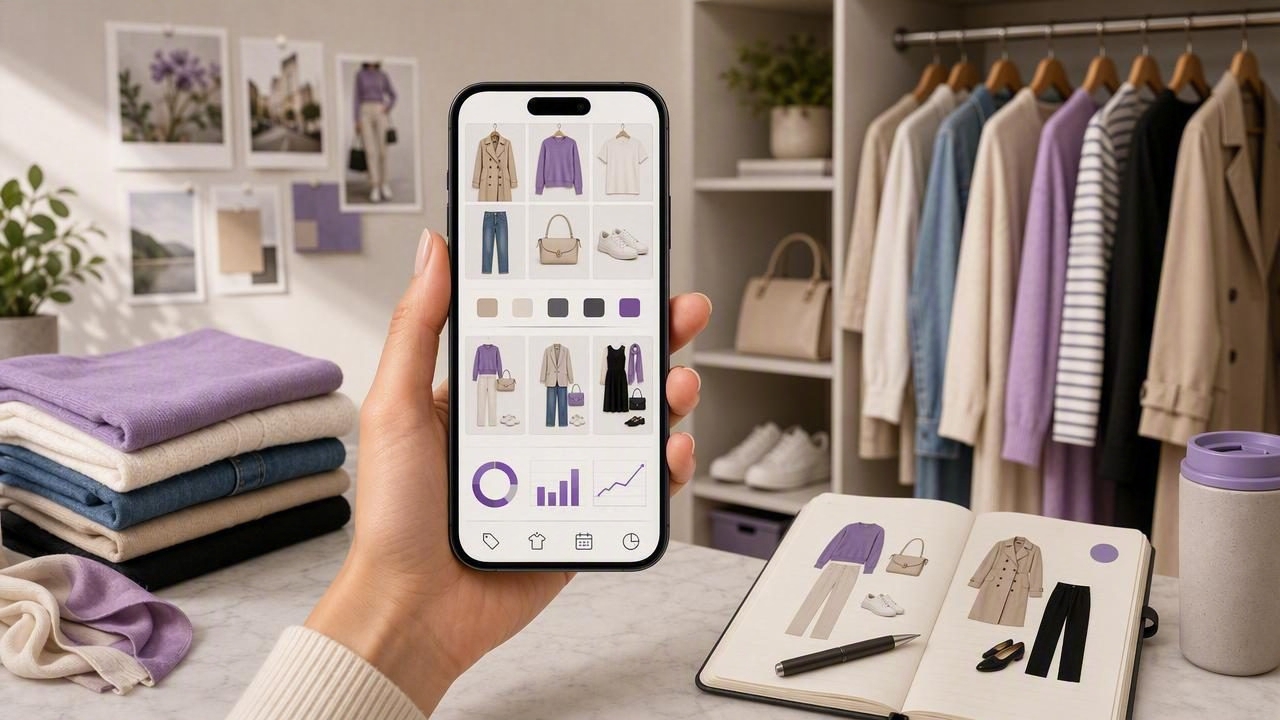
A smart closet organizer app is more than a place to store outfit photos—it can become a practical system for saving time, reducing “nothing to wear” stress, and making better use of what you already own. The key is setup: how you capture items, how you tag them, and how you turn your wardrobe into repeatable outfit decisions.
This guide walks you through a realistic, low-friction approach to building a digital closet that stays accurate. You’ll learn the best photo workflow, the tags that actually matter, how to create outfit templates for real life, and how to use simple metrics like cost-per-wear to shop smarter.
What a smart closet organizer app should help you do
Different apps vary, but the most useful ones support a few core jobs:
- Inventory: a searchable digital wardrobe with photos, categories, and notes.
- Outfit planning: save combinations you can repeat (work, weekend, events, travel).
- Decision support: filters, suggestions, and rules that narrow choices quickly.
- Visibility: surface neglected items and identify gaps (not duplicates).
If your app does these four things well, you’ll get value even without turning it into a “project.”
The fastest setup that still stays accurate
Most people quit because they try to catalog everything perfectly on day one. Instead, use a phased setup that gives you results immediately.
Phase 1 (30–45 minutes): Capture your “Top 30”
Start with your most-worn items. The goal is to build a working closet you can plan with this week.
- Pick 10 tops, 6 bottoms, 2–3 layers, 2 pairs of shoes, and 7 “wildcards” (dress, bag, accessories).
- Photograph items quickly (details below).
- Add only minimal tags: category + color + season.
- Create 10 outfits from these items to prove the system works.
Phase 2 (2–3 sessions): Fill in the rest by frequency
Next, add items in the order you actually reach for them: work staples first, then weekend basics, then occasion pieces, and finally edge cases (costumes, formalwear, sentimental items).
Phase 3 (ongoing): Maintain with a weekly “sync”
Set a 5-minute weekly habit: add new purchases, archive what you donated, and mark the outfits you wore. Maintenance beats perfection.
How to photograph clothing for a digital wardrobe
Good photos make everything else easier: searching, matching, and virtual try-on features (when available). Use this simple setup:
- Lighting: face a window; avoid overhead yellow lights.
- Background: plain wall, door, or a sheet; contrast helps.
- Consistency: shoot tops at the same height and distance so your grid looks tidy.
- One “hero” photo + one detail: front view plus a close-up for texture/pattern (optional).
If you prefer a faster method, try flat-lays on the bed or hang items on one hanger and photograph them in a batch.
Tip: Don’t re-shoot everything for perfection. A clear, consistent photo beats a beautiful one that takes 10 minutes.
Tags that matter (and the ones you can skip)
Tags are what turn a closet album into a searchable wardrobe. But too many tags create friction. Start with a “minimal viable tagging” system and expand only if it saves you time.
Minimal tags (high impact)
- Category: top, bottom, dress, layer, shoes, bag, accessory.
- Color family: black, white, beige, navy, denim, gray, bright.
- Season/temperature: hot, mild, cold, all-season.
- Formality: casual, smart casual, business, occasion.
Optional tags (use only if you search by them)
- Fit: relaxed, tailored, oversized, cropped.
- Fabric: linen, wool, knit, denim (great for weather planning).
- Pattern: stripe, floral, check, solid.
- Care: dry clean, hand wash (helpful for laundry scheduling).
Tags to avoid at first
- Micro-aesthetics (too subjective and changes over time)
- Exact hex colors (rarely improves outfit decisions)
- Overly granular events (you’ll never filter by “gallery opening”)
Build outfit templates instead of endless one-off outfits
The power move with any smart closet organizer app is creating repeatable formulas. Templates keep your closet useful even on low-energy days.
Five templates that cover most weeks
- Work Uniform: 1 top + 1 bottom + 1 layer + shoes (swap one item for variety).
- Errands: comfy base + clean sneakers + structured layer.
- Video Calls: strong neckline + flattering color near face + simple earrings.
- Date/Night Out: statement piece + neutral supporting items + intentional shoes.
- Weather Shield: repeatable rain/cold combo (outerwear + shoe rule).
Once templates are saved, you can generate or assemble variations quickly—especially if your app supports outfit suggestions or AI outfit generation.
Use a simple “compatibility score” to plan outfits faster
If you find yourself stuck deciding whether pieces go together, create a lightweight scoring rule. This works in any digital wardrobe, even without advanced features.
| Rule | Quick Check | Score |
|---|---|---|
| Color harmony | Same neutral base or intentional contrast | 0–2 |
| Silhouette balance | One fitted + one relaxed (or balanced proportions) | 0–2 |
| Formality match | No “gym shoe with formal suit” mismatch | 0–2 |
| Comfort + movement | Works for your actual day (walking, sitting, commuting) | 0–2 |
| Weather readiness | Temperature + precipitation covered | 0–2 |
A score of 7+ is usually a reliable outfit. This turns “vibes” into a repeatable decision process.
Track what you wear (without turning it into homework)
Wear tracking is where a smart closet organizer app becomes genuinely “smart.” You don’t need daily logging forever—just enough data to learn patterns.
What to track
- Worn count for items (even approximate)
- Outfit repeats (your real favorites)
- Unworn items after 60–90 days (decision time)
Cost-per-wear (CPW) in one line
CPW helps you avoid buying “special” items that don’t earn their closet space.
cost_per_wear = item_price / number_of_wearsExample: a $120 jacket worn 30 times has a CPW of $4. A $40 top worn twice has a CPW of $20. Over time, the metric nudges you toward purchases you’ll actually wear.
Make your digital wardrobe work with your real life
Outfit planning fails when it ignores lifestyle. Use your calendar and climate as constraints, not afterthoughts.
Weekly planning in 10 minutes
- Check weather highs/lows and rain/snow days.
- Scan calendar for “formality spikes” (presentations, dinners, travel).
- Select 2–3 base bottoms (jeans, trousers, skirt) and build around them.
- Save 5 outfits + 2 backups (one warm, one comfortable).
- Pre-select shoes and outerwear to avoid morning bottlenecks.
This is where a smart closet organizer app shines: you’re effectively building a small “capsule” for the week, using only what you own.
Common mistakes (and quick fixes)
- Mistake: Cataloging everything before creating outfits.
Fix: Create 10 wearable outfits from your Top 30 first. - Mistake: Too many tags, not enough consistency.
Fix: Limit to category + color + season + formality until it feels easy. - Mistake: Saving aspirational outfits you never wear.
Fix: Label “Real Life” vs “Someday” outfits, and review monthly. - Mistake: Not accounting for shoes and outerwear.
Fix: Build outfits from the ground up on rough-weather days.
How to choose the right smart closet organizer app features
When comparing options, look for features that reduce effort and increase reuse:
- Fast item capture (batch import, cropping tools, simple fields)
- Flexible filters (color, season, occasion, category)
- Outfit saving + duplication (so templates are easy)
- Virtual try-on or AI suggestions (helpful for testing combinations before getting dressed)
- Sharing (optional, but great for getting a second opinion)
Most importantly: choose the app you’ll actually maintain. A slightly simpler tool you use weekly beats a feature-rich one you abandon.
A simple monthly review that keeps your closet “clean”
Set a recurring reminder once a month:
- Sort by least worn and pick 3 items to style this month.
- Identify 1 gap (e.g., “warm layer that matches most outfits”)—not 5.
- Archive or donate anything that doesn’t fit, feels wrong, or never gets chosen.
This keeps your digital wardrobe aligned with your real one, and your real one aligned with your life.
Putting it all together
A smart closet organizer app works best when you treat it like a decision system:
- Start small with the items you wear now.
- Use minimal tags that support fast filtering.
- Save templates, not just one-off outfits.
- Track wear just enough to learn what you repeat.
- Plan around weather, calendar, and comfort.
If you’re looking for an iOS option that combines a digital wardrobe with AI-driven outfit building and virtual try-on, Outfit Maker is one example worth exploring—after you’ve set up the workflow above so any app you choose stays useful long-term.
