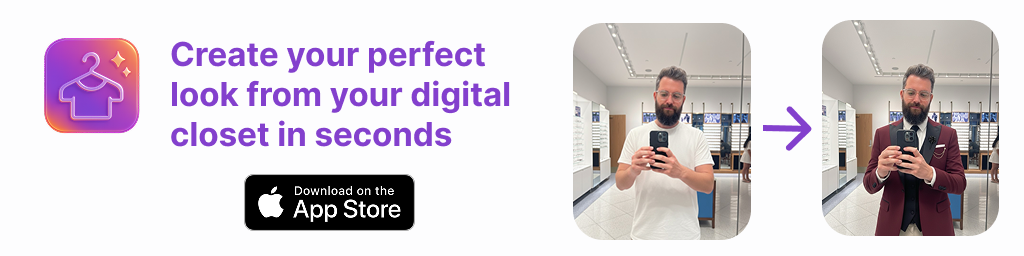
When an outfit works, it is worth remembering more than the individual pieces. You may like the color combination, the balance of relaxed and tailored items, or how the look suits a particular occasion. But without a simple way to record those details, a favorite outfit can disappear into a busy closet and be hard to recreate.
A wardrobe assistant can make saving looks part of everyday fashion planning. Use this checklist to record outfit combinations from clothes you own, add useful context, and make saved ideas easier to find when you need them. The goal is not to build a perfect catalog overnight. It is to create a practical collection of looks you can adapt and wear again.
What does it mean to save a favorite look?
A saved look is a record of an outfit combination, not just a list of garments. It might include a top, trousers, shoes, and a jacket, along with a note about where you would wear them. A digital wardrobe or smart closet organizer can help keep those pieces and combinations together. If the tool supports outfit images or virtual try-on, you may also be able to review a visual preview rather than relying on memory alone.
Think of a saved look as a useful starting point. You can repeat it, swap one item, or use its color palette as inspiration. Saving a combination does not mean you must wear it exactly as pictured every time.
The save-favorite-looks checklist
- Choose a look worth keeping. Save combinations you genuinely like, expect to wear, or want to test. A useful collection is more valuable than a large folder of outfits you will never revisit.
- Record the actual garments. Add or select the items that make up the look, using clear names or photos where available. Include the complete outfit, such as shoes and outerwear, if those pieces affect the overall result.
- Give the look a practical name. Use a name that helps you recognize it quickly: “Navy blazer and light jeans,” “Rainy-day errands,” or “Dinner with a knit layer.” Avoid vague labels such as “Look 4.”
- Add an occasion or use note. Note when the outfit might work: office, casual lunch, travel day, or an evening event. You can also record conditions such as “comfortable for walking” or “add a warmer coat in cold weather.” Keep notes factual and useful.
- Check the combination in context. Review how the selected pieces look together. If using AI try-on or a photo-based outfit preview, treat it as a way to visualize styling, not as a guarantee of exact fit, fabric behavior, or color accuracy.
- Save one clear version. If you are still deciding between shoes or a jacket, save the version you prefer and note the alternative, or save a second version with a distinct name. This prevents nearly identical entries from becoming confusing.
- Make it easy to retrieve. Add a category, tag, or occasion label if your wardrobe assistant offers one. Use a small, consistent set of terms so you can browse by need instead of remembering the exact outfit name.
- Review and refresh. Revisit saved looks occasionally. Update a combination if you no longer own an item, and remove entries that are no longer useful. A short review keeps the collection relevant.
A concrete example: saving a casual work look
Imagine you put together dark straight-leg trousers, a cream shirt, a navy cardigan, and loafers. You like the contrast, and the layers feel appropriate for a casual office day. A useful saved entry could look like this:
- Name: Cream shirt with navy cardigan
- Items: Cream shirt, dark trousers, navy cardigan, brown loafers
- Use: Casual office day or lunch meeting
- Note: Try the shirt tucked in for a neater version; add a coat if the weather calls for it
This record is more actionable than a title such as “work outfit.” It identifies the pieces and gives you a small styling option without turning the entry into a rigid rule. If you preview the items on a photo or avatar, use that image to judge the general visual relationship between colors and shapes. Check the real garments before wearing them to confirm comfort, proportions, and suitability for the day.
How to organize saved looks so you can find them
Organization should reflect the way you choose clothes. Some people start with the occasion; others think about weather, activity, or a particular garment. Choose a main structure that matches your habits and avoid making too many categories at the start.
| Organization method | Helpful for | Example labels |
|---|---|---|
| Occasion | Choosing an outfit for a known event | Work, weekend, dinner |
| Weather or season | Finding combinations suited to conditions | Warm days, cool layers, rain |
| Activity | Matching clothes to what you will do | Walking, travel, errands |
| Key item | Getting more use from a specific garment | Looks with black trousers |
Labels can overlap: the same outfit might suit both work and a casual dinner. If your tool allows more than one tag, use a few relevant ones. If not, choose the clearest category and include extra context in the outfit note. The point is quick retrieval, not an elaborate filing system.
What to check before relying on a saved outfit
A digital outfit preview can help you compare combinations without changing clothes repeatedly. It can be especially useful when deciding whether a shirt, jacket, or pair of shoes works with items already in your closet. Still, a preview is a styling aid rather than a fitting room.
- Fit and sizing: A visual preview cannot confirm that a garment fits your body comfortably or matches its labeled size.
- Fabric and movement: Images may not communicate stretch, drape, weight, texture, or how a piece behaves when you move.
- Color and lighting: Photos, screens, and indoor lighting can affect how colors appear. Compare items in real light when the exact shade matters.
- Weather and dress expectations: A saved look does not account automatically for the day’s forecast, venue requirements, or how formal an event is. Review those details yourself.
These limits do not make a digital wardrobe unhelpful. They clarify what it is good for: keeping track of your own garments, exploring combinations, and remembering outfit ideas. Use real-life checks for comfort, fit, and the needs of a specific occasion.
Keep the collection useful, not overwhelming
Start by saving a few outfits you already wear and enjoy. This gives you a practical base and helps establish naming habits before you add more. When you create a new combination, ask whether you can imagine wearing it and whether the pieces are actually available in your closet. If the answer is no, keep it as an experiment rather than treating it as a ready-to-wear option.
It can also help to save variations only when they solve a real choice. For example, one version with sneakers and another with loafers may be worth keeping if each suits a different plan. By contrast, saving every minor adjustment can make the collection harder to scan. Use notes for small alternatives and separate entries for meaningfully different outfits.
If you share looks with a friend, include enough information for them to understand what they are seeing. A clear name and garment list are more useful than an image alone. Sharing can be a way to compare ideas or ask for an opinion, but personal preferences and comfort should guide the final decision.
A simple weekly review
Set aside a few minutes once a week to look through saved combinations. Pick one or two options that suit your upcoming plans, then check the weather and the garments’ condition. If you wore a saved outfit, note what worked and what you would change next time. This small feedback loop turns a wardrobe assistant into a more relevant planning tool without requiring a detailed fashion diary.
For more guidance on organizing clothing and outfit combinations, explore Outfit Maker’s guide to building a digital closet. A thoughtful checklist can help you save favorite looks with a wardrobe assistant, find them when you need them, and use each idea as a flexible starting point for getting dressed.