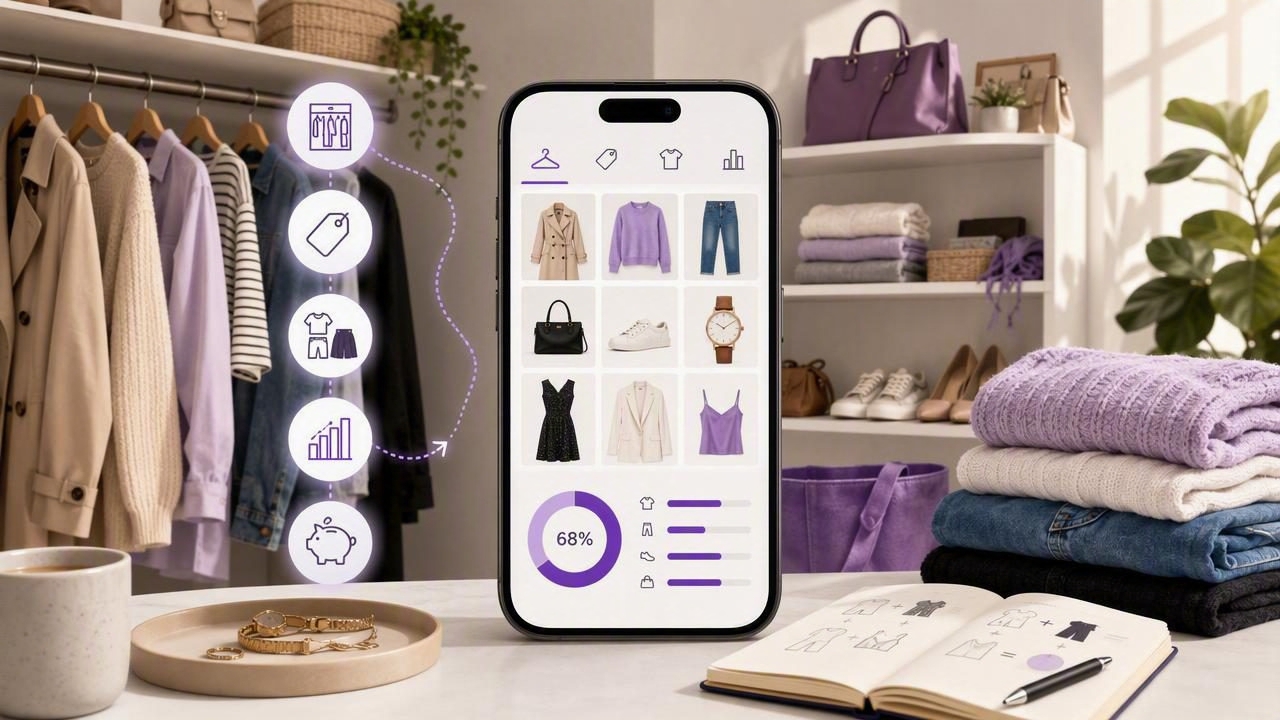
A closet management app can turn a chaotic wardrobe into a searchable, data-driven system you actually use. Beyond pretty grids of clothes, the right app gives you inventory control, tagging, outfit planning, and wear-tracking so you make better decisions every day—what to wear, what to donate, and what to buy next.
This guide breaks down how to set up a closet management app for quick wins, the features that matter, the metrics to track, and workflows that save time while multiplying your outfit options.
What a Closet Management App Should Do (In Plain English)
- Catalog your wardrobe: Add items via photos, camera, or import. Auto-remove backgrounds for clean, mix-and-match visuals.
- Tag consistently: Category, color, season, occasion, fit notes, care, and cost—so you can filter fast.
- Build and reuse outfits: Drag-and-drop items into looks, save variations, and clone favorites for different weather or dress codes.
- Track wear and care: Log wears automatically or with a tap; note laundry cycles and repairs.
- Surface insights: See cost-per-wear, underused pieces, and which items power your most-worn outfits.
- Plan ahead: Calendar, packing lists, and weather-aware suggestions to reduce last-minute stress.
Set Up Your Closet in About 90 Minutes
- Prioritize the high-rotation zone (30 minutes): Pull 30–50 pieces you wear most—tops, bottoms, layers, shoes. Photograph on a clean background or a flat surface with good lighting.
- Create simple, repeatable tags (20 minutes): Stick to short, standardized terms (e.g., “Top > Shirt,” “Color > Navy”). Keep it minimal now; you can refine later.
- Log cost and purchase info (10 minutes): Add price, brand, and purchase date if you know them. This unlocks cost-per-wear later.
- Build 10 starter outfits (20 minutes): Make looks for your real life—work, casual, gym, dinners, errands. Save seasonal alternates.
- Enable today’s wear tracking (10 minutes): Turn on quick logging or calendar integration so your data starts accumulating immediately.
Tip: Don’t try to catalog your entire closet in one marathon. Add seasonal segments each week. Momentum beats perfection.
The Tagging Taxonomy That Scales
Tags are the backbone of a useful closet. Keep them short, structured, and consistent.
| Field | Examples | Why It Matters |
|---|---|---|
| Category | Top, Bottom, Dress, Outerwear, Shoes, Accessory | Fast filters for outfits and packing lists |
| Subcategory | Shirt, Tee, Blouse; Jeans, Trousers; Blazer; Sneakers | Precision when building combinations |
| Color | Black, White, Navy, Tan, Olive | Palette control; mix-and-match clarity |
| Season | All-season, Spring, Summer, Fall, Winter | Rotation and storage decisions |
| Occasion | Work, Smart Casual, Casual, Formal, Athleisure | Quick suggestions for specific contexts |
| Layer | Base, Mid, Outer | Weather-smart outfit structure |
| Material | Cotton, Wool, Linen, Denim, Synthetic | Care and comfort planning |
| Care | Machine Cold, Hand Wash, Dry Clean | Laundry workflows and cost |
| Fit Notes | TTS, Runs small, Tailored, Relaxed | Confidence when dressing and shopping |
| Cost | $, $$, $$$ or exact price | Cost-per-wear, budget tracking |
| Location | Closet, Storage, Laundry, Suitcase | Find items fast; avoid duplicates |
| Lifecycle | New, In Rotation, Repair, Donate, Sell | Decluttering without guesswork |
Sample structure you can reuse:
{
  "category": "Top",
  "subcategory": "Shirt",
  "color": ["Navy"],
  "season": ["All-season"],
  "occasion": ["Work", "Smart Casual"],
  "layer": "Base",
  "material": "Cotton",
  "care": "Machine Cold",
  "fit": "TTS",
  "price": 45,
  "purchased": "2024-08-15",
  "lifecycle": "In Rotation"
}
Daily Workflow: Five-Minute System That Pays Off
- Morning: Filter by weather and occasion; pick a saved outfit or let the app suggest one from your most-worn colors.
- One-tap wear log: Log what you wore. This powers cost-per-wear and helps you identify MVP items.
- Evening: Tag items “Laundry” as needed. Add quick notes (e.g., “Shoes rubbed heel—add blister patch”).
- Weekly reset: Review Top 10 worn items, one underused piece, and one outfit to repeat next week.
- Quarterly rotation: Move off-season items to “Storage,” surface next season’s capsule, and plan a short shopping list if needed.
Small, consistent inputs—one-tap wear logs and simple tags—produce compounding clarity about what you actually wear and love.
Metrics That Matter (And How to Use Them)
- Cost per wear:
cost_per_wear = purchase_price / total_wears. Helps you value basics and identify high-ROI pieces. - Wear rate:
wear_rate = wears_in_period / days_in_period. Reveals your real rotation pace. - Outfit utilization:
utilization = (distinct_outfits_worn / outfits_saved) × 100%. Shows whether you’re hoarding looks or using them. - Benchwarmer index: Items with 0–1 wears in 60–90 days. Candidates for tailoring, restyling, or resale.
- Palette efficiency: % of outfits using your core colors. Streamlines future purchases to what actually mixes.
Use these numbers to guide three decisions: 1) what to wear more, 2) what to list for donation or sale, and 3) what to buy next to unlock more outfits with fewer items.
AI and Automation: What Good Looks Like
- Auto background removal and cropping: Cleaner visuals for mixing items virtually.
- Smart tagging assists: Suggest category, color, season, and occasion based on the photo and your past choices.
- Weather-aware suggestions: Temperature and precipitation rules that propose outfits with appropriate layers and fabrics.
- Outfit generation: Proposes combinations anchored by your most-worn items and color palette—then you fine-tune.
- Calendar and travel: Pulls events and generates a packing list with item reuse counts to minimize luggage.
Common Mistakes (And Fast Fixes)
- Over-tagging: Too many tags slow you down. Stick to 8–12 fields that you actually filter by.
- One-off outfits: Save templates, not just one-time looks. Clone outfits for different weather and footwear.
- Ignoring care and fit notes: These small fields prevent repeat discomfort and accidental damage.
- Cataloging everything at once: Start with active rotation; batch off-season items later.
- Not logging wears: Without wear data, you won’t know what to sell, tailor, or re-style.
Spreadsheet vs. Photos Folder vs. Closet Management App
| Approach | Setup | Search & Tags | Outfits | Insights | Automation | Sharing |
|---|---|---|---|---|---|---|
| Spreadsheet | Medium | Manual; text-based | Clunky; no visuals | Formulas if you build them | None | Manual |
| Photos Folder/Album | Easy | Limited; no structured tags | Visual but not combinable | None | None | Basic |
| Closet Management App | Easy–Medium | Structured, filterable tags | Drag-and-drop, reusable looks | Built-in wear and cost analytics | AI assists, weather, calendar | Share outfits or capsules |
Use Cases You Can Steal
- Busy professionals: Create weekday uniform templates (e.g., blazer + shirt + trouser + loafer). Rotate color accents by season.
- Students: Build a 10-piece campus capsule; tag by “Class,” “Lab,” “Game Day.” Add laundry reminders.
- Parents: Pre-build school-drop and weekend outfits; set care tags for kid-safe fabrics and stain plans.
- Travelers: Pack with reuse counts (e.g., jeans ×2 wears, blazer ×3). Generate a carry-on capsule by climate.
- Fitness-focused: Track sport-specific gear wear; add care rules for synthetics to avoid premature breakdown.
Privacy, Portability, and Reliability
- Local vs. cloud: Ensure your photos and tags back up securely while remaining accessible offline.
- Export options: CSV/JSON export protects your data and enables audits or migration later.
- Item-level control: Private items should stay private, even if you share certain outfits.
Feature Checklist When Choosing a Closet Management App
- Fast add flow: Camera capture, background removal, batch import.
- Flexible tagging: Custom fields, multi-select values, and easy edits.
- Outfit builder: Layering, color awareness, and cloning of looks.
- Wear logging: One-tap logs, calendar view, and reminders.
- Analytics: Cost-per-wear, wear rate, benchwarmers, palette insights.
- Weather and calendar: Forecast-based suggestions and event linking.
- Travel mode: Packing lists with item reuse counts and gaps.
- Care tracking: Laundry status, repair notes, and dry-clean reminders.
- Sharing: Export outfits or capsules to friends or social.
- Data safety: Backups, export, and privacy controls.
Starter Rules and Tags You Can Copy
# Palette
core_colors: ["Black", "White", "Navy", "Tan"]
accent_colors: ["Olive", "Burgundy", "Blue"]

# Weather rules
cold: temp <= 45F -> require: ["Outerwear: Coat", "Layer: Mid"]
mild: 46-65F -> suggest: ["Outerwear: Light Jacket"]
hot: >= 80F -> restrict: ["Material: Wool"]

# Occasion rules
work: include: ["Occasion: Work"]
smart_casual: include: ["Occasion: Smart Casual"]

# Rotation
repeat_window_days: 7  # avoid repeating exact outfit within a week
From Chaos to Clarity: Your Next Steps
- Catalog your current rotation (30–50 items) with clean photos.
- Adopt the simple tag set above; avoid over-customizing on day one.
- Build 10 repeatable outfits for real scenarios in your week.
- Log wears daily for two weeks—watch insights start to appear.
- Use the benchwarmer list to decide: restyle, tailor, donate, or sell.
- Plan one targeted purchase that unlocks 5+ new outfit combinations.
The payoff is compound: fewer decisions, smarter purchases, and more confidence every time you get dressed. If you’d like to try a tool that combines virtual try-on, tagging, outfit planning, and wear tracking in one place, consider exploring Outfit Maker for iOS.
