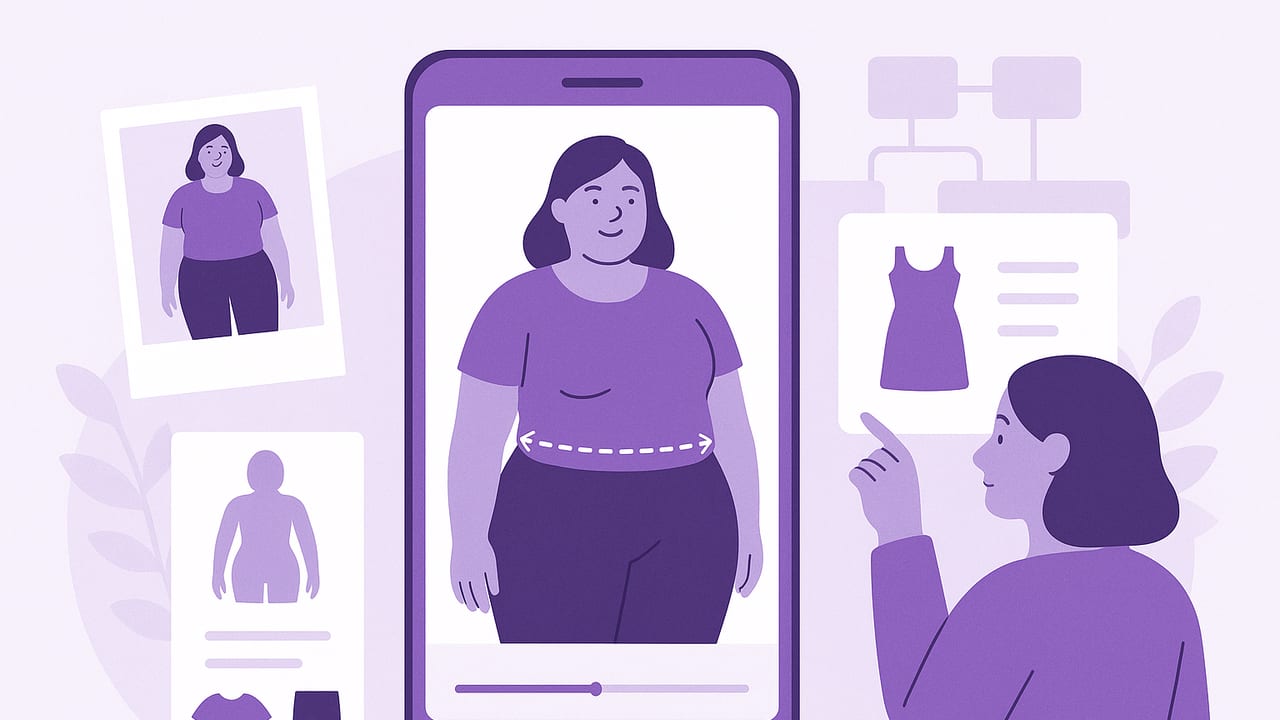
Shopping online can be stressful when you wear plus sizes. Returns are high, size charts vary, and product photos don’t always show how a garment drapes on a curvy body. The good news: plus size virtual try‑on clothing tools have improved dramatically, offering realistic previews that help you judge fit, proportion, and styling before buying.
This guide explains how virtual try‑on works, how to prepare accurate photos and measurements, what to look for in the results, and practical outfit formulas to test digitally. Use it to build a dependable workflow that reduces guesswork, saves time, and boosts confidence.
How Virtual Try‑On Works for Plus‑Size Bodies
Most modern virtual fitting tools combine three layers of technology:
- Body modeling: An avatar from photos and/or measurements approximates your shape and proportions (bust, waist, hip, shoulder width, rise).
- Garment mapping: The system learns a garment’s pattern and fabric behavior (stretch, weight, drape) from product data or your uploaded clothing photos.
- Rendering and occlusion: It simulates how fabric lies on your body, including sleeves around arms, waist definition, and hem lengths with perspective.
Accuracy depends on good inputs (clear photos, correct measurements) and whether the tool supports inclusive size ranges, realistic fabric behavior (knit vs. woven), and layering (e.g., blazer over a dress). Expect results to be directionally reliable for silhouette, coverage, and proportion, and consider minor differences in micro‑fit (like exact tightness at the bicep) as an area to double‑check with size charts and reviews.
Set Up for Accuracy: Photos, Poses, and Lighting
Follow this checklist to get consistent, realistic previews:
- Clothing base: Wear a fitted tank and leggings or a close‑fit tee and shorts to reveal contours without compression.
- Lighting: Even, diffuse light. Face a window, avoid harsh overhead shadows. Turn off strong backlights.
- Background: Plain wall or uncluttered space. Place camera at mid‑torso height to reduce distortion.
- Distance and framing: Capture head‑to‑toe with room around the body. Keep lens 8–10 feet away if possible.
- Angles: Front, side, and back. Relax shoulders, natural stance, arms slightly away from body.
- Consistency: Use the same pose and camera height for future sessions to compare outfits accurately.
Smart File Naming for Easy Comparisons
Use a simple naming convention to track what you tried and what you liked:
2025-03-12_front_base-Leggings-Tank.jpg
2025-03-12_lookA_wrapdress-midi_green_size18.jpg
2025-03-12_lookB_blazer-wideleg_denimWASHdark_20W.jpg
Measurements That Matter (and How to Use Them)
Combine virtual previews with accurate measurements to choose the right size and understand drape. Measure over undergarments you’ll typically wear.
| Body Measurement (You) | How to Measure | Compare To (Garment Specs) | Virtual Try‑On Checkpoints |
|---|---|---|---|
| Bust | Tape around fullest part, parallel to floor | Garment bust; stretch percent | Upper button strain, gaping, dart alignment |
| Underbust | Around ribcage under bust | Empire seam and bodice elastic | Empire seam sitting on ribcage, no riding up |
| Waist | Natural indent when you bend side | Garment waist; waistband stretch | Waistband rolling or digging; waist break point |
| High Hip | 3–4" below waist | Rise and yoke shaping | Front rise pulling; zipper ripple |
| Full Hip | Fullest around seat | Hip width; garment hip ease | Whiskers at crotch; seat flattening |
| Shoulder Width | Tip to tip across back | Shoulder seam length | Seam alignment; sleeve head puckering |
| Bicep | Fullest part of upper arm | Sleeve opening circumference | Creasing at bicep; sleeve straining |
| Sleeve Length | Shoulder point to wrist | Garment sleeve length | Wrist coverage; balance with top length |
| Front/Back Rise | Crotch through waist front/back | Garment rise numbers | Back waist gaping; front pulling at fly |
| Thigh | Fullest upper thigh | Pant leg opening; stretch | Horizontal stress lines at upper thigh |
| Inseam | Crotch seam to floor | Garment inseam plus shoe height | Hem break; pooling vs. cropping |
| Calf | Fullest calf | Boot/sleeve opening; skirt sweep | Cling around calf; kick flare drape |
Pro tip: Fit is a relationship between your body, the fabric, and the pattern. Virtual try‑on reveals that relationship visually—measurements help you calibrate it.
Reading the Results Like a Stylist
When your preview loads, scan top to bottom:
- Neckline and shoulders: Seam should sit at shoulder tip. V‑necks and wrap shapes visually lengthen the neckline.
- Bust: Look for subtle pulling at buttons; consider a full‑bust adjustment style if strain appears.
- Waist and rise: Note where the waist hits; high‑rise bottoms can smooth the midsection and balance proportions.
- Hip and thigh: Horizontal stress lines at crotch or thigh signal a need for more ease or stretch.
- Length and balance: Check hem relative to your knee/ankle. Midi skirts near mid‑calf often elongate the line.
- Sleeves: Cap sleeves may accentuate the bicep; 3/4 sleeves are universally flattering and practical.
Common Fit Issues and How to Troubleshoot
| Fit Concern | Virtual Try‑On Checks | Size/Style Tactics |
|---|---|---|
| Bust pulling on button‑downs | Gaps at bust apex; diagonal lines to placket | Size up and tailor waist; choose stretch poplin; try hidden snaps |
| Waistband rolling or digging | Curving at midsection; front rise creasing | Higher rise with wider waistband; contoured waist; add belt for anchor |
| Thigh whiskers in jeans | Horizontal lines from fly to hip | More thigh ease; fabric with 1–2% elastane; try straight/bootcut |
| Sleeves tight at bicep | Vertical strain; sleeve head puckers | Size for arm first; raglan/dolman sleeves; stretch jersey |
| Back waist gaping | Gap at center back when moving | Curvy fit jeans; belts; alter darts; elasticized back |
| Hem pooling or chopping the leg | Excess fabric at shoe; awkward calf crop | Adjust inseam; try full‑length wide leg or precise ankle crop |
Outfit Formulas to Test Virtually (Plus‑Size Friendly)
Use these formulas in your virtual try‑on to evaluate silhouette, color, and proportion quickly:
- Column of color: Same‑tone top and bottom with a contrasting topper. Elongates visually; test with a longline blazer or duster.
- Wrap or surplice dress + block heel: Adjustable bust fit, defined waist, fluid skirt. Check sleeve length and neckline depth.
- High‑rise wide‑leg trousers + structured blazer: Smooths midsection, balances hips/shoulders. Ensure shoulder fit and blazer length hit below hip.
- Dark bootcut denim + V‑neck knit: Subtle flare balances curves; test inseam for your go‑to shoe height.
- A‑line midi skirt + fitted tee: Skims over hips and thighs; experiment with belt width and placement.
- Jumpsuit with elasticized back: Try adjustable straps and defined waist; preview torso length to avoid wedging.
- Athleisure set (supportive leggings + longer hoodie): Check opacity, rise, and hip coverage; test jacket lengths for layering.
- Swimwear: Look for power‑mesh panels and underwire/longline tops; verify bottom rise and leg opening in the preview.
Pattern and print scale matter. Use the zoom view to assess how a floral or stripe reads at your proportions—larger motifs usually harmonize with fuller curves; micro‑prints can feel busy unless balanced with solids.
Choosing the Right Virtual Try‑On Tool
Evaluate tools with a plus‑size lens:
- Size range and avatars: Supports extended sizes and realistic curvy shapes, not just scaled‑up standard avatars.
- Fabric simulation: Handles stretch knits vs. structured wovens differently; recognizes drape and recovery.
- Layering and occlusion: Can you test jackets over dresses, tucking, half‑tucks? Do sleeves sit around arms properly?
- Lighting/skin tone fairness: Previews should adapt to varied skin tones and avoid color shifts.
- Measurement input and editing: Accepts custom measurements and easy updates if your size changes.
- Privacy and data control: Look for local processing or clear data policies; the option to delete images/avatars.
- Comparison views: Side‑by‑side layouts for A/B testing sizes, lengths, or colors.
Build a Repeatable Try‑On Workflow
- Create your base model: Capture front/side/back photos and enter measurements. Save as your default avatar.
- Import clothing: Upload product images or photos of garments you already own to mix and match.
- Tag and organize: Use tags like “work,” “weekend,” “formal,” “heat‑friendly,” “stretch,” “midi,” “high‑rise.”
- Run A/B tests: Try two sizes or lengths. Compare side‑by‑side and mark the winner.
- Check reality anchors: Cross‑reference with size charts and customer reviews, especially for bicep and thigh fit.
- Document fit notes: “Brand X blazer: size 20 fits shoulders; sleeves long; hem at low hip—ideal with wide leg.”
- Finalize and save looks: Build go‑to outfits for occasions so you can re‑use proven silhouettes.
Special Categories: Denim, Tailoring, Swim
Denim
- Rise: High‑rise smooths and avoids muffin‑top; mid‑rise if you’re short‑waisted.
- Leg shape: Bootcut/straight balance hips; wide leg for drama; skinny with substantial stretch for comfort.
- Wash: Dark rinses read polished; fading should land at the thigh center, not the widest point.
Tailoring
- Focus on shoulder fit; you can tailor the waist but not shoulders easily.
- Two‑button or single‑button blazers define the waist; test lengths (low hip vs. longline).
Swim
- Try underwire or longline tops for support; racerback helps with strap slippage.
- High‑rise bottoms with power‑mesh smooth without compressing uncomfortably.
- Use the preview to assess leg opening—a slightly higher cut can lengthen the leg visually.
Accuracy, Limitations, and FAQs
How accurate are plus‑size virtual try‑ons?
They’re reliable for silhouette, proportion, coverage, and relative length. Fine‑tuned tightness (e.g., sleeve circumference) may vary with fabric recovery and construction details. Use measurements and reviews to confirm.
Can I try on the clothes I already own?
Yes—photograph your garments on a flat surface or hanger in good light, remove busy backgrounds if possible, and tag details (fabric, stretch) to improve simulation. This lets you mix new pieces with your current wardrobe.
What if my size fluctuates?
Create multiple avatars (e.g., current, +1" hip, ‑1" waist) to preview fit across ranges. This is great for brands with inconsistent grading.
How do I handle lighting and skin tone in previews?
Shoot in consistent daylight and avoid filters. Choose tools that let you adjust skin tone and contrast so garment colors remain true.
Are there privacy concerns?
Always review data policies. Prefer apps that process locally or clearly state how images are stored and allow deletion. Avoid sharing avatars publicly unless you choose to.
Review Smarter: Size Charts and Community Feedback
- Brand charts vs. garment specs: Look for actual garment measurements (flat and stretched), not just body charts.
- Reviewer body data: Prioritize reviews with height, weight, typical sizes, and notes on bicep/hip fit.
- Fabric content: 1–3% elastane or spandex changes ease drastically; ponte and scuba hold shape well.
- Return policies: When in doubt between sizes, opt for generous return windows—virtual previews narrow the gap, but a try‑on at home confirms comfort.
Quick Checklist Before You Buy
- Previewed at least two sizes or lengths side‑by‑side.
- Seams align at shoulders; no obvious strain at bust or thigh.
- Rise and waistband placement feel right for your torso length.
- Hem length works with your most‑worn shoes.
- Fabric content matches your comfort and care preferences.
- Notes saved with size, fit, and alteration ideas.
If you want an easy way to build a digital closet and experiment with plus size virtual try‑on clothing on iPhone, consider a dedicated app like Outfit Maker, which lets you upload photos of yourself and your clothes, generate realistic outfit previews, and compare combinations side‑by‑side.
