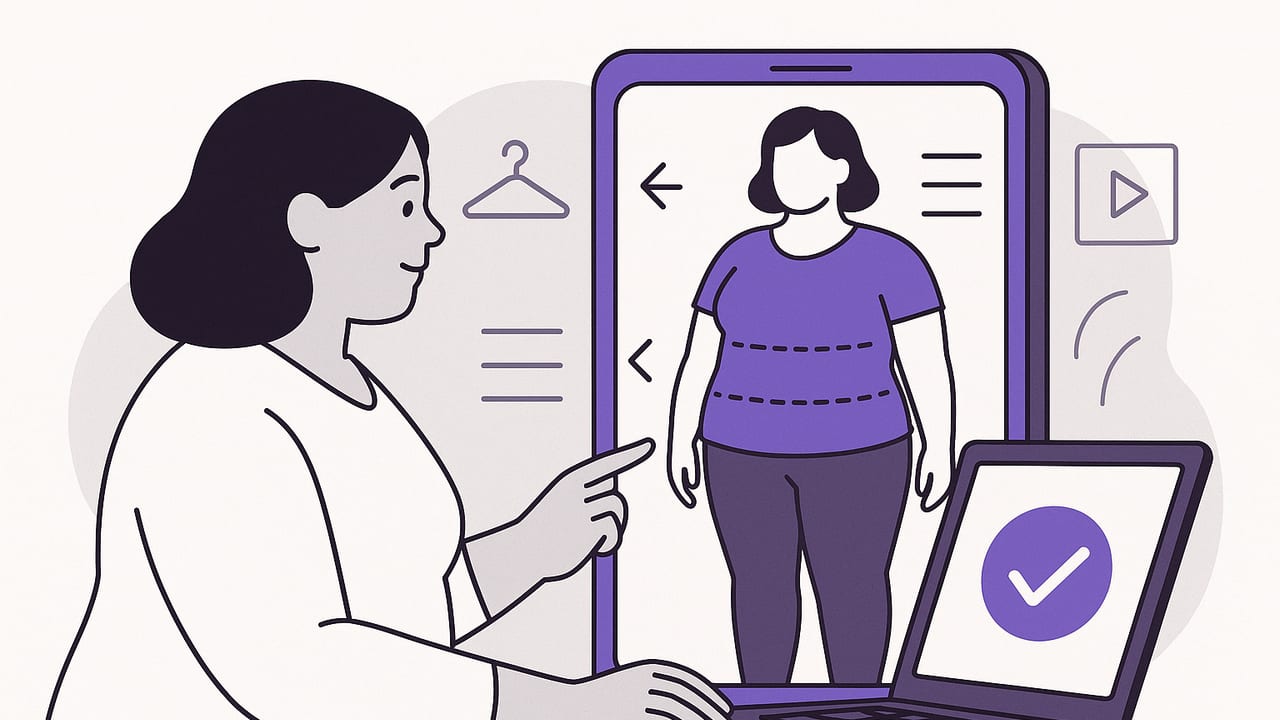
Virtual try-on has become a powerful way to design outfits, compare options, and predict fit before buying or getting dressed. For plus-size shoppers and stylists, the payoff is even bigger: fewer returns, faster decisions, and the confidence that comes from seeing realistic proportions on your body. This guide shows you how to create accurate, flattering plus size virtual try on looks with practical workflows, styling frameworks, and troubleshooting tips.
How to Create Plus Size Virtual Try On Looks That Fit
Realism starts with consistent inputs. The more accurate your measurements, garment photos, and lighting, the more believable your virtual results will be.
Step 1: Capture accurate body measurements
- Bust (fullest part)
- Underbust
- Waist (narrowest point)
- High hip and full hip
- Shoulder width
- Arm length and bicep
- Inseam and outseam
- Thigh and calf circumference
Update these quarterly, or anytime your body changes. When an app allows, input both circumference and height-based data for better scaling.
Step 2: Photograph your clothes for realistic drape
- Use bright, indirect light. Turn off overhead yellow lights; face a window.
- Hang garments on a plain wall or lay flat on a neutral surface.
- Smooth wrinkles and close zippers; button the top two buttons to show shape.
- Photograph front and back. Capture close-ups of fabric texture and stretch direction for reference.
- Keep camera parallel to the garment to avoid distortion.
For shoes and accessories, shoot at eye level to avoid exaggerated angles. A consistent distance (e.g., 4–5 feet) helps scale.
Step 3: Calibrate color and scale
- Include a known-size item (e.g., a credit card) in one reference shot to help scaling tools.
- White balance: hold a white sheet of paper in one photo; many apps auto-correct color from it.
Stylist rule: “Fit beats size; structure shapes the silhouette.”
Choose the Right Virtual Try-On Method
Different virtual try-on technologies excel at different tasks. Mix and match based on your goal—fit confidence, styling ideas, or quick comparisons.
| Method | How it works | Accuracy | Effort | Best for |
|---|---|---|---|---|
| 2D photo try-on | Overlays garment photos on your body image | High for color/proportion; moderate for drape | Low–medium | Outfit planning, color & proportion checks |
| 3D avatar try-on | Generates a body model from your measurements | High for fit mapping; varies by fabric sim | Medium–high | Fit prediction, pattern scale, movement |
| Retailer VTO | Brand-specific AR/size recommendation | High within that brand’s size block | Low | Shopping new pieces from a single retailer |
Tip: Use 2D for fast “Does this look balanced?” checks and 3D when you need to confirm rise, sleeve mobility, or whether a tailored piece will pull at the bust.
Styling Frameworks That Flatter in Virtual Try-On
These stylist-approved rules help you evaluate plus-size looks on screen—and off.
The 1/3–2/3 proportion rule
Split the outfit vertically so one section reads as one-third and the other as two-thirds. For example: tuck or half-tuck a blouse (top as 1/3) with high-rise trousers (bottom as 2/3). In VTO, this usually looks more elongated than a 1/2–1/2 split.
Column of color
Create a single-value center (e.g., black top + black trouser) and layer a contrasting third piece (e.g., camel blazer). This focuses the eye vertically and streamlines the silhouette.
Define your anchor points
- Shoulders: Structured shoulders sharpen the frame and balance hips or bust.
- Waist: A soft cinch (self-tie, elasticized waist) adds shape without squeeze.
- Hemlines: Aim for hemlines that meet the narrowest part near the knee or ankle.
Necklines and sleeves
- V- and scoop-necks lengthen the neck and center the gaze.
- Elbow or bracelet sleeves highlight the waist and wrist lines.
- A slight shoulder puff or set-in sleeve adds symmetry if you carry volume through hip or bust.
Plus-size outfit formulas to try
- Smart-casual: Structured blazer + v-neck knit + high-rise straight jeans + block-heel ankle boots.
- Work-ready: Wrap blouse + wide-leg trouser (full length) + pointed flats. Add a belt the color of the pants for a clean column.
- Date-night: Satin bias skirt + fitted bodysuit + cropped moto jacket + strappy heel.
- Weekend: Longline cardigan + ribbed tank + pull-on ponte flare + clean sneaker.
- Summer: A-line midi dress with defined waist + denim jacket over shoulders + wedge sandal.
- Occasion: Fit-and-flare tea-length dress + structured shrug + metallic heel. Keep bag in dress color for a seamless line.
Fabric, Drape, and Pattern: Getting Realistic Results
Fabric behavior often makes or breaks realism in virtual try-on.
- Stretch knits (jersey, ponte): Forgiving and easy to predict. Great for body-skimming shapes.
- Wovens with structure (twill, suiting): Offer clean lines and waist definition. Accurate with 3D tools.
- Slippery fabrics (satin, charmeuse): Can cling at high-friction areas. When in doubt, size to skim rather than grip.
- Sheer/chiffon overlays: Add float and movement; test with 3D sims or layer in 2D for volume without bulk.
Pattern scale matters. Larger motifs can dominate small garment areas. In VTO:
- Keep large florals to single pieces (dress or top), not head-to-toe.
- Use micro-prints for tops if you want the eye to read texture, not scale.
- Vertical or broken stripes elongate; chevrons focus the eye at the center.
Evaluate Proportion On-Screen Like a Stylist
Use this quick checklist when reviewing a look in your app:
- Head-to-toe balance: Do you see a smooth vertical line, or is the look cut in half? Adjust tuck, belt height, or hem.
- Shoulder-to-hip harmony: If hips dominate, add shoulder structure or a longer third piece. If shoulders dominate, soften with a drapey layer.
- Waist placement: Is the waist hitting your natural waist? Move belt up/down or choose a higher rise.
- Leg line: Full-length or ankle-length usually elongates more than mid-calf for pants.
- Shoe lift: Pointed toes extend the line; ankle straps can shorten. Confirm in VTO.
- Color mapping: Does the brightest color sit at your focal point? If not, swap top/bottom intensities.
Screenshot two variations and compare side by side. Small tweaks—tucking, sleeve rolling, belt width—often transform the whole silhouette.
Troubleshooting Common Fit Illusions in VTO
| Symptom | Likely cause | Fix |
|---|---|---|
| Bust pulling or button gap | High bust apex or too-straight bodice | Choose stretch poplin or wrap styles; add hidden safety snap. In VTO, test size up + tailoring. |
| Waist disappears under layers | Third piece too long or boxy | Try a belt, cropped jacket, or shape the hem with a half-tuck. |
| Shortened legs | 1/2–1/2 proportion, low-contrast shoes | Shift to 1/3–2/3, raise rise, pick pointed shoes in the pant color. |
| Hip cling | Fabric with static or high friction | Choose lined or heavier drape fabrics; in VTO, preview a slip or smoother. |
| Neckline crowding | High neck with fuller bust | V- or scoop-neck; add a pendant to create a vertical line. |
| Skirt rides up virtually | Incorrect scale or hip-to-waist ratio | Recalibrate measurements; test A-line or bias cuts. |
Save, Compare, and Share to Decide Faster
- Label versions: “Look 1 – black column + camel blazer,” “Look 2 – navy column + ivory blazer.”
- AB test one variable at a time: shoe color, jacket length, belt width.
- Use a simple rubric: Comfort (1–5), Proportion (1–5), Occasion fit (1–5). Keep the highest composite score.
- Ask a trusted friend for a second opinion on silhouette, not just color.
Accessibility and Comfort Considerations
- Mobility: Test sleeve type and rise in 3D if you use mobility aids; dolman sleeves may limit lift.
- Chafe prevention: Preview biker-short slips under dresses; choose flat inner seams for long days.
- Support layers: In VTO, visualize smoother lines with supportive bras or cami shapers only if comfortable—fit should not rely on compression.
Quick Reference: Look Recipes by Occasion
- Business formal: Single-button blazer + matching trouser + shell in same color family + low vamp pumps.
- Creative office: Cropped cardigan + satin midi slip + lug-sole loafer for edge.
- Cocktail: Draped faux-wrap dress + metallic heeled sandal + small structured clutch.
- Casual chic: Utility jacket + knit column (tee + ponte flare) + sleek sneaker.
- Brunch: Tiered midi dress + denim jacket + espadrille wedge; add belt to find the waist.
- Wedding guest: A-line chiffon midi + flutter sleeve + nude-to-you heel; keep jewelry vertical.
- Travel day: Longline vest + soft crew + wide-leg knit pant + knit slip-on; crossbody at high-hip.
Advanced Tips for Realistic Plus-Size VTO
- Hem simulation: In 2D, duplicate the skirt layer and mask to test a 1–2 inch hem change.
- Belt width test: Overlay a 1-inch and 2-inch “belt” rectangle to see which defines the waist best.
- Pattern placement: If your tool supports it, nudge prints so motifs don’t land at the bust apex.
- Contrast strategy: Put highest contrast where you want focus (face, waist), and lower contrast where you want smooth continuity (hips, thighs).
A simple naming system to keep outfits organized
Use a structured naming convention when saving looks so you can search by occasion, color, and season later.
Occasion-ColorPalette-KeyPiece-Season_Version
Work-NavyCamel-BlazerPants-Fall_v2
Weekend-BlackWhite-CardiganPonte-Spring_v1
Putting It All Together
Building believable plus size virtual try on looks is a repeatable process: measure accurately, photograph garments clearly, pick the right VTO method for your question, apply proportion rules, and compare versions with intention. Over time, you’ll curate a set of proven formulas that always flatter, no matter the trend cycle.
Looking for an iOS tool that lets you catalog your closet, virtually try on outfits from your own photos, and compare combinations side by side? Consider exploring Outfit Maker for a streamlined, realistic workflow.
