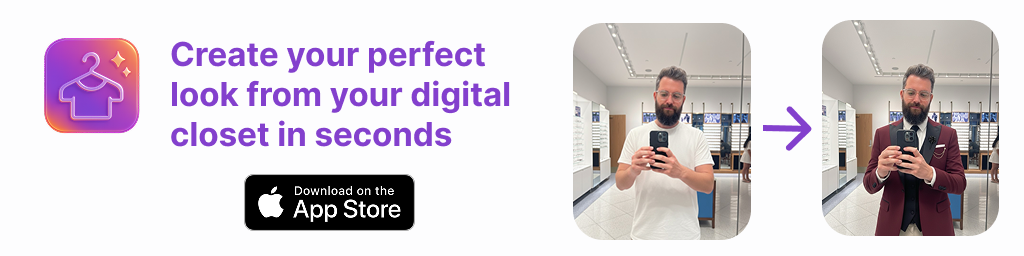
A personal styling app can help you make more of your wardrobe, but getting useful results starts with how you use it. Whether you want to get dressed faster, explore new combinations, or plan outfits for an upcoming event, a few simple habits can make the process feel easier.
These personal styling app tips for beginners focus on practical ways to build a digital closet, test outfit ideas, and make decisions without treating an app’s suggestions as rules. The goal is to find combinations that suit your real life and your personal taste.
1. Decide what you want help with
Before adding clothes or browsing outfit ideas, choose one everyday problem to solve. Perhaps mornings feel rushed, you forget what is in your closet, or you are unsure how to style a particular item. A clear goal helps you decide which app features are useful and keeps the setup manageable.
For example, if you often struggle to style a navy cardigan, start by exploring combinations with that item. If you need outfits for work, focus on the clothes you actually wear in that setting. You do not need to plan your entire wardrobe at once.
- For quicker mornings: save a few reliable outfit combinations.
- For wardrobe visibility: create a digital record of frequently worn clothes.
- For an upcoming occasion: compare a small number of suitable looks.
2. Build your digital closet in small batches
A digital closet is most useful when it reflects clothes you own and might realistically wear. It can be tempting to catalog everything in one sitting, but beginning with a small, useful selection is often less overwhelming. Add the items you reach for regularly, such as everyday tops, trousers, shoes, and a dependable jacket.
Use clear photos where the garment is visible, and try to keep the background and framing simple. If an app lets you add categories or notes, use consistent labels—for example, “black ankle boots” rather than several vague entries such as “boots.” You can add seasonal, formal, or occasional pieces later.
Do not worry about making your digital closet perfect. Its purpose is to help you recognize what you have, not to create a complete inventory on day one. For more ideas on organizing wardrobe photos and categories, see this guide to creating a digital closet.
3. Start with one item, then build around it
When you are learning an outfit planning app, it helps to begin with a garment you want to wear rather than asking for an entirely new style. Choose a piece you like but do not use often, then consider what could go with it. This gives you a concrete styling question to explore.
Try pairing a patterned skirt with a simple top, or see whether a familiar shirt works with different trousers and shoes. Change one part of the combination at a time. If you swap the top, shoes, and jacket all at once, it can be harder to tell which change made the outfit feel more balanced.
Use suggestions as starting points, not instructions. An AI outfit generator may surface combinations you had not considered, but your comfort, preferences, and plans matter more than a generated recommendation.
4. Use a real-life example to test your process
Imagine you have a cream sweater, dark straight-leg jeans, white sneakers, and a long brown coat. You want a comfortable outfit for a casual lunch. First, select the sweater and jeans as your base. Then compare the look with sneakers against an option using ankle boots. If the weather is cool, add the coat to see how the layers work together.
Now consider the actual day: Will you walk a lot? Is the venue casual? Do you need a bag that fits what you are carrying? These practical checks help narrow the options. You might save the sneaker version as a relaxed daytime outfit and keep the boot version for a slightly dressier plan. The app helps you compare the pieces visually; your context helps you choose between them.
This method is especially useful when you want to wear something already in your closet. Instead of buying a new item to complete a look, check whether a different shoe, layer, or accessory you own changes the outfit enough for the occasion.
5. Plan for the occasion, not just the picture
A combination can look appealing on a screen and still be wrong for the day. Before saving an outfit, think about the setting, weather, dress expectations, and how long you will be wearing it. A work outfit may need comfortable shoes for a commute; a dinner look might need a warm layer for the trip home.
If you are planning for an event, make a short list of what the outfit needs to do. For example: feel comfortable while standing, suit a semi-formal dress code, and work with a jacket you already own. Then compare only combinations that meet those needs. This makes fashion planning more focused than collecting attractive but impractical ideas.
For travel, consider repeating versatile pieces across several outfits rather than planning every look around a separate garment. Check whether your combinations work with the shoes and outerwear you intend to bring. A styling app can help visualize options, but it cannot decide what will be comfortable for your itinerary.
6. Save outfits you would actually wear
Saved looks can become a useful reference when they represent realistic choices. Keep combinations you can imagine wearing with your current wardrobe, schedule, and comfort preferences. If an outfit depends on an item you do not own, label it as an idea rather than treating it as a ready-to-wear option.
Consider organizing saved combinations by simple situations, such as work, weekends, or evenings. A small collection you recognize is often more helpful than a large set of looks you never revisit. Every so often, remove combinations that no longer suit your taste or daily routine.
If you share looks with a friend for feedback, ask a specific question such as “Which shoes feel more suitable?” Clear questions are easier to answer than “Do you like this?” Keep the final decision yours; another person’s preference may not match your comfort or plans.
7. Understand what virtual try-on can and cannot tell you
Virtual try-on uses photos to help you visualize clothing or outfit combinations. It can make it easier to compare styling ideas without physically changing clothes, but a visual preview is not the same as trying on the actual garment. The result may help you consider color, layering, or the general impression of a look.
Do not treat an AI image as a reliable fit or sizing prediction. It cannot confirm how a real item will feel, drape, stretch, or move on your body. Fabric texture, garment construction, lighting, pose, and image quality can all affect what a preview appears to show. Check the garment’s actual measurements and details when those matter, and try it on in person when possible.
Use virtual try-on as a style visualization tool: ask whether you like the overall combination, whether the colors work for you, or whether a layer changes the mood. Use real-world information—not the preview—to judge fit, comfort, fabric, and suitability for a particular activity.
8. Make a short weekly outfit-planning habit
You do not need a detailed schedule to benefit from outfit planning. Set aside a few minutes to look at the next few days and save one or two combinations for occasions that matter. Check the forecast and any practical requirements, such as walking, meetings, or a dress code. Leave room to change your mind.
After wearing an outfit, notice what worked. Perhaps the shoes were uncomfortable, or the jacket made a combination more useful. That feedback can guide future choices and help your digital wardrobe reflect how you actually dress. A styling app is more helpful when it supports your habits instead of adding another chore.
Begin with one useful decision
The best way to start is to choose one real wardrobe question, add a few relevant items, and compare combinations you would genuinely wear. Save the options that suit your life, and remember that digital previews support styling decisions—not exact predictions about fit or fabric. With a simple routine, a personal styling app can make your closet easier to explore and outfit choices easier to plan.