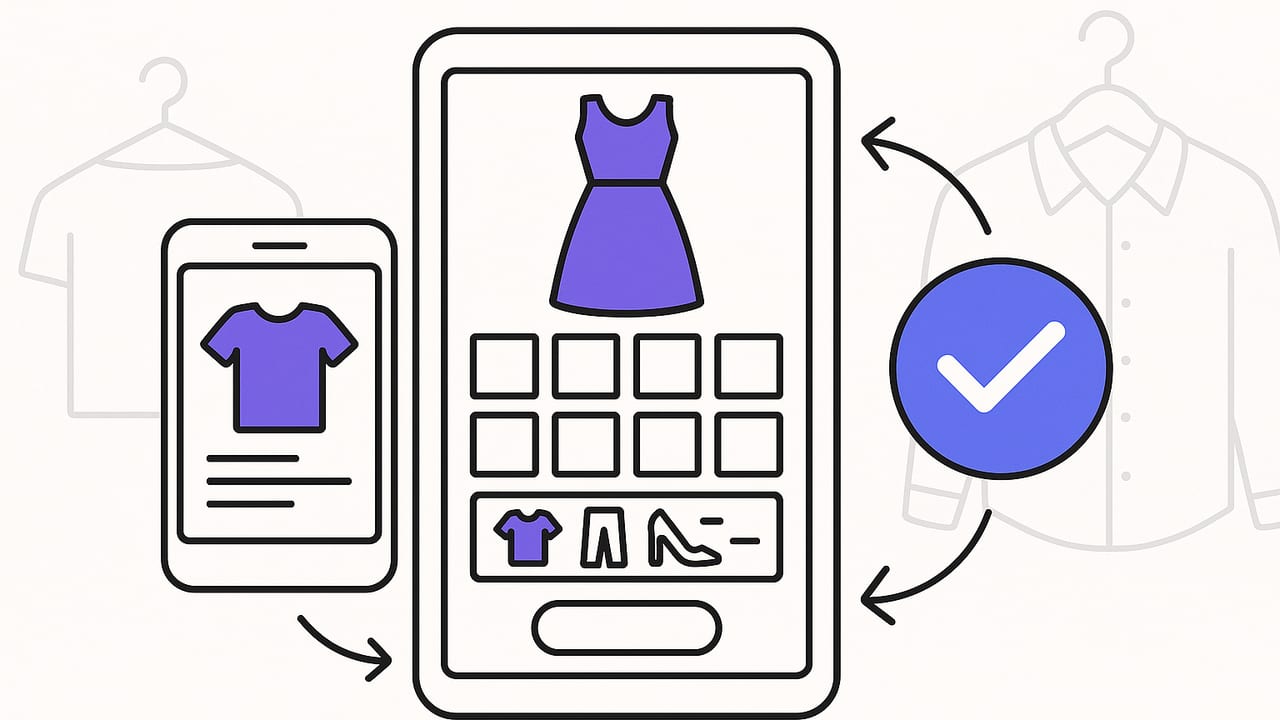
If you’ve ever stared at a full closet and thought, “I have nothing to wear,” an outfit planning app can turn that frustration into a repeatable system. These tools help you digitize your wardrobe, simulate outfit combinations, and schedule what you’ll wear—so you make faster decisions, pack smarter, and actually use more of what you already own. This guide explains how an outfit planning app works, which features to prioritize, and a practical workflow you can start today.
What Is an Outfit Planning App?
An outfit planning app is a digital wardrobe and styling assistant. You catalog your clothes, tag them with useful attributes (category, color, fabric, season, dress code), then combine pieces into looks for specific scenarios—workdays, date nights, travel, workouts, or events. Many apps incorporate AI to remove backgrounds, suggest pairings, or even simulate how garments hang on your body.
Unlike a simple photo album or a Pinterest board, an outfit planning app is structured: your items are searchable, your outfits are reusable, and your calendar remembers what you wore and when. With weather and occasion filters, you can plan a week of outfits in minutes and adapt them as plans change.
Core Features to Look For
Before you download the first option in the app store, evaluate the essentials. The best outfit planning app balances speed, accuracy, and flexibility.
- Fast item capture: Batch import, background removal, and automatic category detection save hours during setup.
- Flexible tagging: Support for custom tags such as fabric, fit, formality, care (hand-wash, dry-clean), seasonality, and cost-per-wear.
- Smart search and filters: Find “black trousers, high-rise, work-appropriate, winter” in seconds.
- Outfit builder: Drag-and-drop canvas, outfit templates, and layering support so coats sit on top of knits, etc.
- Calendar and scheduling: Assign outfits to dates, set reminders, and track repeats for photos or important events.
- Weather integration: Temperature, precipitation, and wind data, with rules like “If rain > 40% add waterproof outerwear.”
- Capsule and packing tools: Create mini-wardrobes for seasons, work trips, or vacations; auto-generate combos that maximize re-wears.
- Analytics: Wear count, last worn, cost-per-wear, and closet utilization to guide future shopping.
- Size and fit notes: Record inseam, rise, heel height, stretch, ease—all critical for proportionally balanced looks.
- Sharing and collaboration: Share outfits with friends or stylist; collect feedback without exposing your whole closet.
- Privacy and data export: Clear data ownership, sign-in options, and export in case you switch apps.
- AI try-on or simulation: Optional but helpful for visualizing drape and layering without changing clothes.
Workflow: From Closet to Calendar
Here’s a streamlined process you can complete over a weekend and maintain in minutes per day.
- Audit and capture: Pull your most-worn 50–80 items first. Photograph or import online images. Remove backgrounds for a clean, consistent look.
- Tag with intent: Add categories (top, bottom, outerwear, shoes), colors, formality, season, and fit notes (slim, relaxed, cropped). Use consistent vocabulary for clean search results.
- Build outfit formulas: Create 5–8 evergreen templates that reflect your lifestyle. Examples:
- Smart-casual: Structured blazer + knit tee + straight jeans + loafers
- Office formal: Blouse + high-waist trousers + belt + heels
- Weekend: Boxy sweatshirt + leggings + sneakers + crossbody
- Evening: Statement top + slip skirt + heeled boots
- Create capsules: Group items for a purpose (e.g., Work Winter 25 pieces). Ensure each piece pairs with at least three others.
- Schedule the week: Check weather and events, then drag outfits to the calendar for Mon–Fri. Add a backup look per day for flexibility.
- Reflect and refine: Track what you actually wore and why. Retire weak items; duplicate successful formulas with seasonal swaps.
A 10-Minute Daily System
- Check tomorrow’s weather and plans (60 seconds).
- Filter your capsule by temperature and dress code (60 seconds).
- Pick a base (pants or dress), then layer via an outfit formula (3 minutes).
- Add accessories and shoes; save the look (3 minutes).
- Snap a mirror photo to track real wear vs. plan (2 minutes).
Color and Fit: Make the Algorithm Work for You
Outfit planning improves when you encode color and fit intelligently. Two quick wins:
- Color contrast: Tag items with contrast level (low, medium, high). High-contrast outfits (e.g., black-white) read sharper; low-contrast (e.g., beige-taupe) read softer and longer.
- Silhouette balance: Opposites attract. Pair oversized with slim, cropped with high-rise, long over narrow. Use tags like “relaxed,” “straight,” “tapered,” “cropped,” and “full-length.”
Use these pairings to avoid trial-and-error every morning:
| Silhouette Type | Best Pairing | Why It Works |
|---|---|---|
| Oversized top | Slim or straight bottom | Creates structure and a defined line |
| Cropped top | High-rise bottom | Restores proportions and leg line |
| Wide-leg pants | Fitted top or cropped jacket | Balances volume, avoids bulk |
| Bodycon dress | Longline blazer or duster | Adds vertical line and polish |
Packing and Travel With an Outfit Planning App
The right app turns packing into a solvable puzzle. Start with a color story (e.g., navy, ivory, tan), pick two shoe styles, and choose 8–12 garments that all mix-and-match. Use a 3x3 grid: three tops, three bottoms, three layers—27 possible outfits before shoes/accessories.
- Set the constraints: Trip length, weather range, activities, laundry access.
- Build a travel capsule: Add versatile pieces (e.g., reversible belt, wrinkle-resistant fabrics).
- Generate outfits: Use the app’s combinator to ensure each piece works in 3+ outfits.
- Save to itinerary: Assign looks to days; keep one rain-day and one dressier backup.
Result: a smaller suitcase, a clearer plan, and fewer “I packed the wrong shoes” moments.
Sample Tag Taxonomy (Copy/Paste)
Consistent tags make search powerful. Use this starter taxonomy and adapt to your closet.
{
  "category": ["top","bottom","dress","outerwear","shoes","bag","accessory"],
  "formality": ["casual","smart-casual","business","formal"],
  "season": ["all","spring","summer","fall","winter"],
  "fit": ["slim","regular","relaxed","oversized"],
  "rise": ["low","mid","high"],
  "length": ["cropped","hip","thigh","knee","midi","ankle","full"],
  "color_contrast": ["low","medium","high"],
  "fabric": ["cotton","wool","linen","silk","denim","synthetic","blend"],
  "care": ["machine","hand-wash","dry-clean"],
  "occasion": ["work","weekend","travel","event","gym"],
  "notes": ["stretch","wrinkle-resistant","waterproof","breathable"]
}
Common Mistakes and How to Avoid Them
- Over-tagging: Too many niche tags slow search. Start with 6–8 core attributes and expand only if needed.
- Ignoring shoes and outerwear: Most outfits fail here. Photograph all footwear and coats; tag by weather and formality.
- Unrealistic fits: Add current measurements and comfort notes; retire pieces that don’t fit today’s you.
- Skipping mirror photos: Reality beats theory. Save what you actually wore to refine future suggestions.
- One-off items in capsules: If it doesn’t pair with at least three pieces, reconsider or re-home.
FAQ
Do I need to photograph my entire closet?
No. Start with your 50–80 most-worn pieces plus any upcoming-event items. You can add seasonal items later.
How is an outfit planning app different from mood boards or Pinterest?
Pins inspire; apps operationalize. You track real items, build reusable formulas, schedule outfits, and log what you wore—closing the loop between idea and execution.
Can an app really account for weather?
Yes, the better ones integrate local forecasts. You can create rules like “If wind > 15 mph, avoid flowy skirts” or “If rain probability > 40%, auto-suggest waterproof shoes.”
What about privacy?
Look for clear data policies, private sharing, and the ability to export your closet. Avoid platforms that require public profiles for core features.
How do I keep the system updated?
Use a monthly 20-minute refresh: archive sold/donated items, import new purchases, and review wear stats to spot gaps or redundancies.
Will this stop impulse shopping?
It helps. When you see cost-per-wear and duplication (your fifth black tee), you’ll make clearer, more intentional decisions.
How to Evaluate Apps: A Quick Checklist
Use this table to test contenders before committing.
| Feature | Why It Matters | Quick Test |
|---|---|---|
| Item capture speed | Sets up your closet without friction | Import 10 items; should take < 10 minutes |
| Tagging flexibility | Matches your unique wardrobe and rules | Create a custom tag in < 30 seconds |
| Outfit builder | Realistic layering and easy editing | Build a 4-layer look without glitches |
| Calendar + weather | Plans outfits that fit the day | Assign and auto-adjust for forecast |
| Capsules/packing | Smarter travel with fewer pieces | Generate 10+ combos from 9 items |
| Analytics | Wear more, buy less | View top 10 most-worn instantly |
| Try-on/simulation | Confidence before you dress | See drape or proportions on your body |
| Privacy/export | Control your data and backups | Export closet in a standard format |
Pro Tips for Faster, Better Outfits
- Name items clearly: “Navy wool blazer (single-breasted, 2-button)” beats “Blazer 3.”
- Use outfit notes: Log context like “Client meeting; felt too formal—swap loafers next time.”
- Pre-load accessories: Save complete looks with jewelry and bags to avoid morning stalls.
- Embrace constraints: Dress codes and color stories speed decisions.
- Duplicate winning formulas: Change one element (shoes or outerwear) to get a fresh variant.
Style clarity comes from repetition, not reinvention. Systematize what works; experiment at the edges.
Try a System, Not Just an App
The right outfit planning app will make your mornings easier, your travel lighter, and your shopping smarter—but the real magic is the system you build: consistent tags, a handful of reliable outfit formulas, and a weekly planning ritual. Start small, refine fast, and let the data guide you.
If you’re looking for an iOS option that combines AI outfit generation with a digital wardrobe and calendar planning, Outfit Maker is a thoughtful tool to explore.
