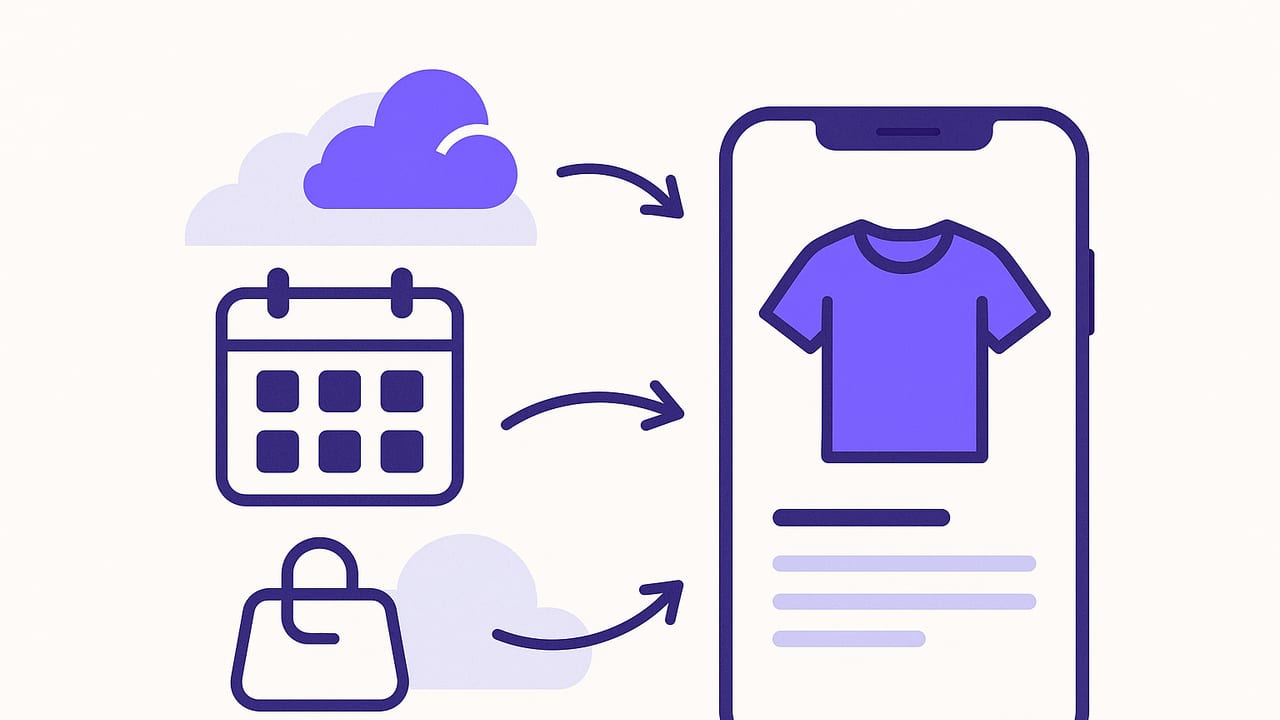
An outfit planner on iOS is more than a digital closet. Done well, it becomes a personal operating system for getting dressed: a structured way to capture what you own, plan what you’ll wear, and adapt to weather, travel, and real-life chaos. This playbook walks you through the systems, templates, and automations that turn any outfit planner iOS app into a reliable daily tool.
Whether you’re a minimalist building a capsule wardrobe or a fashion collector tracking dozens of looks, the key is to combine clear data (photos, tags, wear counts) with simple routines (weekly planning, quick swaps). The result: faster mornings, better style, and fewer impulse buys.
“Plan once, reduce friction daily.”
Core building blocks on iOS
To create a dependable outfit planner iOS workflow, lean on features that come built into iPhone and iPad:
- High-quality photos: Use Portrait mode or natural light near a window. Square framing makes grid views clean.
- Background removal: iOS lets you long-press a subject in Photos to lift the item from the background. Perfect for clean wardrobe cards.
- Albums and tags: Create albums by category (Tops, Bottoms, Shoes) and use app tags to record color, season, dress code, and fit.
- Widgets: Add a Today widget to surface tomorrow’s outfit and a quick-add button for new items.
- Calendar and Reminders: Pull events (work, gym, travel) and set reminders for laundry cycles, dry cleaning pickups, and packing deadlines.
- Weather: Integrate the forecast—temperature, rain chance, wind—to make smarter picks without checking multiple apps.
Set up your digital closet the right way
Start with a focused import. You can digitize everything, but the fastest gains come from cataloging the clothes you wear most in the next two months: seasonal staples, go-to shoes, and your favorite layers.
- Shoot consistently: Natural light, flat-lay or on a hanger. Keep the camera perpendicular to the garment for accurate proportions.
- Name items plainly: “Navy oxford shirt – slim – Uniqlo” is better than “blue shirt 3.” Consistent naming speeds search.
- Tag for decisions, not trivia: Use tags that change what you wear: weather, activity, formality, color, fit, fabric, and care.
- Retire rarely-used items: Archive or tag as “special occasion” so they don’t clutter day-to-day picks.
Here’s a sample tag schema you can adapt. Keep it small, opinionated, and future-proof.
{
  "category": ["top", "bottom", "dress", "outerwear", "shoes", "accessory"],
  "color": ["black", "white", "navy", "grey", "beige", "olive", "denim"],
  "season": ["hot", "mild", "cold", "rain"],
  "formality": ["casual", "smart-casual", "business", "evening"],
  "fit": ["relaxed", "regular", "tailored"],
  "fabric": ["cotton", "wool", "linen", "silk", "synthetic"],
  "care": ["machine-wash", "hand-wash", "dry-clean"],
  "activity": ["office", "gym", "date", "travel", "outdoor"],
  "notes": ["wrinkle-resistant", "stretch", "waterproof"]
}
Tip: Avoid duplicate colors like “navy” vs “dark blue.” Pick one. The fewer options you have per field, the faster you plan.
Plan with views that map to your life
Switch between planning views to match your needs—weekly schedules, one-off events, or travel capsules. The table below shows the most useful layouts for an outfit planner iOS setup.
| Planning View | Best For | What to Include | iOS Tip |
|---|---|---|---|
| Calendar (Week) | Routine workweeks | Outfit per day, weather high/low, event notes | Sync with Calendar; color-code events by dress code |
| Grid (Looks) | Inspiration and backups | 5–10 saved outfits per season | Use Favorites to pin top looks to a Home Screen widget |
| Trip Pack | Travel capsules | Packing checklist + day-by-day outfits | Share checklist to Reminders for packing mode |
| Laundry Cycle | Rotation and care | Wear counts, last-worn dates | Reminders every X wears to schedule cleaning |
Weekly cadence that saves time
- Sunday (15 minutes): Check next week’s forecast and big events. Draft outfits Mon–Fri. Save two backup looks.
- Night before (2 minutes): Glance at tomorrow’s weather and calendar; swap shoes or layer if needed.
- Monthly (20 minutes): Archive out-of-season items; unarchive new-season staples; refresh capsules.
Capsules and constraints: your style autopilot
Capsules reduce decision fatigue by enforcing creative limits. Use them for seasons, trips, or work dress codes. Classic starting point: a 10x10 (10 items, 10 days) featuring 3 tops, 2 bottoms, 1 dress or jumpsuit, 2 outer layers, and 2 shoes. Adjust to your climate.
Build around a core palette plus one accent. A capsule composition might look like:
- Neutrals: white, black, navy, beige
- Accent: olive or burgundy
- Anchors: shoes and outerwear that harmonize with everything
Use simple formulas to generate looks quickly:
- Smart casual: tailored top + dark denim + leather shoe + minimal accessory
- Office: collared shirt + trouser + blazer + derby/loafer
- Rain: water-resistant outer layer + ankle boot + quick-dry fabric
In your outfit planner iOS app, save each formula as a template. When you’re rushed, pick a template, swap one piece, and you’re done.
Weather- and activity-aware picks
Weather influences comfort as much as style. Go beyond the high/low and factor in humidity, wind, and precipitation probability. Practical thresholds:
- Feels like < 45°F / 7°C: add thermal base or heavier knit; consider windproof outerwear.
- 45–65°F / 7–18°C: midweight layer (cardigan, light jacket) with breathable base.
- 65–80°F / 18–27°C: lightweight fabrics (linen, cotton); avoid heavy denim if humid.
- > 80°F / 27°C: loose fits, light colors, moisture-wicking fabrics.
- Wind > 15 mph / 24 km/h: favor structured layers; avoid flowy pieces.
- Rain chance ≥ 50%: waterproof shoes or treated leather; pack a compact shell.
Map activities to clothing performance:
- Commute + office: breathable base + wrinkle-resistant layer; stash a blazer at work to reduce carry weight.
- Client meeting: elevate with one item—blazer, structured dress, or leather shoe.
- Outdoor event: UV-rated layers, hat, closed-toe shoes.
Packing lists that actually prevent overpacking
A good travel plan starts with the itinerary. Put events on your iOS Calendar, then build one look per event and share the packing list to Reminders. Use a capsule approach to keep the bag light.
- Define the trip capsule: 2 tops per 3 days, 1 bottom per 2 days, 1 outer layer per trip, 2 shoes max unless formal event demands a third.
- Double-duty items: a cardigan that works day to night, a dress that layers as a skirt with a sweater.
- Fail-safes: pack one weather-proof layer and one “elevate instantly” piece.
- Checklist by category: clothing, accessories, underlayers, workout, sleep, laundry kit, chargers, lint roller.
Before leaving, take quick outfit-flatlay photos and save them as a dedicated trip collection. In hotel rooms, a glance at the collection keeps you on plan and reduces decision fatigue.
Measure what matters
Tracking doesn’t have to be obsessive. A few metrics tell a powerful story and help you buy better:
- Wear count: Aim for 30+ wears for staples; if something stalls under 5 wears in a season, consider reselling or tailoring.
- Cost per wear (CPW): price ÷ wears. High CPW? Try restyling with new formulas.
- Last worn date: Surfaces forgotten items for fresh combinations.
- Return-on-comfort: Subjective 1–5 rating; low scores point to fit or fabric issues.
Review monthly: retire low-performing pieces, duplicate high performers (e.g., a well-fitting T-shirt in another color), and update capsules accordingly.
Automation with Shortcuts
You can connect your outfit planner iOS workflow with Apple Shortcuts for faster planning. Try these lightweight automations.
Shortcut: Quick Plan for Tomorrow
- Get tomorrow’s forecast (high, low, rain chance).
- Check Calendar for first event of the day and dress code tag.
- Filter wardrobe to match temperature band + dress code + availability (clean, not worn yesterday).
- Show top three outfit suggestions; tap to save to tomorrow.
// Pseudocode
Get Weather for Tomorrow
Get Next Calendar Event
Set variables: tempBand, dressCode
Filter Items where season matches tempBand AND formality includes dressCode AND isClean = true
Compose Outfits using saved templates
Show Menu (Top 3)
Save selection to Tomorrow
Create Reminder: "Lay out outfit" for 9:30 PM
Shortcut: Laundry Nudge
- Every Sunday at 6 PM, find items with wearCount ≥ threshold or lastWorn ≥ X days.
- Create a Reminders list “Laundry Queue” with those items.
Troubleshooting: common pitfalls and fixes
- Too many tags, too little signal: Prune to decision-driving tags only. Merge near-duplicates.
- Inconsistent photos: Reshoot your top 30 items with the same angle and background. Consistency matters more than perfection.
- Plans that don’t survive the day: Always save two backup looks per week—swap in seconds when weather or plans change.
- Analysis paralysis: Commit to a weekly template (e.g., Mon blazer, Tue knit, Wed dress, Thu denim, Fri experiment). Limits unlock creativity.
- Neglected shoes and outerwear: Build outfits from the ground up. Choose shoes first for comfort and weather; layer from there.
Putting it all together: a sample week
Here’s a realistic flow using everything above.
- Sunday: Check the weekly forecast: two rainy days, one cool morning. Plan five outfits with a neutral palette and one accent scarf. Save two backups.
- Monday: Client meeting. Use the “Office” template: collared shirt + trouser + blazer + leather shoe. Add a compact rain shell to bag.
- Tuesday: Casual office. Swap blazer for cardigan; keep dress shoe.
- Wednesday: Rain predicted. Use “Rain” template: water-resistant coat + ankle boots + quick-dry pants.
- Thursday: Work-from-home + gym. Choose breathable base + joggers + clean sneakers. Pack gym top; Shortcuts adds a reminder.
- Friday: Social dinner. Smart casual formula with an accent accessory. If temps drop, swap to the backup look with a warmer knit.
By Friday night, update wear counts, soft-archive any item that didn’t feel right, and jot a quick note: “Burgundy sweater pills; prefer cotton-blend.” These micro-notes guide smarter buys next time.
FAQ
How many items should I start with?
Digitize 25–40 items you wear most in the current season. That’s enough to build variety without getting lost in data entry.
Do I need perfect photos?
No. Aim for consistent, clear images. You can always reshoot favorites later. Background removal cleans up most imperfections.
What about accessories?
Tag them by function (warmth, polish, statement). Keep a small rotation that mixes across capsules.
How do I avoid repeating outfits?
Use last-worn filters, rotate shoes and outer layers, and remix with accessory swaps. Repetition is fine—predictable variety is the goal.
Next step
Choose one improvement to implement this week: build a 10x10 capsule, create two planning templates, or add a Shortcuts automation. Small wins compound into an effortless routine. If you’re exploring an outfit planner iOS app with virtual try-on and a tidy digital closet, consider trying Outfit Maker to streamline the process without turning it into a project.
