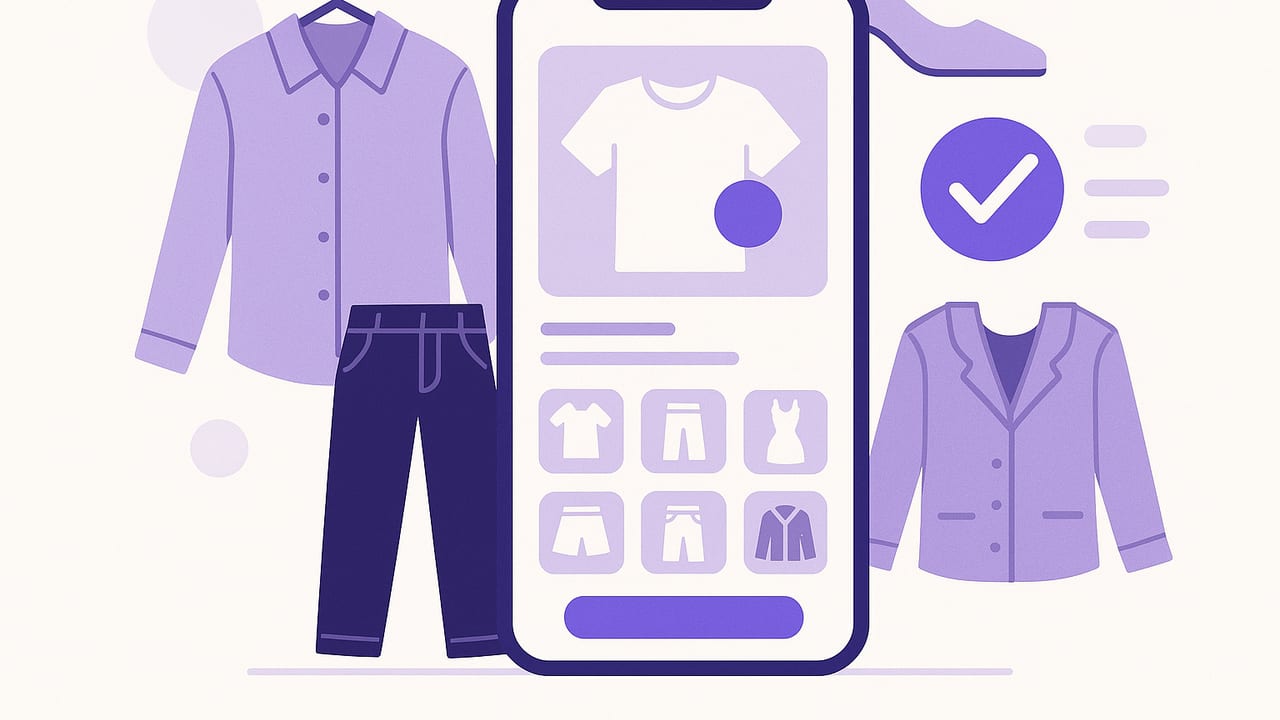
Your closet should be a library you can search in seconds, not a black hole where great pieces disappear. A clothing organizer app transforms a pile of garments into a searchable, data-rich wardrobe you can actually use. Whether your goal is faster mornings, smarter shopping, or a capsule you love, the right system can make everyday dressing easier and more intentional.
This guide explains how a clothing organizer app works, what features matter, and how to set up a workflow you can maintain in minutes a week. You will learn practical tagging, photo tips, outfit formulas, and the exact metrics that turn your wardrobe into a tool.
What a Clothing Organizer App Actually Does
At its core, a clothing organizer app is a digital catalog of your wardrobe plus tools to plan, combine, and evaluate pieces. Think of it as three layers: inventory, intelligence, and action. The inventory layer stores items with photos and details. The intelligence layer adds tags, colors, and fit notes so you can search for exactly what you need. The action layer helps you build outfits, plan for events, and track what you wear.
- Centralized inventory: Every piece is photographed and labeled once.
- Fast search: Filter by color, fabric, occasion, season, or mood.
- Outfit planning: Combine items, save looks, and schedule them to your calendar.
- Data-driven insights: Track wear counts, cost per wear, and seasonal usage.
- Decision support: See what pairs well, what to tailor, and what to donate.
| Feature | Why it matters |
|---|---|
| Background removal | Clean, consistent photos improve search and pairing accuracy. |
| Custom tags | Lets you model your real life (commute, climate, dress code). |
| Outfit templates | Reusable formulas reduce decision fatigue on busy mornings. |
| Wear tracking | Shows what you actually use versus what you think you use. |
| Calendar & events | Plan ahead for trips, interviews, or seasonal shifts. |
| Sharing | Compare looks with friends or get feedback before buying. |
Set It Up in a Weekend: A Practical Five-Step Workflow
1. Audit and stage your pieces
Start with what is in rotation this season. Pull items onto a clean surface, group by category, and make quick decisions. If a piece is unwearable or needs repair, put it in a separate pile. You will save time by not photographing things you will not wear.
2. Take consistent photos
Good photos power every other feature. Use daylight near a window, a plain background, and a tripod or stable surface. Shoot full-frame, front-facing images with the garment laid flat or on a hanger. Capture signature details (textures, prints, logos) in a second image if your app supports multiple photos.
- Lighting: Bright, diffused, no harsh shadows.
- Framing: Fill most of the frame; keep angles consistent.
- Background: Solid light color helps with cutouts and color accuracy.
3. Create a simple tagging schema
Tags are your superpower. Keep them short, consistent, and limited. Start with no more than 6 to 8 tag families so you can maintain them over time.
- Category: top, bottom, dress, outerwear, shoe, bag
- Subcategory: tee, blouse, chinos, jeans, blazer, boots
- Color: navy, black, white, beige, olive, burgundy
- Season: warm, cool, all-season
- Occasion: work, casual, date, formal, travel, gym
- Fit & rise: slim, relaxed, high-rise, cropped, wide-leg
- Fabric: cotton, wool, linen, silk, denim, technical
- Care: machine, hand-wash, dry-clean
4. Build 3 outfit formulas you will actually use
Outfit formulas convert your closet into plug-and-play choices. Choose three that fit your life most days.
- Office smart-casual: blazer + knit top + dark denim or chinos + loafers
- Weekend errand: tee + relaxed jeans + white sneakers + crossbody
- Evening out: silk blouse + tailored trouser + ankle boots + statement earrings
Save one to three ready-to-wear options under each formula. That is your safety net for rushed mornings.
5. Adopt a 5-minute daily routine
- Evening: Pick tomorrow’s outfit and swap items if weather shifts.
- Morning: Mark worn items in the app.
- Weekly: Archive misses, note alterations, and queue laundry-sensitive pieces for later in the week.
What gets measured gets managed. Apply it to your closet and you will wear more of what you love—and less by default.
Smart Tagging That Pays Dividends
Tagging is where most people overcomplicate. The goal is fast, binary decisions, not a novel. If you must hesitate, you need a better rule. Adopt conventions like lower case words, singular nouns, and unambiguous terms. Build a cheatsheet and keep it nearby while cataloging.
- Color: pick the dominant color only
- Occasion: choose the most likely use, not every possible one
- Season: base on fabric weight and silhouette
- Fit: use brand terms only if they match reality
Here is a compact example of a wardrobe item record you can mirror in your app’s notes field for consistency:
{
  "item_id": "top-tee-olive-uniqlo-001",
  "category": "top",
  "subcategory": "tee",
  "brand": "Uniqlo",
  "color": "olive",
  "size": "M",
  "fabric": ["cotton"],
  "season": ["warm", "all-season"],
  "occasion": ["casual", "travel"],
  "fit": ["relaxed"],
  "care": ["machine"],
  "notes": "Pairs with navy, tan, white. Avoid under dark blazers.",
  "purchase_price": 19.90,
  "wear_count": 14
}
Even if your clothing organizer app auto-tags, a small, consistent layer of manual tags makes search and recommendations dramatically better.
The Metrics That Make Your Closet Smarter
A great closet is not bigger; it is clearer. Track a few metrics and you will buy better and dress faster.
- Wear count: Simple and revealing. Anything under five wears per season needs a plan (style it, tailor it, or release it).
- Cost per wear: Purchase price divided by total wears. Lower is not always better; it should reflect value over time.
- Outfit satisfaction: Rate your daily look 1 to 5. Low scores flag fit, comfort, or styling gaps.
- Time to dress: If it regularly exceeds 5 minutes, add templates or pre-plan the night before.
- Redundancy check: How many similar black tees or navy chinos are in play? Consolidate to your best.
Schedule a monthly 15-minute review. Archive lower performers, mark items to tailor, and create a wish list informed by gaps rather than impulses.
Use Cases Beyond Everyday Dressing
- Packing lists: Duplicate a week of looks into a trip folder and see gaps early. Pack fewer shoes by repeating a base color palette.
- Event planning: Build an occasion bundle (interview, wedding, conference) with variations and notes for weather or dress codes.
- Seasonal rotation: Archive off-season items and surface a short list of what to refresh when the weather shifts.
- Capsule creation: Limit to 30 to 40 versatile pieces for a month; tag them as a capsule and track satisfaction over time.
- Laundry rhythm: Tag dry-clean-only pieces and space them across the week to avoid end-of-week bottlenecks.
- Resale and donation: Filter low-wear, ill-fitting, or duplicated items; export details and photos for quick listings.
Apps vs. Spreadsheets vs. Camera Roll
If you are deciding where to start, match the tool to your goals. A clothing organizer app gives you the most leverage when you want outfits, tags, and tracking in one place. Spreadsheets can work for minimalists who love manual control, while a camera roll is best for quick visual records only.
| Tool | Strengths | Limitations |
|---|---|---|
| Clothing organizer app | Fast search, outfit planning, wear tracking, clean photos | Initial setup time; photo-taking discipline required |
| Spreadsheet | Custom fields, formulas, easy export | No visual mixing; tedious on mobile |
| Camera roll | Instant capture, zero learning curve | Hard to search, inconsistent, no analytics |
Troubleshooting and Pro Tips
- Color accuracy: Shoot in natural light and turn off warm indoor lights. If your app supports color correction, calibrate once and reuse.
- Background cleanup: Use background removal for a consistent canvas so items align visually when mixed.
- Fit notes matter: Log tailoring details and comfort notes (tight in shoulders, perfect with high-rise bottoms). These boost satisfaction.
- Fabric flags: Tag delicate or wrinkle-prone items so you do not schedule them on travel days.
- Footwear and accessories: Catalog shoes and bags; they drive outfit cohesion. Tag heel height and capacity for realistic planning.
- Weather-aware planning: If your app supports forecast integration, pre-plan layers and footwear the night before.
- Privacy check: Avoid faces in photos. Crop at the neck or shoot garments flat for anonymity.
- Maintenance rhythm: Add new purchases immediately. Edit out failed buys monthly to keep the catalog honest.
FAQ
How many photos per item is ideal?
One clear front photo works for most pieces. Add a detail shot for textured fabrics, prints, or unique features, and a back view for structured items like blazers or jeans.
Do I need to photograph my entire closet?
No. Start with the current season and high-rotation staples. Add off-season and specialty items later. Momentum beats completeness early on.
What if my style changes?
That is a feature, not a bug. Use monthly reviews to retire items that no longer fit your palette or silhouette. Tag new pieces with the same schema so your searches stay clean.
How do I keep from over-tagging?
Limit each item to one value per tag family wherever possible. If you feel tempted to add more, you likely need a clearer definition for that tag.
Can an app really speed up mornings?
Yes—if you prep. With three saved formulas and pre-planned looks for the week, you are picking from solid options, not starting from scratch. Most users cut decision time by half once templates are in place.
A Sustainable System You Will Actually Use
Organization sticks when it is simple, visual, and connected to daily life. A clothing organizer app helps you see what you own, build outfits with intent, and learn from your actual wearing habits. Start small, keep tags simple, and let the data nudge your next steps—tailor, remix, or release.
If you want an iOS option that combines a digital wardrobe, outfit planning, and realistic virtual try-ons, you can explore Outfit Maker to see how it fits your workflow.
