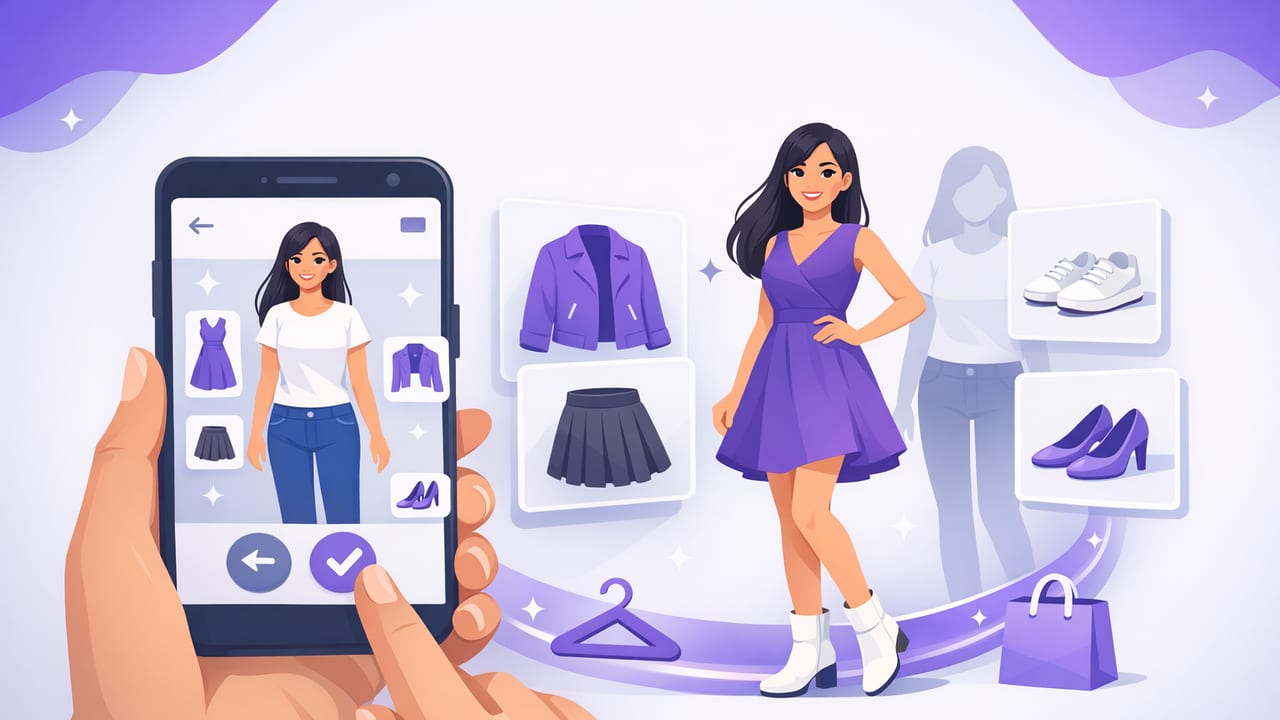
Most “I have nothing to wear” moments aren’t caused by a lack of clothes—they’re caused by decision fatigue, forgotten basics, and uncertainty about whether pieces actually work together. A virtual outfit try on app solves that by letting you test combinations digitally before you get dressed, buy something new, or pack for a trip.
This guide walks you through a repeatable, real-life workflow: digitize your wardrobe, create reliable outfit formulas, and plan ahead in minutes. Whether you’re building a capsule wardrobe or just trying to stop impulse buys, using a virtual try-on and digital wardrobe system can make your closet feel bigger—without adding more stuff.
What a virtual outfit try on app actually does (in plain English)
Apps in this category typically combine three helpful tools:
- Digital wardrobe: A catalog of your clothing (photos + details) so you can “see” what you own at a glance.
- Virtual try-on: A way to preview how pieces look together—often by layering item images or using AI-assisted realism on a photo of you.
- AI outfit generator / outfit suggestions: Automated combinations based on color, season, dress code, and items you select.
The goal isn’t perfection; it’s speed and confidence. When you can compare two outfits side-by-side on your phone, you waste less time changing clothes and you’re less likely to wear “almost right” outfits that feel off all day.
A practical 7-step workflow (from messy closet to planned outfits)
1) Start with a “high-rotation” wardrobe upload
You don’t need to digitize everything in one weekend. Begin with your most-worn categories:
- Everyday shoes
- Favorite jeans/trousers
- Top 10 tops (tees, blouses, sweaters)
- 2–3 jackets you actually wear
This creates immediate payoff: your app can suggest outfits from the pieces that matter most.
2) Photograph items the same way every time
Consistent photos make a virtual outfit try on app far more accurate and easier to browse. Use these quick standards:
- Lighting: Stand near a window or use bright indoor light to avoid yellow color casts.
- Background: Plain wall or bedsheet for cleaner cutouts.
- Angles: Flat-lay for tops; hang for jackets; side profile for shoes.
- Framing: Fill 80–90% of the frame with the item.
Tip: If colors look wrong in photos (black looks faded, navy looks black), your outfit decisions will be off. Fix the photo first.
3) Tag pieces with “decision-making” details
Tags should help you decide what to wear quickly—not build a museum archive. The most useful tags are:
- Season: summer / transitional / winter
- Dress code: casual / smart casual / business / formal
- Fabric weight: light / medium / heavy
- Comfort: comfy / structured
- Care: machine wash / delicate / dry clean
When your app can filter “smart casual + transitional + comfy,” you stop scrolling and start choosing.
4) Build 3–5 outfit “templates” you can reuse
Outfit planning gets easy when you repeat structures that already flatter you. In your virtual try-on app, create templates like:
- Template A: straight-leg jeans + fitted top + oversized layer + sneaker
- Template B: trousers + knit + loafer + belt
- Template C: dress + jacket + ankle boot
Then you only swap colors, textures, and accessories—without reinventing your style daily.
5) Use side-by-side comparisons to reduce regret
One of the best uses of a virtual outfit try on app is comparing close options. For example:
- Create Outfit 1 with your black blazer.
- Duplicate it and swap in your denim jacket for Outfit 2.
- Ask: which one matches the event, weather, and your mood?
This tiny step prevents “why did I wear this?” moments—especially for photos, meetings, dates, and travel days.
6) Plan outfits around your calendar (not your fantasy life)
The biggest reason outfit planning fails is planning for an imaginary week. Instead, plan around real prompts:
- Weather: temperature range, rain, wind
- Movement: walking, commuting, sitting all day
- Social context: office, client meeting, family event, dinner
If your app supports outfit scheduling, pre-build 3 outfits for the week and keep 1 “backup” look for surprises.
7) Save “winning” looks and note why they worked
When you wear an outfit that feels great, save it and add a short note such as:
- “Great proportions with high-waist trousers.”
- “The shoe color matched the bag—looked polished.”
- “Too warm indoors—swap sweater for tee next time.”
Over time, your digital wardrobe becomes a personal style playbook.
How to choose the right virtual outfit try on app (a quick checklist)
Not all apps are built the same. Use the criteria below to evaluate options quickly.
| Feature | Why it matters | What to look for |
|---|---|---|
| Realistic virtual try-on | Makes outfit comparisons trustworthy | Clean layering, accurate scale, good cutouts |
| Fast item upload | Saves time; you’ll actually use it | Batch upload, background removal, easy cropping |
| Smart tags & filters | Helps you decide in seconds | Season/occasion filters, custom tags |
| Outfit generator | Gives ideas when you’re stuck | Suggestions based on your real items (not generic looks) |
| Privacy controls | Your photos are personal data | Clear policies, optional local storage, easy deletion |
| Sharing & feedback | Quick second opinions reduce indecision | Private share links, side-by-side voting |
Simple styling “rules” you can apply inside the app
Once your closet is digitized, you can use your app like a styling lab. Here are rules that work particularly well when you’re testing outfits on-screen.
Rule 1: Balance volume (one fitted, one relaxed)
- Wide-leg trousers → choose a more fitted top or tuck in
- Oversized sweater → pair with slim jeans/leggings
Rule 2: Repeat a color twice
If an outfit feels disconnected, repeat one color in two places (top + shoes, bag + belt, jacket + pants). This creates instant cohesion in virtual try-on previews.
Rule 3: Use a “third piece” to look intentional
Add one layer beyond top + bottom: blazer, overshirt, cardigan, trench. In a virtual outfit try on app, this is also the easiest way to upgrade casual items without buying new clothes.
Common mistakes (and quick fixes)
- Mistake: Uploading only statement pieces.
Fix: Add basics first (plain tees, jeans, simple shoes). They connect outfits. - Mistake: No tags, then endless scrolling.
Fix: Start with just 5 tags: season, occasion, comfort, color family, shoes. - Mistake: Planning outfits that ignore weather.
Fix: Build “warm version” and “cool version” of your favorite looks. - Mistake: Using unrealistic try-on photos.
Fix: Take a neutral, front-facing full-body photo in good light and reuse it.
Privacy and AI: what to double-check before uploading photos
Because virtual try-on often involves personal images, take a minute to confirm:
- Deletion controls: Can you delete photos and account data easily?
- Sharing settings: Are shared outfits private by default?
- Storage clarity: Does the app explain whether photos are stored locally, in the cloud, or both?
If you’re uncomfortable uploading face photos, many people use cropped images from shoulders down; outfit planning still works great.
Mini example: build 9 outfits from 8 items (without buying anything)
Here’s a simple “starter grid” you can recreate in your digital wardrobe:
- 1 white tee
- 1 black knit top
- 1 blue button-up
- 1 straight-leg jeans
- 1 black trousers
- 1 blazer
- 1 sneaker
- 1 loafer
Now create outfits by swapping one variable at a time:
- White tee + jeans + blazer + sneaker
- White tee + jeans + blazer + loafer
- White tee + trousers + blazer + loafer
- Black knit + jeans + sneaker
- Black knit + jeans + loafer
- Black knit + trousers + blazer + loafer
- Button-up + jeans + loafer
- Button-up + trousers + blazer + loafer
- Button-up (open) + white tee + jeans + sneaker
This is where a virtual outfit try on app shines: you can duplicate looks, compare quickly, and save the best combinations for busy mornings.
Optional: a simple file-naming system for wardrobe photos
If you ever export or back up images, consistent names help. Here’s a clean pattern:
category_color_brand_itemtype_season.jpg

# Examples
top_white_unbranded_tee_summer.jpg
outerwear_black_zara_blazer_transitional.jpg
shoe_tan_clarks_loafer_allseason.jpg
Even if you never touch these files again, the habit forces you to think in tags—making your in-app filters more accurate.
FAQ
Does a virtual outfit try on app replace trying on clothes in real life?
Not completely. It’s best for narrowing options, testing color/shape combinations, and planning outfits. Fit and fabric feel still need real-world checks.
How long does it take to set up a digital wardrobe?
A useful starter closet can take 30–60 minutes if you focus on high-rotation pieces. A full wardrobe catalog is usually a multi-session project.
Will this help me stop impulse shopping?
Often, yes. When you can preview outfits with what you already own, you spot “orphan items” faster and buy fewer pieces that don’t match your closet.
Wrap-up
A virtual outfit try on app works best when you treat it like a simple system: start small, use consistent photos, tag for decisions, and save outfit templates that match your real life. Once your digital wardrobe is built, you’ll spend less time guessing—and more time wearing outfits you already know look good.
If you’re exploring iOS options, apps like Outfit Maker are designed around this digital-wardrobe + AI outfit planning workflow, making it easier to test combinations before you commit.
