When you find an outfit that works, it is easy to forget the exact pieces or why you liked wearing them. Saving outfit combinations gives you a personal reference for getting dressed again, planning for specific occasions, and making better use of clothes you already own. Instead of starting from a blank slate every morning, you can revisit a look and adjust it to suit the weather, schedule, or your mood.
A useful saved outfit is more than a photo or a list of garments. It records enough information to make the look easy to recreate, while leaving room to adapt it. This guide explains what to save, how to organize combinations, and how digital wardrobe tools and AI outfit visualization can support the process. It also covers an important limitation: seeing a combination on screen does not confirm its exact fit or feel.
Why save outfit combinations?
Saving a combination turns a successful outfit into a reusable idea. You might keep a comfortable look for a long workday, a reliable option for dinner, or a weather-friendly combination for a regular commute. A record can also help you notice which pieces work together, rather than remembering individual garments in isolation.
- Get ready with less guesswork: Browse a short list of outfits instead of rebuilding a look from memory.
- Repeat what works: Return to combinations you felt comfortable and appropriately dressed in.
- Make wardrobe gaps clearer: If a saved look regularly depends on one unavailable layer or shoe, you can spot that pattern.
- Plan for real occasions: Keep options for work, casual weekends, events, or travel together.
Saving does not mean you have to wear the same outfit unchanged. Think of each entry as a starting point: swap a layer, change the shoes, or use the same formula with another color.
Decide what makes a combination worth saving
Save a look when it is useful to repeat, not simply because the pieces look good together in theory. Consider whether it suits an activity you actually do, works with the conditions you expect, and feels comfortable when worn. A combination can be visually appealing but impractical for a long walk, a formal workplace, or a rainy day.
After wearing an outfit, take a moment to assess it. Did the layers feel right indoors and outside? Could you move comfortably? Was there a detail you would change next time? A short note such as great for a cool office; swap loafers for sneakers on walking days is often more helpful than a generic rating.
You can save a complete look or a flexible outfit formula. A complete look includes specific pieces, such as a charcoal blazer, straight-leg jeans, a cream top, and black flats. A formula describes the relationship between items, such as structured jacket + simple top + relaxed trousers. Formulas are useful when you want variety or when one garment is unavailable.
How to save outfit combinations in a useful way
- Start with garments you own. Choose pieces from your actual wardrobe, including the shoes and layers that make the outfit practical. This keeps saved looks grounded in what you can wear.
- Record the full combination. Include the main clothing items and any details that affect the look, such as a belt, scarf, coat, or bag. You do not need to document every accessory if it is not important to recreating the outfit.
- Add a clear name. Use a label you can scan quickly, such as Monday office layers, casual dinner, or rainy-day errands. Avoid names that will not make sense a few weeks later.
- Attach useful context. Note the occasion, approximate weather, comfort feedback, or a substitution. Keep notes short enough that you will actually read them.
- Save a visual reference if helpful. A photo of the outfit you wore can preserve details that are hard to describe. If using an image-based wardrobe tool, check that it shows the intended pieces clearly.
- Review and update the entry. If you replace a garment, change your preference, or discover that a combination does not work in practice, edit it or remove it.
A compact record might look like this:
| Details | Example |
|---|---|
| Outfit name | Cool-weather office |
| Pieces | Navy trousers, white T-shirt, gray cardigan, black loafers |
| Best for | Office days with mild outdoor temperatures |
| Note | Replace loafers with walking shoes if commuting on foot |
This example is specific enough to recreate but still allows a practical adjustment. You can use a notes app, a photo album, a spreadsheet, or a digital wardrobe. Choose one place and keep the routine simple so saved outfit combinations do not become scattered across several systems.
Organize saved looks around how you get dressed
The best organization method is one that matches the decisions you make. If your main challenge is weekday mornings, group looks by workday, casual day, and evening. If weather changes are the main concern, use labels such as warm, cool, rainy, or layered. For an upcoming trip, keep travel options together and note which garments can be worn in more than one combination.
Use a small set of consistent categories. Too many tags can make browsing slower than choosing clothes from scratch. Start with a few categories that reflect your routine, then add another only when you repeatedly need it. You might label an outfit with both an occasion and a condition, such as work and cool weather.
It can also help to distinguish between outfits you have worn and combinations you are considering. Marking a look as tested or try next prevents a visual idea from being mistaken for a proven favorite. After wearing a new combination, update its status based on comfort and usefulness.
Use a concrete outfit as a repeatable template
Imagine you save navy trousers, a white T-shirt, a gray cardigan, and black loafers as a comfortable office outfit. Your note says the cardigan works in a cool office, but the loafers are not ideal for a long walk. Later, you can recreate the look with the same trousers and top, then switch to sneakers on a walking commute. On a warmer day, leave out the cardigan and add a lightweight layer only if needed.
The value is not just in repeating four exact pieces. The saved combination shows a reliable base, identifies what the layer does, and records a useful shoe substitution. Over time, you could save another version with a different jacket or top, then compare which variations suit your routine. This turns a favorite outfit into a small set of practical options rather than a one-time snapshot.
Use digital wardrobe and AI visualization thoughtfully
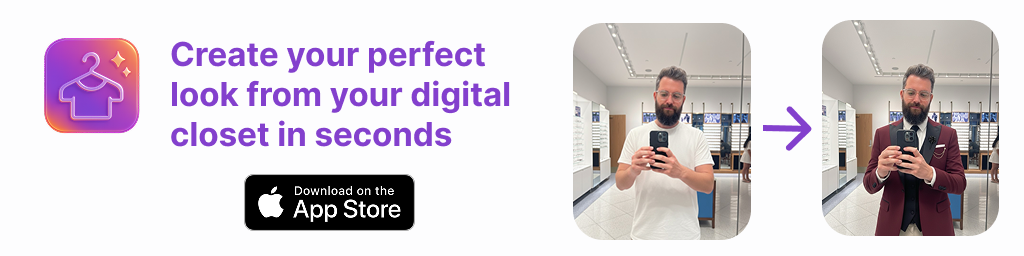
A digital wardrobe can make it easier to browse clothing items and see how your own garments might combine. Some AI outfit generator tools also create a visual try-on using uploaded photos. These features can help you explore combinations without physically changing clothes each time, especially when you are comparing several styling ideas.
Keep the purpose clear: a generated image is a styling visualization, not a fitting-room measurement. It cannot guarantee the garment’s exact size, fit, drape, texture, color in every light, or comfort on your body. A photo may also omit details such as the back of a garment or how it moves. Use visual previews to consider the overall combination, then rely on your real clothing and experience to judge fit and wearability.
For a practical starting point, Outfit Maker has a guide to building a digital closet that explains how a catalog of your garments can support outfit planning.
Keep saved combinations current
A wardrobe changes, and saved looks should change with it. Set aside a brief review every few weeks or at the start of a new season. Remove combinations built around clothes you no longer wear, update notes about weather or comfort, and add variations you have tested. If an item is in the laundry, being repaired, or stored away, avoid treating it as immediately available.
Do not feel obliged to save every possible pairing. A large archive can be less useful than a short collection of dependable outfits. Keep combinations that answer a real need, and archive or delete entries that are outdated, uncomfortable, or too similar to another look.
Common mistakes to avoid
- Saving only an idealized image: Record the garments and context too, so you can recreate the look in real life.
- Ignoring comfort: A stylish combination is not a dependable option if you cannot move comfortably or wear it for the occasion.
- Using vague labels: Give each saved look a name that helps you recognize when it is useful.
- Creating too many categories: Keep organization simple enough to browse quickly.
- Assuming a virtual preview proves fit: Use AI visualization for styling ideas, not as a guarantee of size or garment behavior.
Make outfit saving part of your routine
When you wear a combination that works, save it soon afterward while you still remember the details. Add a clear name, list the key garments, and write one practical note. Once a week, browse your saved looks and choose a few that fit the days ahead. This small habit can make a digital wardrobe more useful without turning outfit planning into a complicated project.
The goal is not to build a perfect archive. It is to create a reliable collection of ideas based on your own clothes, preferences, and daily life. With a few thoughtful records, you can return to outfits you trust, adapt them to changing conditions, and make getting dressed feel more straightforward.