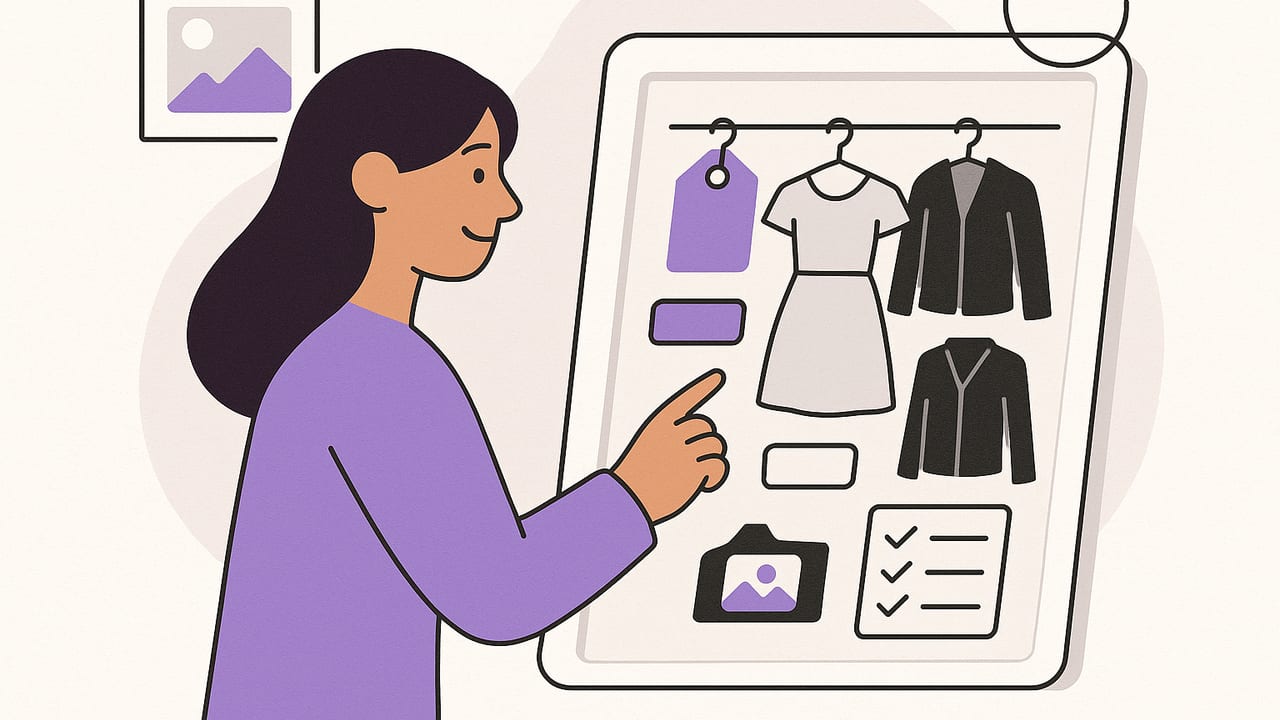
Learning how to organize a digital closet pays off every morning: faster outfits, fewer impulse buys, and a wardrobe you actually wear. Whether you’re starting from scratch or rehabbing a messy library of clothing photos, this guide walks you through a clean, scalable system—photos, tags, folders, routines, and lightweight analytics—that makes a digital wardrobe easy to maintain.
Step 1: Set a clear goal for your digital closet
Before you upload a single photo, define what “organized” means for you. A good goal shapes every decision that follows.
- Outfit speed: Build a tag system and saved combinations so you can pick outfits in 60 seconds.
- Cost-per-wear: Track usage to highlight high-value staples and identify waste.
- Capsule agility: Group items to pack quickly or rotate seasonally with minimal effort.
- Style clarity: Surface the silhouettes, colors, and fabrics you truly love and wear.
Step 2: Capture clean photos the smart way
Photo standards
- Background: Use a plain wall or a consistent neutral sheet. Consistency beats perfection.
- Lighting: Indirect daylight or a softbox; avoid harsh shadows. Keep white balance consistent.
- Angles: Front shot for most items; add side/back or detail shots for outerwear, shoes, and prints.
- Fit reference: For tricky items, include one “on-body” photo to capture drape and length.
Batch-processing tips
- Group by category: Shoot all tops, then bottoms, etc., to speed up tagging later.
- Auto-crop and background removal: Use an app or desktop tool to standardize framing.
- File format: JPEG or HEIC is fine; PNG for transparent backgrounds. Keep originals backed up.
Use a predictable file name pattern so you can search quickly later—even outside your app.
Category_Brand_Color_Descriptor_Version.jpg
Top_Uniqlo_White_OxfordShirt_v1.jpg
Shoe_Nike_Black_AirMax90_v2.jpg
Prefer lowercase with hyphens if you want to avoid spaces:
top-uniqlo-white-oxford-shirt-v1.jpgStep 3: Build a simple, scalable tag system
Tags are your superpower—but only if they’re consistent. Start with 6–8 core dimensions and keep each list short.
| Tag Dimension | Examples | Why It Matters | Rules of Thumb |
|---|---|---|---|
| Category | top, bottom, dress, outerwear, shoe, bag, accessory | Primary filtering and outfit building | Singular nouns; 1 per item |
| Subcategory | t-shirt, blouse, jeans, trousers, blazer, sneaker, boot | Sharper searches and formulas | Keep list under 20 |
| Color | black, white, navy, beige, olive | Palette planning and capsule creation | Use base color; add "print" separately |
| Season | all-season, spring, summer, fall, winter | Rotations and packing | Pick one primary; add "transitional" if needed |
| Occasion | casual, work, smart-casual, formal, active | Faster morning filters | Cap at 2 per item |
| Fit/Silhouette | slim, straight, relaxed, oversized, cropped | Balancing proportions | 1–2 tags max |
| Fabric | cotton, wool, linen, silk, denim, tech | Care, comfort, wrinkle prediction | 1–2 tags max |
| Pattern | solid, stripe, check, floral, graphic | Mixing prints and solids | Solid vs. pattern; add "micro" or "bold" if useful |
Keep naming consistent. Avoid synonyms that fragment search results (e.g., use “sneaker,” not both “sneaker” and “trainer”). When you want nuance, add a separate note field instead of inventing a new tag.
Step 4: Structure folders and collections
Use folders or collections to mirror how you think and dress:
- Inventory folders: Tops, Bottoms, Dresses, Outerwear, Shoes, Accessories.
- Functional collections: “Workweek,” “Weekend Casual,” “Gym,” “Events,” “Rainy Day.”
- Capsules: “2-Week Travel,” “Summer City,” “Minimal Black & Navy.”
- Experiments: “Try Soon,” “Alterations,” “Secondhand Sell/Donate.”
Collections are temporary and goal-driven. Folders are stable and structural. Use both.
Step 5: Add metadata that actually helps
Beyond tags, certain fields compound value over time:
- Brand and size for reorder or resale.
- Purchase date and price for cost-per-wear.
- Care (machine wash, dry clean, hand wash) to plan laundry cycles.
- Condition (new, excellent, fair) and notes (needs heel cap, hem too long).
Pro tip: Default values for repeat items (e.g., "care: machine wash cold") speed up data entry by 50%.
Use this simple “item card” template:
Item: straight-leg jeans
Category/Sub: bottom / jeans
Color: mid-blue
Season: all-season
Occasion: casual, smart-casual
Fit: straight
Fabric: denim
Pattern: solid
Brand/Size: Levi's 501 / 29
Care: machine wash cold
Purchase: $78 on 2023-08-14
Notes: best with cropped tops; cuff twice
Step 6: De-duplicate and edit your wardrobe
Editing reduces noise and increases outfit clarity.
- Duplicate filter: If two items share category, color, silhouette, and occasion, keep the one with higher comfort or better fit.
- Wear test: If you haven’t worn it in the last 90 days of its primary season, move it to a “Hold” collection. If still unworn by next season, archive or donate.
- Rate items: 1–5 stars on comfort, versatility, and joy. Only 4–5 star items should be your everyday core.
Step 7: Plan outfits with formulas and a calendar
Outfit formulas automate decision-making. Start with 3–5 go-to patterns.
- Smart-casual: straight jeans + relaxed blazer + solid tee + white sneaker
- Desk-to-dinner: midi dress + cropped cardigan + ankle boot
- Rain-ready: black trouser + merino knit + trench + lug-sole boot
- Gym commute: tech jogger + oversized hoodie + trainer + lightweight shell
Create a small matrix to expand options without overwhelm:
- Pick 3 bottoms × 4 tops × 3 shoes = 36 possible looks. Save the 10 that feel best.
Use a calendar view to log what you wore. It prevents repeats before big meetings, coordinates with weather, and feeds analytics.
Step 8: Weekly and seasonal maintenance routines
Weekly (15–20 minutes)
- Import new photos from purchases or laundry day.
- Tag and file items added that week.
- Save 3–5 outfit combinations for the coming days.
- Archive photos of items you’ve sold or donated.
Seasonal (45–60 minutes)
- Rotate capsules: move off-season items into an archived collection.
- Audit duplicates by color/silhouette; test fit and comfort.
- Update notes (e.g., “needs re-sole,” “replace white tee”).
- Review wear metrics and cost-per-wear; make a focused shopping list.
Step 9: Back up, sync, and protect privacy
- Cloud backup: Ensure your photos and metadata are backed up to iCloud, Google Drive, or another reliable service.
- Device sync: If you use multiple devices, confirm your app provides reliable syncing and conflict resolution.
- Sharing hygiene: When posting outfits, remove EXIF data and location details. Blur faces if needed.
Step 10: Measure what works with lightweight analytics
Two simple numbers tell you most of what you need.
cost_per_wear = purchase_price / wears_to_date
wear_rate_30 = wears_last_30_days / 30
- Cost per wear shows value. A $150 blazer worn 50 times beats a $30 tee worn twice.
- Wear rate flags heroes and duds. Items above 0.3/day in season are core; near 0 are candidates for edit.
Also track outfit satisfaction with a quick 1–5 rating. Low scores signal a fit, proportion, or color mismatch. High scores reveal your true uniform.
A 30-minute setup sprint
Short on time? Use this timed checklist to kickstart your system.
- Minutes 0–5: Define your goal (e.g., “Pick work outfits in 60 seconds”). Set tag dimensions.
- Minutes 5–15: Photograph 12–15 essentials in good light. Use one angle, clean background.
- Minutes 15–20: Batch-tag items: category, subcategory, color, season, occasion.
- Minutes 20–25: Create two collections: “Workweek” and “Weekend.” Add your photos.
- Minutes 25–30: Save five outfit formulas and schedule them for the next week.
Common pitfalls and quick fixes
- Over-tagging: If you have more than 10 tags per item, searches get noisy. Limit to essentials; put nuance in notes.
- Inconsistent colors: If “navy” and “dark blue” both exist, pick one canonical term and merge.
- Busy backgrounds: Distracting photos slow selection. Re-shoot top-20 items with a clean backdrop.
- No calendar log: Without wear history, cost-per-wear and rotations stall. Start logging today; backfill later.
- Ignoring care: If dry-clean-only items bottleneck your outfits, cap them at 10–15% of your closet.
Advanced tips for power users
- Palette constraints: Restrict tops to a 5–6 color palette for effortless mixing.
- Proportion rules: Pair oversized with slim; cropped with high-rise; structured with flowy.
- Print mixing: Combine one bold pattern with a micro pattern in the same color family, grounded by a solid.
- Event templates: Create saved “Uniforms” for recurring contexts: client pitch, date night, travel day.
- Alteration pipeline: Tag items “alteration-needed” with a due date; archive if not fixed in 60 days.
Mini FAQ
How many tags should each item have?
Aim for 6–8 total across the core dimensions. More than 10 often signals redundant or overly granular tags.
Should I delete or archive old items?
Archive first to preserve outfit history and analytics. Delete only when you’re sure the item won’t return.
How do I handle multipurpose or multi-season items?
Choose one primary season/occasion tag and add a secondary tag only if it meaningfully improves search results.
What about sets (suits, co-ords)?
Tag each piece individually and create a “Set” collection linking them. This lets you re-mix pieces while keeping the full look saved.
How do I keep photo quality consistent?
Schedule a monthly 20-minute reshoot of the 10 most-used items. Consistency matters more than perfection.
Putting it all together
An organized digital closet is a living system: consistent photos, a compact tag taxonomy, goal-based collections, and short weekly routines. Start small, optimize what you actually use, and let analytics reveal your real style—and your best purchases. If you prefer an iOS app that combines AI try-on with wardrobe cataloging, outfit planning, and sharing, you can explore Outfit Maker as a lightweight way to put this workflow into practice.
