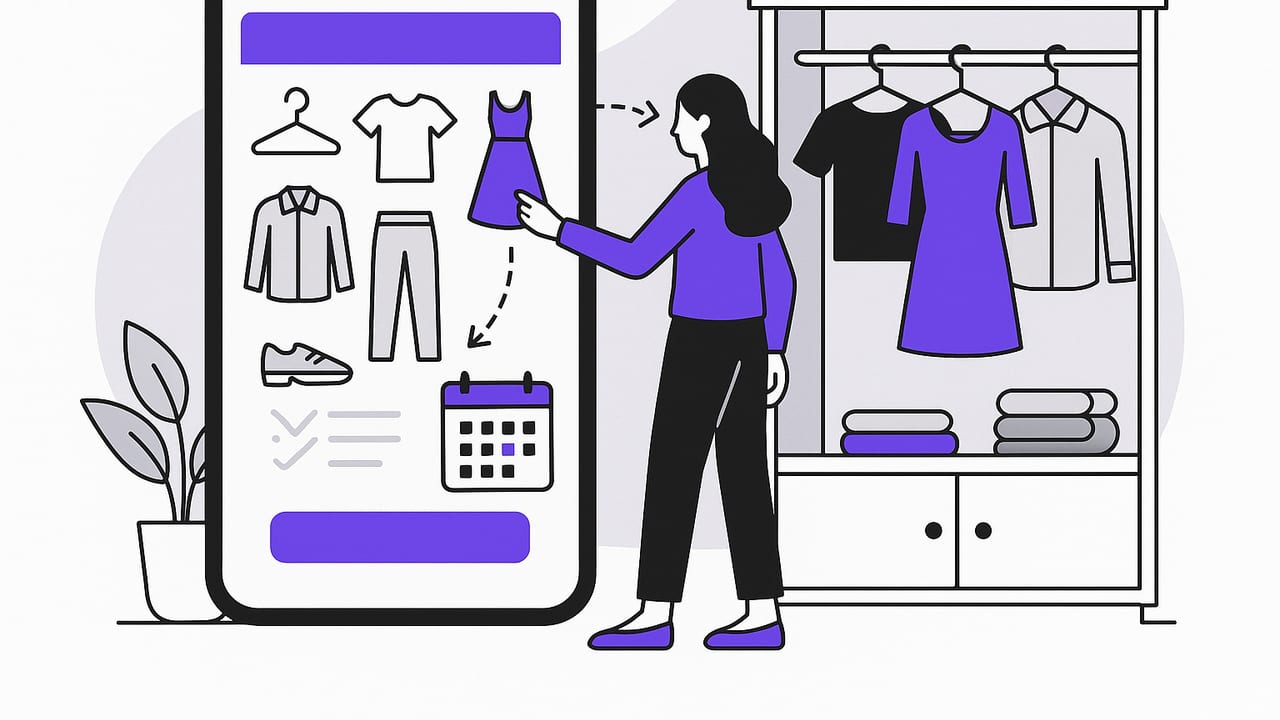
A digital wardrobe app does more than store pictures of your clothes. Done right, it serves as a smart system for planning outfits, measuring what you actually wear, and making better purchase decisions. Whether you’re dressing for work, travel, or a special event, digitizing your closet frees up mental space, reduces decision fatigue, and helps your style evolve with less waste.
This guide explains what a digital wardrobe app should do, how to set one up quickly, and the everyday workflows that keep it useful for the long haul.
What a Digital Wardrobe App Actually Does
Think of your closet as data. A digital wardrobe app turns garments into searchable, filterable records that work together. Core capabilities typically include:
- Wardrobe catalog: Photograph and tag items by category, color, fabric, season, and occasion to build a searchable inventory.
- Outfit planning: Drag-and-drop looks, save templates, and plan outfits for calendar events.
- Virtual try-on: See how combinations look on you without changing clothes; adjust for lighting, pose, and styling.
- Packing lists: Filter by destination climate and activities; assemble a travel capsule in minutes.
- Analytics: Track cost-per-wear, wear rate, and “orphan” items to guide smarter shopping.
- Sharing: Send looks to friends or collaborators; collect feedback before you buy or wear.
Setup Checklist: A 90-Minute Process
Getting started is faster than you think. Use this time-boxed approach to build a reliable base you won’t need to redo.
1) Pre-sort your closet (15 minutes)
- Pull out 30–40 items you wear most: your current-season core pieces plus 5–10 wildcards.
- Group by type (tops, bottoms, outerwear, dresses, shoes) to streamline photo capture.
2) Photograph with consistency (30 minutes)
- Lighting: Bright, even light facing the garment. Avoid mixed indoor/outdoor color casts.
- Background: Clean, plain wall or floor. Crop out clutter for better AI segmentation.
- Angles: Front-on for most items; add side/back for outerwear, shoes, and bags if the app supports multiple views.
- On-body vs. flat-lay: For virtual try-on, take or import clear on-body photos with a neutral pose and consistent distance.
3) Use a tagging template (30 minutes)
Set tags once; reuse forever. Aim for brevity and consistency. Here’s a simple, durable schema:
Category: top | bottom | dress | outerwear | shoes | bag | accessory
Subcategory: tee | blouse | sweater | jeans | trousers | skirt | blazer | coat | sneakers | boots | heels
Color: black | navy | white | gray | beige | brown | blue | red | green | multi
Season: warm | cool | transitional
Occasion: office | casual | formal | evening | travel | sport
Fabric: cotton | wool | silk | linen | denim | synthetic | leather
Fit notes: cropped | relaxed | tailored | high-rise | midi | wide-leg
Care: machine-cold | machine-warm | hand-wash | dry-clean
Purchase: store/brand, price, purchase date
For file naming (optional, if your app supports it):
top_blouse_white_silk_office_cool_2023-nyc-soho-boutique.jpgGood data now saves time later. If you’re overwhelmed, tag only category, color, and occasion; you can refine later.
A Daily Workflow That Sticks (10 Minutes)
Systems beat motivation. Use this simple cadence:
- Night before (3 minutes): Check tomorrow’s weather and calendar. Filter by “occasion” and “season,” then swipe through saved outfit ideas. Lock one in; set a backup in case of weather swings.
- Morning (1 minute): Quick try-on. If something feels off, swap within the same color palette or silhouette.
- End of day (2 minutes): Log what you actually wore. Add a quick note: comfort, compliments, fit issues.
- Weekly review (4 minutes): Check wear rate, identify orphans, and mark items for tailoring, cleaning, or donation.
Small, consistent logs beat perfect but sporadic notes. The goal is trend clarity, not diary perfection.
What to Look For in a Digital Wardrobe App
Features matter, but workflow fit matters more. Use this evaluator:
| Feature | Why It Matters | Checklist Question |
|---|---|---|
| Accurate background removal | Clean item cutouts make outfit previews realistic. | Does it handle tricky edges (lace, hair, fringes)? |
| Virtual try-on realism | Improves confidence in proportion and drape. | Do silhouettes look true to size and fabric weight? |
| Fast tagging & bulk edits | Saves time when adding multiple items. | Can I batch-tag color/season/occasion? |
| Calendar & weather context | Recommends appropriate outfits automatically. | Can I filter by temperature range and event type? |
| Analytics (wear rate, CPW) | Turns style into measurable, actionable data. | Can I sort by least-worn to target orphans? |
| Shareable looks | Quick feedback from friends or stylists. | Is sharing private, revocable, and high-resolution? |
| Privacy & local control | Protects personal images and location metadata. | Can I disable EXIF, control cloud sync, and export? |
Build Capsules with Rules, Not Guesswork
Capsule wardrobes cut choice overload by pre-selecting compatible items. A digital wardrobe app lets you test compatibility before you commit.
Use a repeatable formula
- Palette: 2 neutrals + 1 accent color.
- Silhouette map: Slim top + wide bottom, or vice versa; add one wildcard piece.
- Fabric mix: 60% easy-care, 40% elevated textures (wool, silk, linen) for interest.
| Capsule Slot | Choice Guideline | Filter Tip |
|---|---|---|
| 2 Tops | One neutral, one accent | color:neutral OR color:accent |
| 1 Bottom | Opposite silhouette of tops | fit:wide-leg OR fit:tailored |
| 1 Layer | Season-appropriate texture | season:transitional OR season:warm/cool |
| 2 Shoes | Walkable + dressier | occasion:casual, occasion:office/evening |
| Accessories | One functional, one statement | subcategory:bag, accessory:statement |
Save the capsule as a collection. When seasons change, duplicate and swap just 2–3 items to refresh the set.
Smart Packing with a Digital Wardrobe App
Travel capsules succeed when every item earns its space.
- Define constraints: Weather range, dress codes, laundry access, and baggage limits.
- Filter inventory: Select items tagged “travel” and the destination’s season.
- Maximize cross-compatibility: Each top should pair with all bottoms; test in the app before packing.
- Count outfits: Aim for 1.5 times the number of days (mix-and-match). Reserve one “plan B” outfit.
- Automate: Create a saved packing list with weight/volume notes if your app supports it.
Virtual Try-On: Make It Realistic
Realism determines trust. Improve your results with these tips:
- Consistent pose and distance: Mark floor spots for feet and tripod placement; use a timer to avoid camera shake.
- Neutral underlayers: A fitted tee and leggings reduce visual noise when layering virtual garments.
- True-to-fabric cues: Note drape types (fluid silk vs. structured denim) in item tags; adjust expectations for cling and volume.
- Color accuracy: Shoot under the same lighting; if possible, include a white/gray object in frame for balance.
- Troubleshoot artifacts: If edges look jagged, re-shoot with higher contrast against the background and avoid overlapping garments in flat-lays.
Metrics That Prevent Impulse Buys
A digital wardrobe app gives you honest numbers. Use them to decide what to buy—and what to skip.
- Cost-per-wear (CPW): Price divided by wears. Set a target (e.g., under $3 per casual item, under $10 for occasion wear).
- Wear rate: Percent of days an item is worn during its active season. Low wear rate across seasons signals redundancy.
- Closet redundancy: How many similar items compete. If three black trousers exist, retire or tailor the least-worn.
- Orphan tracker: Items with 0–1 successful outfit pairings within a month. Create a “rescue plan” (styling session) or list for consignment.
Decision rule example:
If (new item) does not create 5+ new outfits with existing pieces AND
CPW target cannot be met within 90 days of season,
then skip or find an alternative.
Privacy, Backup, and Sync
Your closet data includes personal images and routines. Handle it like any valuable library.
- Control EXIF: Remove location metadata from photos or disable it in camera settings.
- Backups: Ensure iCloud or device backups cover your wardrobe database and images; test restore on a second device periodically.
- Sharing hygiene: Share outfit links with expiration dates; avoid public links for on-body images.
- Exports: Periodic CSV/JSON export keeps your data portable if you ever switch apps.
Troubleshooting: Quick Fixes for Common Snags
- “I have too many clothes to photograph.” Start with a seasonal subset and your top 20 favorites. Add 5 items per week.
- “My photos look dull or color-shifted.” Shoot near a window with indirect light; avoid mixed bulbs. Use the same spot each time.
- “Outfits look good in the app, bad in real life.” Check silhouette balance and shoe scale. Add real-world notes (e.g., “rides up when seated”).
- “Uniforms or maternity wear?” Tag as uniform or maternity and filter them out of everyday browsing to reduce noise.
- “Seasonal storage.” Tag off-season items and hide them. Unhide on a set calendar date with a reminder to air and de-pill.
The Minimal Tech Stack
You don’t need a studio. A simple kit makes a big difference:
- Phone camera: Use the rear camera; lock exposure/focus by long-pressing on the garment.
- Small tripod or stand: Keeps angle consistent and your hands free.
- Ring light or bright window: Even illumination reduces color drift and shadows.
- Plain backdrop: A white wall or seamless paper roll improves background removal.
- Optional color checker: Helps standardize white balance across sessions.
From Closet Chaos to Clarity: A Weekly Rhythm
Maintain your system with a simple routine:
- Sunday: Plan 3–5 baseline outfits based on the week’s weather and events; add one wildcard look.
- Midweek: Quick photo add of any new items; tag immediately.
- Friday: Review wear stats; pick one orphan to style three ways or move to your donation list.
In a month, you’ll see patterns that were never obvious on a hanger: the silhouettes you gravitate toward, colors that actually mix, and pieces that deserve repair or replacement.
Where Spreadsheets and Notes Fall Short
Manual tools can help, but they rarely scale. Here’s how they compare to a purpose-built digital wardrobe app:
| Tool | Good For | Breaks When | Digital Wardrobe Advantage |
|---|---|---|---|
| Spreadsheets | Cost tracking, basic counts | You need images and outfit previews | Visual mixing, instant filters, rich media |
| Notes apps | Quick outfit lists | The list gets long and unsearchable | Structured tags, search, collections |
| Photo albums | Look inspiration | Hard to link items to statistics | Wear data, CPW, orphan alerts |
Key Takeaways
- A digital wardrobe app pays off when you start with a small, high-rotation subset and consistent tags.
- Integrate it into a 10-minute planning routine; log what you actually wear.
- Let data drive decisions: rescue orphans, avoid duplicates, and focus purchases on proven gaps.
- Protect your privacy with mindful sharing and regular backups.
If you’re exploring options on iPhone, Outfit Maker combines AI outfit generation, realistic virtual try-on, and a smart closet organizer so you can plan, save, and compare looks without changing clothes.
