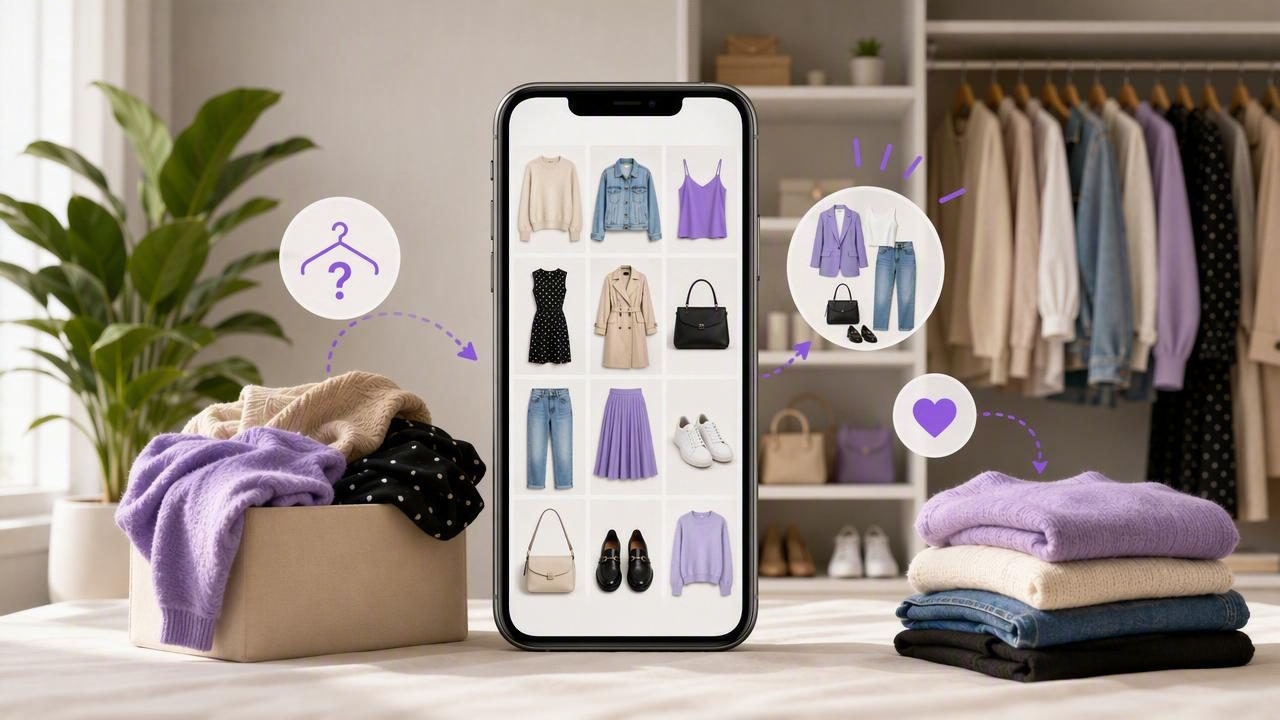
Many people have a closet full of clothes and still feel they have nothing to wear. The problem is not always a lack of options. More often, it is a visibility problem: favorite pieces sit at eye level, while useful trousers, layering pieces, shoes, and occasion outfits fade into the background.
A digital closet app for better use of your wardrobe can make the clothes you already own easier to see, sort, and combine. Rather than relying on memory while standing in front of a crowded rail, you can create a visual record of your wardrobe and use it to plan looks with more intention.
This approach does not require a perfect capsule wardrobe or a complete style overhaul. It starts with understanding what is already available, identifying the pieces you repeatedly overlook, and making outfit decisions before a rushed morning forces you into the same familiar combination.
Why good clothes often go unworn
Clothes disappear from regular use for simple, predictable reasons. Seasonal items get stored away and forgotten. A shirt that needs a particular layer never seems practical when you are getting dressed quickly. A pair of shoes may be comfortable but not visible near the outfits that work with them. Over time, your wardrobe becomes less like a useful collection and more like a collection of separate categories.
There is also a memory limit. Most people can recall their most-worn pieces, but they cannot easily picture every blouse, jacket, knit, accessory, or pair of trousers they own at once. That makes it tempting to buy another version of something that is already in the closet.
- Visual clutter makes individual garments hard to notice.
- Morning time pressure encourages repeat outfits.
- Separate storage hides seasonal, formal, or specialty items.
- Unclear outfit pairings leave versatile pieces unworn.
- Forgotten purchases can lead to unnecessary duplicates.
A digital wardrobe addresses the visibility issue first. When your items are represented as photos in one place, you can browse across categories without pulling everything out of drawers or storage boxes.
What a digital closet app can help you do
A digital closet is a photo-based catalog of the garments, shoes, and accessories you own. Depending on how you organize it, each item can be grouped by category, color, season, formality, or occasion. The purpose is not to turn getting dressed into a spreadsheet. It is to reduce the mental work required to remember your options.
Once your wardrobe is cataloged, a digital closet app can support several practical tasks:
- Find overlooked pieces. Browse all sweaters, trousers, or shoes together instead of relying on what happens to be visible.
- Build outfit combinations. Compare garments side by side and save combinations that work.
- Plan for real situations. Create looks for office days, dinners, school events, travel, weather changes, or weekends.
- Spot wardrobe patterns. Notice whether you own five nearly identical black tops but few layers that work with them.
- Make more thoughtful purchases. Check what you already have before adding another item to the closet.
The greatest benefit is often not finding a single “perfect” outfit. It is having a repeatable way to make better use of what you own across ordinary days.
A concrete example: turning one forgotten blazer into five outfits
Imagine you own a navy blazer that you wear only for occasional interviews or formal meetings. It hangs at the back of the closet, so you assume it is too formal for daily use. After adding it to a digital wardrobe, you can view it beside the rest of your clothes and test outfit combinations visually.
You might create five saved looks from items already in your closet:
| Occasion | Outfit combination | Why it works |
|---|---|---|
| Office day | Navy blazer, white shirt, straight-leg trousers, loafers | A reliable professional outfit with familiar basics. |
| Casual Friday | Navy blazer, plain T-shirt, dark jeans, clean sneakers | The blazer adds structure without making jeans feel overly formal. |
| Dinner out | Navy blazer, fitted knit, black trousers, ankle boots | Simple layers create a polished evening look. |
| Weekend event | Navy blazer, striped top, relaxed denim, flats | Combines a structured layer with casual pieces. |
| Cool-weather travel | Navy blazer, lightweight sweater, trousers, comfortable shoes | Provides a flexible layer for changing temperatures. |
The blazer did not become more versatile overnight. You simply made its possible uses visible. That is the central value of fashion planning with a digital closet: it helps you connect garments that may be stored, styled, or mentally categorized separately.
How to build a useful digital wardrobe without doing everything at once
The idea of photographing every item you own can sound overwhelming. A better approach is to begin with the clothing categories that create the most daily decision stress. You do not need a complete catalog on day one for the system to be useful.
Start with your highest-use categories
Begin with items you wear or consider wearing most often. For many people, that means tops, bottoms, everyday shoes, outerwear, and bags. Photograph each item against a plain background or in clear, even lighting. Aim for useful images, not editorial-quality photos.
Add pieces that are hard to style
Next, include clothes you like but rarely reach for. These might be printed trousers, a statement jacket, a skirt reserved for special occasions, or shoes that seem difficult to pair. Seeing them alongside basics can reveal more approachable combinations.
Use categories that match your life
Organize in a way that supports your actual decisions. “Work,” “weekend,” “date night,” “travel,” and “cold weather” may be more useful labels than a complicated system you will not maintain. You can also use simple categories such as tops, bottoms, dresses, layers, shoes, and accessories.
Save proven outfits as you go
Do not wait until your catalog is complete to start planning. When you wear an outfit you like, save it. Over time, you will build a personal library of combinations that suit your routine, climate, and comfort preferences.
Use outfit planning to break the repeat-outfit cycle
Repeating outfits is not inherently a problem. In fact, reliable combinations can make daily life easier. The issue appears when repetition happens by default because the rest of your wardrobe is invisible or feels too difficult to style.
Try a simple weekly planning habit: choose three to five outfits ahead of time, then leave room for changes in weather, laundry, or mood. Planning a few looks reduces decision fatigue while still giving you flexibility.
A practical goal is not to wear every item equally. It is to make sure your wardrobe reflects what you genuinely enjoy wearing and supports the life you actually live.
When reviewing saved looks, look for variety in a manageable way. You might wear the same trousers twice in a week but pair them with different tops and shoes. Or you might reuse a favorite jacket while changing the base outfit underneath. This is a realistic way to get more mileage from key pieces without forcing yourself to wear clothes that no longer fit your style or needs.
Use your catalog before buying something new
A digital wardrobe can also add a useful pause before shopping. When you see an appealing item online or in a store, ask whether it fills a genuine gap or resembles something you already own.
Before purchasing, check these questions:
- Do I already own a similar color, silhouette, or function?
- Can I name at least three existing items that would work with it?
- Does it suit the occasions and weather I dress for most?
- Would I choose it over an item I already own?
- Is the missing piece actually a garment, or do I need better outfit ideas?
This does not mean a catalog will prevent every impulse purchase or guarantee that you spend less. Personal style, changing needs, and practical replacements are all valid reasons to buy clothes. However, having a visual inventory makes decisions more informed and can reduce accidental duplication.
Virtual try-on: helpful for visualization, not a sizing guarantee
Some digital wardrobe tools include AI outfit visualization or virtual try-on features. These can be useful when you want to explore how your garments may look together on a photo of yourself. For example, you could compare a long cardigan with a cropped jacket before deciding which direction feels closer to your preferred style.
It is important to understand the limitation. AI try-on is best treated as a style visualization tool, not as a precise prediction of fit, garment drape, fabric texture, sizing, comfort, or how an item will move in real life. Lighting, image quality, garment photos, body position, and the technology itself can affect the result.
Use virtual try-on to narrow choices and generate ideas, then make final decisions using the real garment. Check fit, comfort, weather suitability, and how you feel wearing the outfit before relying on it for an important occasion.
Keep the system useful with a small maintenance routine
A digital closet works best when it stays reasonably current, but maintenance does not need to be constant. Add new purchases when they become regular wardrobe items. Remove or mark clothes you donate, sell, or retire. At the beginning of a new season, take a few minutes to review layers, shoes, and occasion-specific pieces.
You can also review your saved outfits once a month. Delete combinations that no longer appeal to you, update looks for the weather, and flag the items you have not worn recently. This turns your wardrobe into an evolving resource instead of a static catalog.
Make your wardrobe easier to use, one outfit at a time
The best digital closet is not the most detailed one. It is the one that helps you answer practical questions: What can I wear tomorrow? What goes with these trousers? Do I already own something similar? What should I pack? By making your clothes visible and your combinations easier to compare, you can get more value from pieces that are already part of your life.
If you want a photo-based starting point, Outfit Maker’s digital closet guide explains how a visual wardrobe can support outfit combinations, planning, and saved looks. Start with a small category, save one outfit you would genuinely wear, and let the system grow around your real routine.
