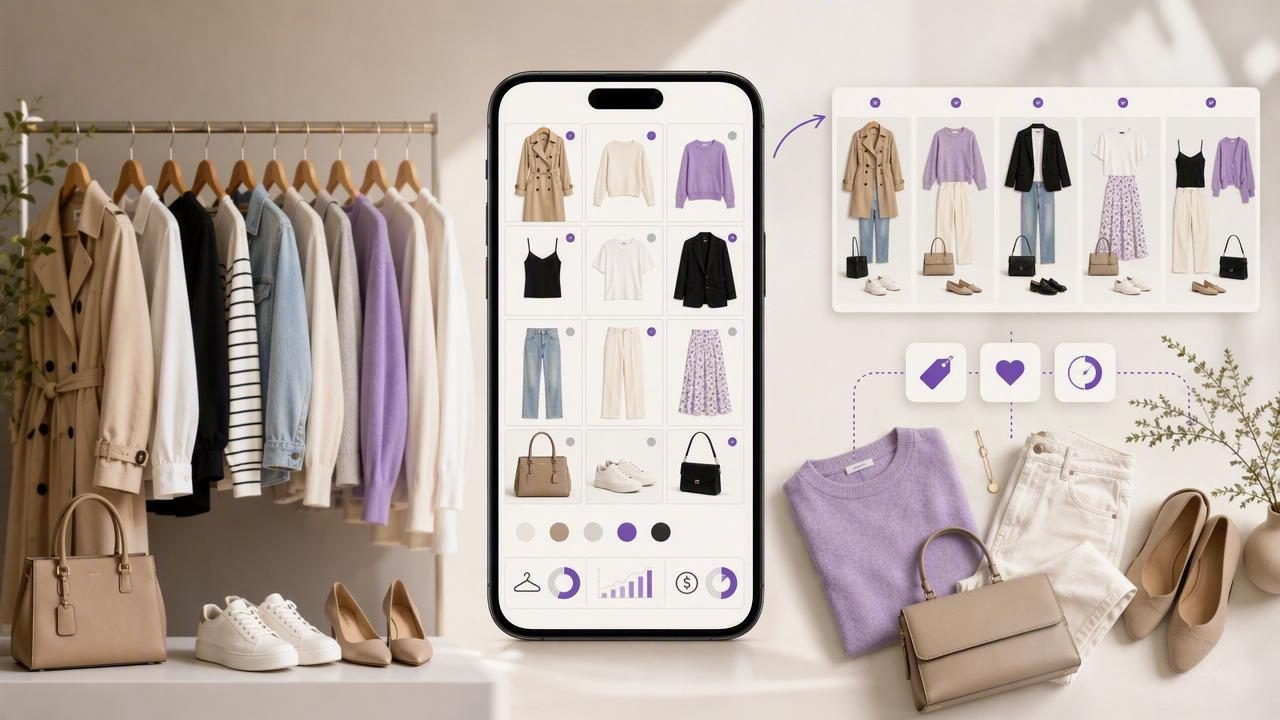
A digital closet is more than a photo album of your clothes. When it’s set up like a simple database—with consistent photos, useful tags, and a repeatable routine—it becomes a decision-making tool. You stop re-buying basics you already own, you build outfits faster, and you shop with fewer regrets because you can see what actually works together.
This guide walks you through an easy, maintainable workflow: how to capture clothing data, how to tag items so they’re searchable, how to plan outfits for real life, and how to use simple metrics like cost-per-wear without turning your wardrobe into a spreadsheet obsession.
Why a digital closet works (when it’s done right)
Most wardrobe stress comes from three gaps:
- Visibility gap: you forget what you own (especially basics, outerwear, and “occasion” pieces).
- Combination gap: you own good items, but you can’t quickly see outfit options.
- Decision gap: shopping and getting dressed are rushed, so you repeat the same looks.
A functional digital closet closes those gaps by turning your wardrobe into a searchable, mix-and-match library. The goal isn’t perfection—it’s speed and confidence.
“Organization isn’t about having fewer things. It’s about reducing the friction between you and what you want to do.”
The foundation: set one standard for photos
Your digital closet is only as useful as its inputs. If photos are inconsistent, you’ll hesitate to use the system. Pick one standard that’s easy to repeat:
Photo checklist (fast and realistic)
- Lighting: near a window, no harsh shadows.
- Background: plain wall, door, or a bedsheet backdrop.
- Angle: straight-on for tops, bottoms, and dresses; 45° for shoes/bags.
- Framing: full item in frame with a little margin.
- Consistency: same location whenever possible.
Shortcut: If taking flat-lay photos feels like a chore, hang items on a hanger and shoot them on the same hook every time. Consistency beats artistry.
Cataloging your wardrobe: what to track (and what to skip)
A useful digital closet doesn’t need every detail. Track only what helps you search, plan outfits, and avoid duplicate purchases.
Minimum fields for each item
- Category: top, bottom, dress, outerwear, shoes, bag, accessory.
- Color: choose 1–2 main colors (avoid “multicolor” unless necessary).
- Season: all-season / warm / cold / rain.
- Occasion: casual, work, formal, gym, travel, event.
- Fit notes: tight in shoulders, needs hemming, best with a belt, etc.
Optional (high value if you’ll use it)
- Brand + size (helpful for re-buying staples).
- Fabric (great for climate planning and care).
- Purchase date + price (enables cost-per-wear).
Skip for now: SKU numbers, overly granular style labels, or anything that slows you down. You can refine later.
Tagging that actually helps: a simple taxonomy
The best tags are the ones you’ll remember to use. Aim for small, repeatable vocabularies rather than dozens of unique labels.
| Tag Group | Examples | Why it matters |
|---|---|---|
| Color Family | black, white, navy, beige, olive, denim | Fast outfit building and gap spotting |
| Warmth | light, mid, warm, insulated | Prevents “wrong-for-weather” outfits |
| Dress Code | casual, smart casual, business, formal | Lets you filter for real-life situations |
| Silhouette | oversized, fitted, straight, wide-leg, cropped | Helps balance proportions quickly |
| Constraints | no dryer, wrinkles easily, requires strapless bra | Prevents last-minute outfit failures |
Pro tip: Add a “hero” tag for items you love and wear often, and a “needs work” tag for items you’re unsure about. Those two tags make wardrobe decisions much easier.
Use outfit formulas to generate combinations (without overthinking)
Outfit planning becomes faster when you rely on a few repeatable formulas. Save 5–10 “default” combinations you can tweak with shoes and layers.
5 reliable outfit formulas
- Straight base + statement layer: tee + jeans + standout jacket.
- Monochrome + texture: same color family with different fabrics (knit + denim + leather).
- One polished piece: sneakers outfit upgraded by a blazer or tailored pants.
- Dress + third piece: dress with cardigan, denim jacket, or structured coat.
- Contrast proportions: fitted top + wide-leg bottom, or oversized top + slim bottom.
In your digital closet, create outfit entries using these formulas and tag them by occasion and weather. This way, searching “work + cold” gives you ready-to-wear options.
Plan outfits with a weekly workflow (15 minutes)
The easiest digital closet routine is a weekly planning session. It prevents morning decision fatigue and reduces laundry surprises.
Weekly workflow
- Step 1 (2 min): check your calendar (meetings, events, travel, weather).
- Step 2 (8 min): choose 3–5 outfits and 1 backup option.
- Step 3 (3 min): identify missing basics (e.g., “clean white tee,” “black socks”).
- Step 4 (2 min): pre-decide shoes and outerwear to avoid last-minute mismatches.
If you commute or change locations often, add a tag like “commute-friendly” (comfortable shoes, layers, pockets, weather tolerance). It’s one of the most practical filters in a digital closet.
Make your digital closet smarter: cost-per-wear and utilization
You don’t need advanced analytics to benefit from wardrobe data. Two simple metrics can guide better shopping and better outfit rotation:
1) Cost-per-wear (CPW)
CPW is simply:
cost_per_wear = item_price / number_of_wearsHigh CPW doesn’t always mean “bad”—occasion wear may be worth it. But CPW helps you spot when an item isn’t earning its place because it’s uncomfortable, hard to style, or doesn’t match your lifestyle.
2) Utilization rate
Ask: What percentage of your wardrobe did you wear in the last 60–90 days? If the number is low, the fix is usually not buying more. It’s improving combinations: adding layers, tailoring one piece, or letting go of items that don’t fit your life.
A sample item record you can copy (simple JSON)
If you like having a consistent template (even if you’re not a developer), here’s an example of the information worth capturing for each piece:
{
  "name": "Navy wool coat",
  "category": "outerwear",
  "colors": ["navy"],
  "season": ["cold"],
  "dress_code": ["smart casual", "business"],
  "warmth": "warm",
  "fit_notes": "Roomy enough for chunky knits",
  "constraints": ["dry clean"],
  "price": 180,
  "purchase_date": "2025-11-10",
  "hero_item": true
}
You can mirror these fields as tags/notes in whatever tool you use for your digital closet.
Common digital closet mistakes (and quick fixes)
Mistake: Trying to catalog everything in one day
Fix: Start with your top 30 most-worn items plus shoes and outerwear. Expand over time.
Mistake: Too many tags
Fix: Use 5 tag groups max (color, season, occasion, warmth, constraints). Add more only if you’re searching for them weekly.
Mistake: Saving outfits without context
Fix: Always tag outfits with at least occasion + weather. An outfit that works for dinner might fail for commuting.
Mistake: Not updating after purchases
Fix: Create a 2-minute “new item intake” rule: photo + 3 tags + one outfit idea before you wear it.
Privacy and backups: don’t skip this
A digital closet contains personal images and sometimes purchase history. Basic hygiene keeps you comfortable using it long-term:
- Use device security: passcode/Face ID and secure cloud backup if you choose cloud storage.
- Limit sensitive details: you don’t need order numbers or exact store addresses.
- Export options: if your tool allows exporting images/data, do a quarterly backup.
Quick-start checklist (do this this week)
- Pick one photo setup and take photos of 10 items.
- Add 4 tags per item: category, color, season, occasion.
- Create 3 outfit formulas and save 2 outfits per formula.
- Plan 3 outfits for the next week, plus 1 backup.
- Note 1 “gap” you can fill by styling—not shopping (e.g., swapping shoes, adding a layer).
Putting it all together
A digital closet works best when it’s treated like a lightweight system: consistent photos, a small tag vocabulary, and a weekly habit. Once you can reliably answer “What do I own?” and “What can I wear for this situation?”, getting dressed becomes faster—and shopping becomes calmer and more intentional.
If you prefer using an iPhone app to keep everything in one place, tools like Outfit Maker can support the same workflow: catalog items, test combinations virtually, and save outfit options for later.
