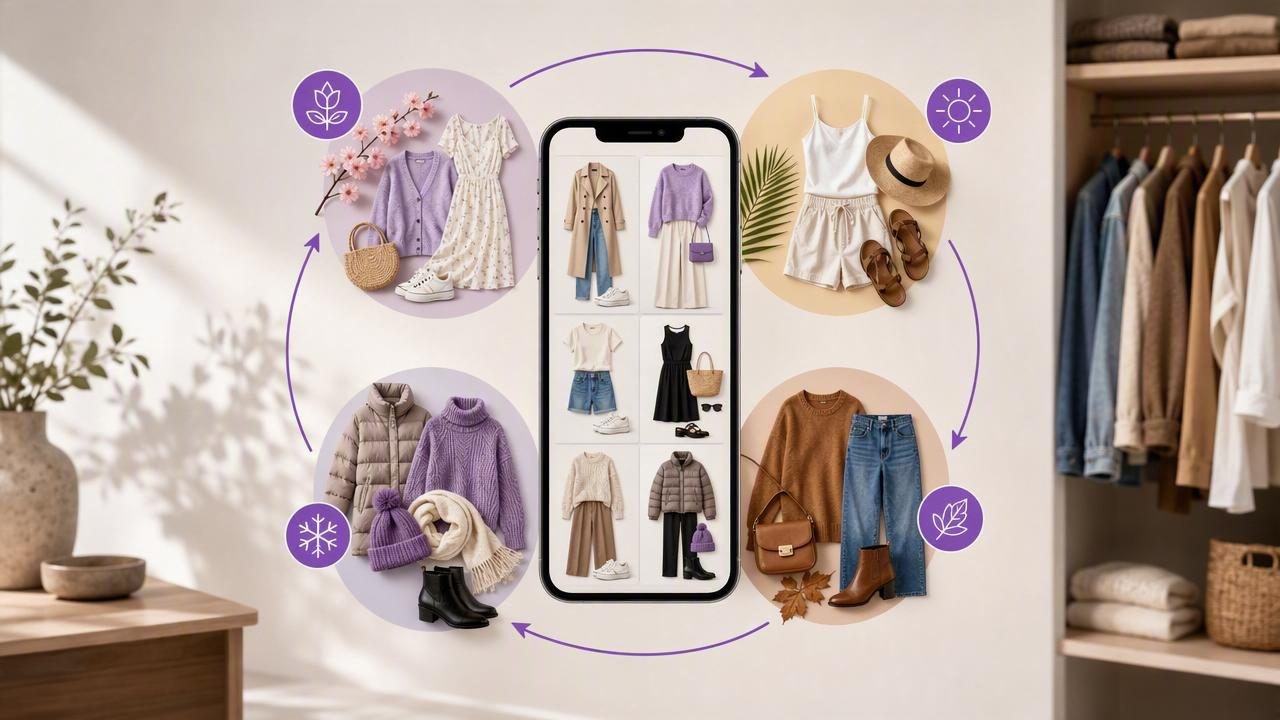
Getting dressed can feel surprisingly difficult when your wardrobe is full but your best options are hard to see. You may own reliable basics, favorite layers, and occasion-specific pieces, yet still default to the same few outfits every week. A digital closet app can make the contents of your wardrobe easier to review, organize, and combine—especially when a new season changes the weather, your schedule, or both.
A seasonal outfit rotation is not a restrictive uniform or a reason to replace your clothes. It is a practical collection of outfit combinations built around the garments you already have. The goal is simple: create enough dependable looks for your real life, save them in one place, and reduce rushed decisions on busy mornings.
This guide explains how to create a rotation that is realistic, flexible, and suited to your personal style. It also covers a concrete example, useful clothing categories, and the important limitations of virtual outfit visualization.
What Is a Seasonal Outfit Rotation?
A seasonal outfit rotation is a planned set of outfits you can wear repeatedly during a specific period, such as early spring, summer, or the colder months. Rather than evaluating every item in your closet each morning, you choose from pre-planned combinations that work for your usual activities.
For example, someone who works in a casual office, exercises twice a week, and sees friends at weekends may need a different rotation than someone with a formal workplace or a frequent travel schedule. The most useful rotation reflects where you actually go, not an idealized version of your life.
Using a digital wardrobe to view clothing photos can help you notice connections between pieces. A blazer that seemed reserved for meetings may also work with jeans and sneakers. A dress saved for dinners may become more versatile with a cardigan and ankle boots. Seeing garments together makes these possibilities easier to consider.
Why Use a Digital Closet App for Seasonal Planning?
A physical closet provides texture, color, and immediate access, but it can be difficult to assess at a glance. Items may be hidden behind other clothes, stored out of season, or forgotten at the bottom of a drawer. A digital closet app creates a visual record of your garments, allowing you to sort and revisit them without pulling everything out.
This can support better fashion planning in several ways:
- More visibility: Review tops, bottoms, shoes, outerwear, and accessories in one visual space.
- Faster outfit decisions: Save combinations before a busy week begins.
- Better use of existing clothes: Spot pieces that have not been worn recently.
- More intentional packing: Reuse planned looks for weekends away or work trips.
- Clearer wardrobe gaps: Identify missing practical categories only after reviewing what you own.
The key is not to create hundreds of possible looks. A smaller, well-tested collection is easier to use and more likely to reflect your routine.
Step 1: Start With Your Actual Season and Lifestyle
Before uploading garments or assembling outfits, define the conditions your rotation needs to handle. “Spring” can mean light rain and cool mornings in one place, or warm afternoons and occasional wind in another. Think beyond a season label and consider temperature swings, commuting, indoor heating or air conditioning, and rain.
Ask These Planning Questions
- What temperatures are most common where I live?
- How many days each week do I need work, casual, exercise, or event outfits?
- Do I walk, drive, cycle, or take public transport?
- Which shoes are comfortable enough for my normal day?
- Which garments need layering to work across changing temperatures?
Write down your answers. This prevents a common planning error: building a rotation around attractive but impractical items. If rain is common and you walk to work, a water-resistant layer and suitable shoes deserve more attention than a lightweight jacket that only works on dry days.
Step 2: Add the Clothing You Are Most Likely to Wear
You do not need to catalog every garment before creating a useful seasonal rotation. Begin with approximately 25 to 40 pieces that are clean, fit your current lifestyle, and suit the weather. Include clothing you already reach for, plus a few neglected items you would genuinely like to wear again.
For each item, use a clear photo and a simple name. Consistent labels make later sorting much easier. Instead of naming an item “shirt,” use a description such as “white cotton button-down” or “navy striped knit.” If the app allows categories or notes, record useful details such as sleeve length, warmth, or when the item is most comfortable to wear.
| Category | Useful Details to Record | Example |
|---|---|---|
| Tops | Color, sleeve length, formality | Black ribbed long-sleeve top |
| Bottoms | Silhouette, fabric weight, comfort | Stone wide-leg trousers |
| Layers | Warmth, weather suitability | Olive rain jacket |
| Shoes | Walking comfort, weather use | Brown leather ankle boots |
| Accessories | Function and color family | Small black crossbody bag |
Prioritize honest cataloging. An item that is beautiful but uncomfortable, damaged, or difficult to style should not occupy a central role in your plan simply because you wish you wore it more.
Step 3: Choose a Small Set of Outfit Foundations
Outfit foundations are repeatable formulas that make combinations easier. They are not rules; they are starting points. A formula can be adjusted with different colors, layers, shoes, and accessories while retaining a familiar balance.
For a transitional season, your foundations might include:
- Relaxed trousers + fitted knit + light jacket + loafers
- Jeans + simple top + overshirt or cardigan + sneakers
- Midi dress + cardigan + ankle boots
- Tailored trousers + shirt + blazer + comfortable flats
- Leggings + longline top + sweatshirt + trainers
Select three to five formulas based on your activities. This is more effective than attempting to make every top work with every bottom. A good rotation has enough variety to avoid boredom while remaining easy to repeat.
Step 4: Build a Rotation Around Anchor Pieces
Anchor pieces are versatile garments that appear in several outfits. They may be neutral trousers, dependable jeans, a comfortable jacket, or shoes you can wear for long periods. Anchors do not have to be plain; a patterned skirt or brightly colored cardigan can work if it coordinates with enough other pieces.
Start by selecting five to eight anchors. Then build two or three combinations around each one. Avoid making every outfit depend on a single item, especially a pair of shoes or a jacket. If it needs cleaning, repairs, or a break, your rotation should still function.
Concrete Example: A 10-Look Early Autumn Rotation
Imagine a person whose week includes three hybrid-office days, two casual home days, one gym session, and weekend errands or social plans. Their key pieces include dark straight-leg jeans, black trousers, a brown midi skirt, cream knitwear, a striped long-sleeve top, a black fitted top, a denim shirt, a charcoal blazer, a lightweight trench, white sneakers, loafers, and ankle boots.
- Black trousers, cream knit, charcoal blazer, loafers
- Dark jeans, striped top, trench, white sneakers
- Brown midi skirt, black fitted top, ankle boots
- Black trousers, denim shirt, loafers
- Dark jeans, cream knit, ankle boots
- Brown midi skirt, striped top, trench, sneakers
- Black trousers, black fitted top, blazer, ankle boots
- Dark jeans, denim shirt worn open over the fitted top, sneakers
- Brown midi skirt, cream knit, loafers
- Dark jeans, black fitted top, trench, ankle boots
This example uses a modest number of garments while creating outfits for several settings. It also includes alternatives: if the weather changes, the trench can be exchanged for the blazer, or sneakers can replace loafers when more walking is expected.
Step 5: Check Balance, Repetition, and Laundry Needs
Once you have saved outfit combinations, review the rotation as a whole. Look for overused pieces, missing categories, and combinations that require impractical laundry timing. If every look includes the same trousers, add another bottom. If all office outfits rely on one pair of shoes, create a backup option.
A helpful rotation balances three types of repetition:
- Useful repetition: Rewearing favorite trousers or a jacket in different ways.
- Visual repetition: Repeating colors or silhouettes often enough to create a cohesive style.
- Unhelpful repetition: Depending on one garment so heavily that the plan fails when it is unavailable.
Also consider the practical life of each item. Delicate tops, dry-clean-only pieces, and shoes that need time to air out may be better used sparingly. A rotation should reduce friction, not create a more complicated care schedule.
Step 6: Use Virtual Try-On as a Visualization Tool
AI outfit generators and virtual try-on tools can be useful when you want to visualize garments together before changing clothes. They may help you compare proportions, color pairings, and layering ideas from photos. This is particularly useful when deciding between two jackets, testing whether an accessory changes the feel of an outfit, or planning looks ahead of a trip.
However, virtual visualization has clear limitations. It cannot guarantee exact fit, sizing, comfort, fabric drape, opacity, movement, or how an item feels after several hours. Lighting, image quality, pose, and garment photos can also affect the result. Treat an AI-generated visualization as a planning aid, then confirm your final choices by trying on the outfit in real life.
Practical rule: Use digital planning to narrow your choices, but use a real mirror, movement, and comfort check to make the final decision.
Step 7: Review the Rotation After Two Weeks
Your first version is a draft, not a finished system. After two weeks, notice what you actually wore and what stayed unused. An unworn garment may be uncomfortable, unsuitable for the weather, difficult to coordinate, or simply not aligned with your current preferences.
Make small adjustments instead of restarting. Remove combinations that did not work, save successful variations, and add notes about why a look was useful. For example, you might note that an outfit worked well for a long commute but felt too warm indoors. Over time, your digital wardrobe becomes a more accurate record of your personal style and daily needs.
Make Seasonal Planning Easier Without Buying More
A digital closet app is most valuable when it helps you see what is already available, make practical outfit combinations, and repeat the looks you genuinely enjoy. Build around your schedule, weather, comfort requirements, and favorite anchors. Keep the rotation small enough to use, flexible enough to adapt, and realistic enough to wear.
If you want a visual way to catalog garments and test outfit ideas from your own clothing photos, Outfit Maker’s guide to building a digital closet offers a useful starting point for organizing your wardrobe and saving looks for later.
