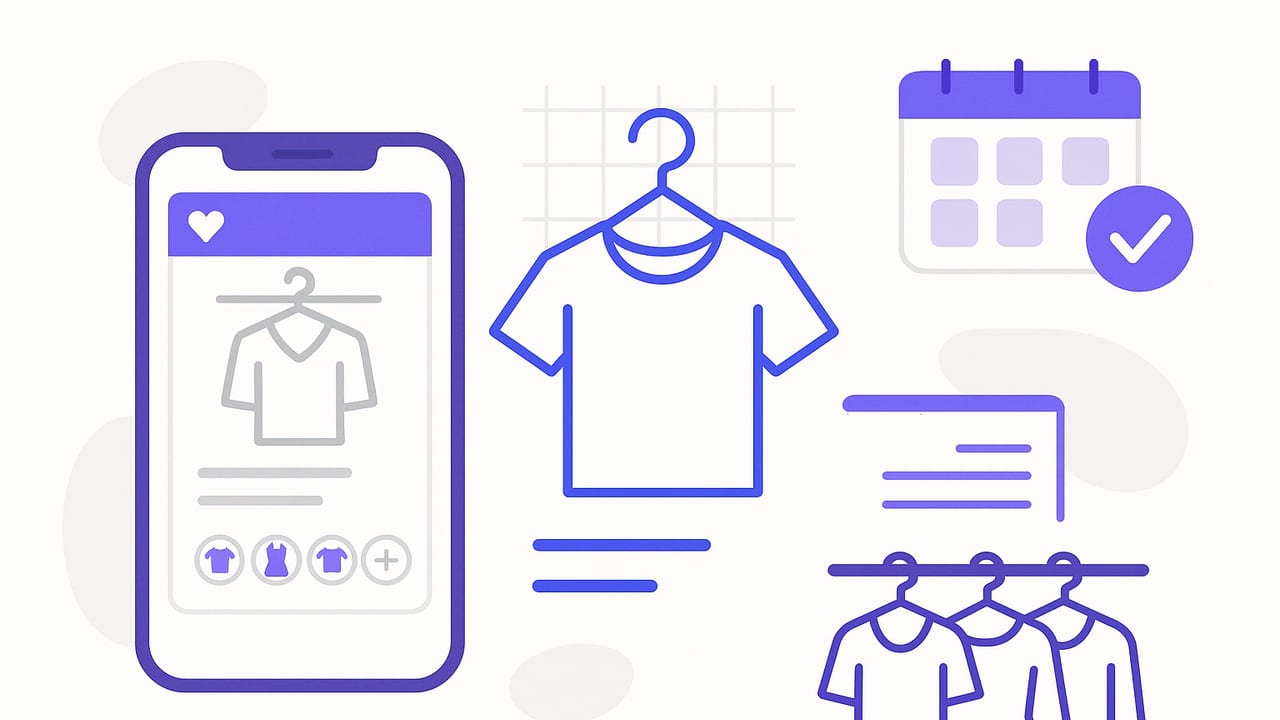
A well-organized wardrobe makes getting dressed faster, cheaper, and more creative. Yet many of us still dig through piles, forget what we own, and repeat the same outfits. A closet organizer app turns scattered pieces into a searchable, visual system—combining inventory, outfit planning, and data to help you wear more of what you already have. This guide walks you through choosing features, setting up your digital closet in a weekend, creating tags and rules that actually work, and building routines that keep everything current with minimal effort.
Why use a closet organizer app?
Unlike ad hoc photo albums or spreadsheets, a modern closet organizer app bundles visual management with planning workflows. The right app will help you:
- Catalog every item with clear photos and details
- Tag pieces by season, color, fit, and occasion for instant filtering
- Plan outfits for work, trips, events, and everyday life
- Track cost-per-wear and identify closet MVPs vs. dead weight
- Forecast what to wear using weather and calendar data
- Experiment risk-free with outfit simulations or virtual try-on
In short, a closet organizer app gives you a visual, searchable wardrobe and a repeatable system for daily decisions.
Core features to look for
Before you commit, evaluate features through the lens of your habits. If you rarely log data, photo-first workflows matter. If you love metrics, analytics and wear tracking shine.
- Fast item intake: Batch photo capture, background removal, and auto-cropping.
- Tagging & search: Custom tags, smart suggestions, saved filters, and advanced search.
- Outfit builder: Drag-and-drop looks, layering support, color guidance, and saved formulas.
- Calendar & reminders: Schedule outfits, link to events, and receive prep notifications.
- Weather integration: Daily recommendations filtered by temperature and precipitation.
- Analytics: Wears count, cost-per-wear, last-worn date, and closet utilization.
- Travel mode: Pack lists, capsule suggestions, and outfit rotation planning.
- Virtual try-on or simulation: Preview combinations before wearing.
- Export & backup: Data portability and reliable sync across devices.
Set up your digital closet in a weekend
You can onboard your wardrobe quickly with a simple, two-day plan. The goal is progress, not perfection—capture enough detail to be useful and refine later.
Day 1: Photo and inventory blitz
- Stage your space: Choose a well-lit spot with a neutral background. Gather lint roller, hangers, and a steamer if needed.
- Prioritize high-rotation items: Start with what you wear often—jeans, tops, shoes, outerwear. Then tackle seasonal essentials.
- Batch capture: Photograph items in categories. Use consistent angles (front, key details for shoes/bags). Remove distractions in the background.
- Quick tags: For each item, add 3–5 tags: category, color, fit, season, and occasion. Avoid over-tagging on day one.
- Retire and donate: As you go, separate items to sell or donate. Don’t digitize what you won’t wear.
Day 2: Tagging, rules, and first outfits
- Refine tags: Normalize spelling, consolidate duplicate tags, and create a short master list (see taxonomy below).
- Build outfit formulas: Create 5–7 baseline templates you can reuse (e.g., Blazer + Knit + Jeans + Loafers).
- Schedule your week: Plan outfits for the next 5–7 days using your calendar and forecast.
- Identify gaps: Use filters to surface needs (e.g., rainproof outerwear) and note them on a wishlist instead of impulse buying.
- Set maintenance routines: Add weekly and monthly checkpoints; future you will thank you.
Build a smart tagging system (the taxonomy that lasts)
Tags are the backbone of any closet organizer app. Keep them simple, consistent, and useful for filtering.
| Attribute | Examples | Why it matters |
|---|---|---|
| Category | Shirt, Knit, Blazer, Jeans, Trousers, Dress, Skirt, Boots, Sneakers, Bag | Fast filtering and balanced outfits across top/bottom/layer/shoes. |
| Subcategory | Button-down, Tee, Crewneck, Cardigan, Chino, Midi, Chelsea | Precision when searching or building formulas. |
| Color | Black, Navy, White, Beige, Olive, Burgundy | Ensures palette cohesion and easier mix-and-match. |
| Fit/Silhouette | Slim, Relaxed, Oversized, Straight, Wide-leg, Cropped | Match proportions and layering without guesswork. |
| Season/Temp | All-season, Summer, Winter; 30–50°F, 50–70°F, 70°F+ | Weather-based recommendations and comfortable outfits. |
| Occasion | Work, Casual, Formal, Travel, Event, Outdoor | Rapid filtering for what your day requires. |
| Care | Machine-wash, Delicate, Dry-clean | Plan laundry cycles and avoid last-minute surprises. |
| Status | New, Tailor, Donate, Sell, Repair | Maintenance visibility to keep your closet active. |
| Cost & Wears | $120, 14 wears | Track cost-per-wear and ROI for smarter shopping. |
Pro tip: cap your tag lists. For example, limit colors to a palette of 8–12 and keep fits to 6–8. Consistency improves search quality and analytics.
Turn tags into outfits: formulas and guardrails
Formulas reduce decision fatigue. A closet organizer app lets you convert abstract styling ideas into repeatable rules you can apply in seconds.
- Proportion pairs: Oversized top + slim bottom; relaxed blazer + straight trousers; cropped knit + high-rise skirt.
- Color anchors: Two neutrals + one accent; monochrome base + contrast shoes; warm base + cool accent.
- Texture balance: Smooth + textured (e.g., satin blouse + wool trousers); matte + shiny accents.
- Occasion switches: Swap sneakers for loafers to elevate; replace tote with crossbody for events.
Create 5–7 saved formulas and tag them by occasion and temperature. Then, when planning, filter by formula + weather + calendar. You’ll generate wearable outfits quickly and consistently.
Weekly and seasonal routines that keep you organized
Maintenance is where a digital wardrobe shines. Short, scheduled habits prevent backlog and keep suggestions relevant.
- Weekly (10–15 minutes): Add new items, mark what you wore, schedule next week’s outfits, and update the laundry status.
- Monthly (20 minutes): Archive off-season items, retire pieces to sell/donate, and review cost-per-wear to spotlight underused garments.
- Seasonal (45–60 minutes): Refresh photos for accuracy, adjust your palette, and set 2–3 shopping priorities based on real data.
“What gets measured gets managed” applies to closets too. Track just enough to improve decisions—and stop when it stops helping.
Advanced tactics for power users
- Weather rules: Define thresholds that auto-filter items (e.g., hide heavy knitwear above 70°F; surface rain boots on wet days).
- Calendar context: Link outfits to events and add notes (“client meeting,” “standing desk,” “outdoors”) to guide future picks.
- Rotation guardrails: Use “last worn” and “cooldown” tags to diversify your weekly looks and avoid repeats.
- Travel capsules: Build 10–12 interchangeable pieces that yield 20+ outfits; save as a template for future trips.
- Cost-per-wear goals: Set targets (e.g., $3 per wear) and schedule check-ins to guide what stays, gets tailored, or exits.
- Alterations pipeline: Tag items “Tailor” with a due date; only keep pieces you’ll actually fit into your life.
Spreadsheets vs. photos vs. a closet organizer app
Different tools suit different personalities. Here’s a quick comparison to help you choose (or combine) the right system.
| Method | Strengths | Limitations | Best for |
|---|---|---|---|
| Spreadsheet | Great for numbers and cost-per-wear; customizable fields | No visuals; manual maintenance; weak outfit planning | Data-driven users who love metrics |
| Photo album | Fast to start; visual; no learning curve | Poor search; no tags/filters; no analytics | Minimalists who want a quick visual catalog |
| Closet organizer app | Visual + tags + planning + analytics; weather/calendar integration | Initial setup time; learning curve | Anyone who wants a lasting, scalable system |
Troubleshooting common pitfalls
- Inconsistent photos: Use one background and lighting. Re-shoot 5–10 key items per week until you standardize your catalog.
- Tag sprawl: Merge duplicates and delete rarely used tags monthly. Keep a master list to enforce consistency.
- Analysis paralysis: Set time-boxed decisions (e.g., 90 seconds per outfit). Lean on saved formulas and weather filters.
- Forgetting to log wears: Enable daily reminders or attach outfit logging to an existing habit (e.g., after brushing teeth).
- Overstuffed closet: Follow a one-in/one-out policy. Move “maybe” items into a 30-day trial tag; auto-archive if unworn.
Privacy, backups, and data portability
Before you invest time, confirm how your data is handled:
- Photo storage: Are images on-device, in the cloud, or both? Can you remove backgrounds locally?
- Export options: Look for CSV or JSON exports so your work isn’t locked in.
- Backup and sync: Ensure reliable automatic backups and cross-device sync if you use multiple devices.
- Account controls: You should be able to delete your account and data easily.
Quick start checklist
- Choose a closet organizer app with fast intake, tags, outfit builder, and analytics
- Photograph 60–80% of your current-season items first
- Create a concise tag taxonomy for category, color, fit, season, occasion
- Build 5–7 outfit formulas and schedule a week of looks
- Set weekly and monthly routines to log wears and tidy tags
- Use analytics to identify MVPs, gaps, and exit candidates
Measuring success
You’ll know your system is working when:
- You can assemble a weather-appropriate outfit in under two minutes
- At least 70% of your closet is worn each season
- Cost-per-wear decreases for new purchases over time
- You feel confident re-wearing staples in fresh combinations
Final thought
A thoughtful closet organizer app turns your wardrobe into a dependable tool, not a daily riddle. Start small, keep tags simple, and let routines do the heavy lifting. If you want a visual-first experience that also supports virtual try-on and AI outfit planning, Outfit Maker for iOS is one option to explore.
