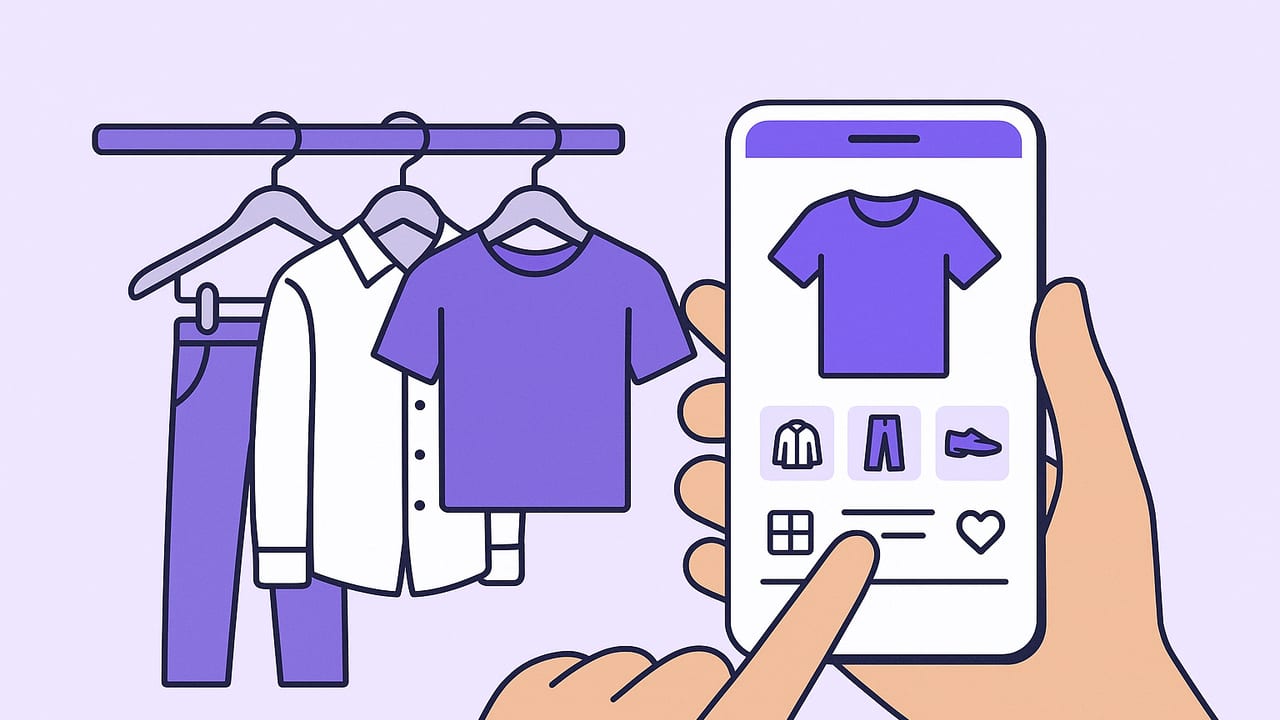
If you have ever stared at a full closet and thought you had nothing to wear, a closet organizer app can turn that chaos into clarity. By creating a digital wardrobe that mirrors your real one, you get searchable visibility, instant outfit ideas, and data about what you actually wear. This guide explains what these apps do, the features that matter, and a step-by-step setup so your smartphone becomes your personal stylist and inventory system.
What a Closet Organizer App Really Does
At its core, a closet organizer app is an inventory, styling assistant, and planning calendar rolled into one. The best apps make it effortless to photograph clothing, remove backgrounds, tag items, and then combine pieces into outfits you can save, schedule, and share. Here are the practical benefits:
- Inventory clarity: See every item you own, filtered by season, occasion, or color.
- Outfit planning: Build looks, save them to collections, and place them on a calendar for work, travel, or events.
- Decision speed: Shortlist options for tomorrow in minutes, not half an hour of trying things on.
- Cost-per-wear insight: Track how often you use each piece so you can shop smarter.
- Decluttering guidance: Spot duplicates and low-wear items to edit with confidence.
- Travel packing: Plan outfits first, then pack exactly what you need without forgetting essentials.
- Virtual try-on: See how combinations look together before you change clothes.
How to Set Up Your Digital Wardrobe
1. Prep: Define Your Categories
Before taking any photos, decide on a simple tagging system. Keep it consistent and you will actually use it. Start with these core tags:
- Category and subcategory: Tops, Bottoms, Outerwear, Dresses, Shoes, Bags; then specifics like Tee, Jeans, Blazer, Sneakers.
- Color: Main color and a secondary accent if needed.
- Season: All-season, Spring/Summer, Fall/Winter.
- Occasion: Work, Casual, Formal, Date, Sport, Travel.
- Fit/Silhouette: Slim, Regular, Oversized; Straight, Wide-leg, A-line.
- Fabric/Material: Cotton, Wool, Linen, Denim, Silk, Synthetic blends.
- Care: Machine-wash, Hand-wash, Dry-clean.
- Brand/Price: Useful for resale and cost-per-wear.
2. Photograph Like a Pro
- Lighting: Use indirect daylight near a window to avoid harsh shadows.
- Background: Plain, clutter-free surface. Many apps remove backgrounds automatically; a solid backdrop makes this easier.
- Framing: Shoot items flat or on a hanger; capture the full piece. For shoes and bags, add one angled shot for shape.
- Consistency: Keep the camera at the same distance and angle to make your catalog look cohesive.
- Batching: Photograph by category for momentum, then tag in batches.
3. Tag As You Go
Accuracy beats perfection. Enter the essential tags first, then refine later. A simple taxonomy can unlock powerful filters and recommendations.
| Field | Examples | Why It Matters |
|---|---|---|
| Category / Subcategory | Top / Tee; Outerwear / Trench | Fast filtering and outfit balancing |
| Color | Black; Navy; Camel | Color matching and palette planning |
| Occasion | Work; Casual; Formal | Right outfit for the right context |
| Season | All-season; F/W; S/S | Seasonal rotation and packing |
| Fit / Silhouette | Oversized; Slim; Wide-leg | Proportion matching in outfits |
| Fabric | Linen; Wool; Denim | Comfort, care, and climate |
| Care | Machine-wash; Dry-clean | Maintenance planning |
| Brand / Price | Brand X; $120 | Cost-per-wear and resale |
Optional: Import With a Simple CSV
If your closet is large or you already keep a spreadsheet, many apps allow CSV import. Here is a simple template you can adapt:
item_id,category,subcategory,color_primary,color_secondary,season,occasion,fit,fabric,brand,price,currency,care,notes,image_url
1234,Top,Tee,White,,All-season,Casual,Regular,Cotton,Everlane,30,USD,Machine-wash,Classic crew,http://example.com/img1.jpg
5678,Bottom,Jeans,Indigo,,All-season,Casual,Slim,Denim,Levi's,98,USD,Machine-wash,Raw denim,http://example.com/img2.jpg
9012,Outerwear,Blazer,Black,,F/W,Work,Regular,Wool,J.Crew,220,USD,Dry-clean,Two-button,http://example.com/img3.jpg
Keep headers lowercase and consistent. After import, spot-check a few items to ensure fields mapped correctly.
Plan Outfits With Intent, Not Guesswork
Once your items are tagged, outfit planning becomes strategic. Use ideas like these:
- Work capsule: Build 10 mix-and-match looks from 12 pieces. Tag as Favorites for quick weekday picks.
- Travel packing: Plan outfits first, then export a packing list. Aim for 3 tops, 2 bottoms, 1 layering piece per 2-3 days, plus shoes and accessories.
- Special event: Create 2-3 backup looks so you are covered for weather and mood.
- Weather-aware choices: Filter by season and fabric, then add outer layer options in case of a cold snap or heatwave.
Try the 3-2-1 layering rule for transitional weather: three top options, two layering pieces, one statement outerwear. Save each combination as a named outfit and add it to your calendar on the days you plan to wear it.
Clarity beats novelty. When you can see your options side by side, you will choose more confidently and buy less impulsively.
Make Your Wardrobe Data Work
A closet organizer app can surface metrics that change how you shop and style:
- Cost-per-wear (CPW): Price divided by number of wears. High initial cost can become excellent value with frequent use.
- Utilization rate: Percentage of items worn in a time frame. Push this higher by rotating underused pieces into planned outfits.
- Time-to-outfit: How long it takes you to finalize a look. Calendar planning and saved favorites drive this number down.
- Seasonal ROI: Which items deliver value for a specific season, informing future purchases.
# Quick formulas
cost_per_wear = item_price / max(1, wears)
utilization_rate = worn_items / total_items
wardrobe_rotation = unique_items_worn / total_items
outfit_repeat_gap_days = days_between_same_outfit_on_calendar
Review these numbers monthly. If CPW is stubbornly high, schedule that item in two or three upcoming outfits to test its versatility or consider reselling.
Maintenance Routines That Keep It Useful
Weekly
- Add newly purchased items immediately with photos and tags.
- Plan three weekday outfits in advance to reduce morning decision fatigue.
- Archive or mark anything on loan, at the tailor, or in laundry to keep the inventory accurate.
Monthly
- Review low-wear items and intentionally style them in an upcoming week.
- Update CPW; add notes about fit changes or repairs needed.
- Clean up tags so filters stay sharp.
Seasonal
- Rotate out-of-season items to storage and tag them as archived or off-season.
- Photograph missing categories you will need next season, creating a focused shopping list.
- Resell or donate items below your wear threshold.
Privacy and Digital Hygiene
Your closet is personal. Treat it that way:
- Permissions: Only grant camera and photo access that the app needs. Disable location tagging if it is not useful to you.
- Backups: Enable cloud sync or export your data quarterly in case you change phones.
- Sharing controls: Use private links or restricted sharing when sending outfits to friends.
- Local edits: If available, prefer on-device processing for background removal and try-ons to reduce data exposure.
Troubleshooting and Pro Tips
- Photos look dull: Move closer to a window, turn off overhead lights, and tap to focus before shooting.
- Tagging feels tedious: Batch by category and use app-level defaults. For example, set Season=All for tees at upload.
- Outfits feel repetitive: Add one statement accessory or third piece (blazer, overshirt, scarf) to vary silhouettes.
- Too many similar items: Use the color filter to compare duplicates; keep the best fit and rehome the rest.
- Calendar friction: Schedule outfits the night before and add notes about shoes or weather to avoid morning second-guessing.
How to Choose the Best Closet Organizer App
Not all apps are equal. Prioritize features that reduce friction and increase decision quality. Use this checklist to evaluate:
| Feature | Why It Matters | What Good Looks Like |
|---|---|---|
| Background removal | Cleaner visuals, easier outfit building | One-tap, edge-aware cutouts |
| Batch tagging | Faster onboarding | Apply tags to multiple items at once |
| Virtual try-on | Confidence before changing | Realistic drape and layering |
| Outfit calendar | Plan and repeat effortlessly | Drag-and-drop, reminders, notes |
| Weather integration | Temperature-appropriate picks | Forecast-aware suggestions |
| Packing lists | Travel without overpacking | Auto-generate from saved outfits |
| Analytics | Wear rate and CPW insights | Item-level and collection-level stats |
| Privacy controls | Data protection | Granular sharing, local processing options |
| Sync and export | Portability and backups | Cloud sync, CSV/JSON exports |
| Community and sharing | Feedback and inspiration | Private share links and comments |
Frequently Asked Questions
Do I need to photograph every single item?
No. Start with the 20% you wear most plus any upcoming event pieces. Add items gradually; momentum beats perfection.
How many tags are too many?
Keep your taxonomy simple. If a tag does not help you filter or decide, drop it. Most users succeed with 6-8 core tags.
Can a closet app help me shop less?
Yes. Seeing duplicates and low-wear items discourages impulse buys and encourages remixing what you own. Use a wishlist that pairs with existing pieces.
What if my style changes?
Tag with notes like Trend, Classic, or Upgrade Candidate. Schedule a seasonal review to edit items that no longer fit your direction.
Is virtual try-on accurate?
Quality varies. Look for apps with body-aware layering and realistic fabric rendering. Use it to shortlist combinations, then confirm with a quick mirror test when needed.
Putting It All Together
The best closet organizer app is the one you will actually use. Start small, tag consistently, and lean on planning and analytics to make better decisions. With a clear inventory, helpful filters, and saved outfits, getting dressed stops being a daily puzzle and becomes a quick, creative routine. If you are on iOS and want an app that combines digital wardrobe planning with realistic virtual try-ons, Outfit Maker is a strong option to explore.
