You have a meeting, dinner, or an ordinary morning ahead, and nothing seems quite right. One option is to pull clothes from your closet and try on one outfit after another. The other is to use a closet catalog app to review what you own and consider combinations before getting dressed. Each approach has a place, but they solve different parts of the outfit decision.
A closet catalog app can make it easier to see, sort, and plan with garments you already have. Changing clothes repeatedly gives you a direct, real-world sense of how an outfit feels and fits. Understanding the difference helps you spend less time second-guessing while still making a final choice in person.
What is a closet catalog app?
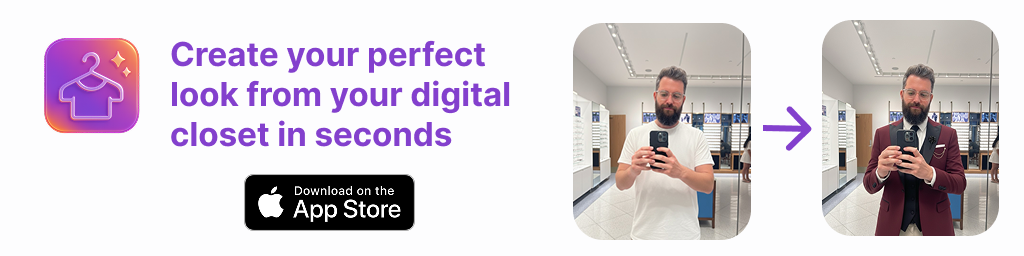
A closet catalog app is a digital record of clothing and accessories you own. Depending on the tool, you can add garment photos, organize items into categories, and look through possible outfit combinations on a screen. Some apps also offer AI outfit generation or virtual try-on, using photos to visualize how selected pieces might look together.
The main value is visibility. Clothes at the back of a closet or packed away for another season can be easy to forget. A digital wardrobe puts a visual inventory in one place, which may help you notice pieces you already own and plan around them. It can also support fashion planning for workdays, events, or trips.
It is not a replacement for the physical wardrobe. A catalog depends on the images and information you add, and a screen cannot tell you everything about how a garment feels on your body. Think of it as a planning view of your clothes, not a perfect replica of wearing them.
What repeated outfit changes can—and can’t—tell you
Trying clothes on is useful when you need to check real details: whether a waistband feels comfortable, a sleeve restricts movement, or a layer works with the weather. You can see how a fabric drapes in person and notice small issues that a photo may not show. If you are choosing between two options for a specific occasion, a quick try-on can be the most reliable final check.
The downside is that repeated changes can become a poor way to explore every possibility. Each change takes time, and you may end up cycling through similar outfits without remembering what you liked about one. Pulling several items out can also make a small decision feel bigger than it is. This is especially common when you are short on time or deciding what to pack.
Trying clothes on is most useful for checking a shortlist. It is less efficient as the first step when you have not yet decided which garments to consider.
Closet catalog app vs. changing clothes repeatedly
| Consideration | Closet catalog app | Repeated try-ons |
|---|---|---|
| Best for | Reviewing what you own and exploring combinations | Checking comfort, fit, movement, and final details |
| When it helps | Before getting dressed, planning ahead, or packing | When you have a few options to compare in person |
| Main limitation | Images may not represent color, texture, drape, or fit exactly | Can take time if you start without a shortlist |
| Useful outcome | A smaller set of outfit ideas to consider | A real-world check of a selected outfit |
These methods are not competitors in every situation. A practical routine uses a digital closet to narrow the choices, then uses a physical try-on to confirm the outfit that matters. The app helps you decide what to test; your own experience tells you whether it works when worn.
A concrete example: choosing a work outfit
Imagine you have a navy blazer, a cream top, dark trousers, a patterned skirt, and two pairs of shoes. You need an outfit for a regular office day and are tempted to try on every possible pairing. Instead, begin by reviewing the items in your catalog and choose two combinations that suit the day’s needs.
- Set the context. Consider the weather, workplace expectations, and whether you have a presentation or a commute that affects your choice.
- Make a short list. One option might be the blazer, cream top, and dark trousers. Another could be the cream top with the patterned skirt and a suitable layer.
- Visualize the combinations. Review the pieces together in your digital wardrobe or use a virtual try-on feature, if available, to help compare the overall styling.
- Try on the leading option. Check how it actually fits, feels, and moves. Pay attention to the layer underneath, the shoes, and any practical details you cannot judge from a screen.
- Choose or adjust. If the outfit feels right, you are done. If not, you have a second idea ready instead of starting over with the whole closet.
The point is not that a catalog can tell you the perfect outfit. It gives you a manageable starting point. For example, a virtual image may suggest that the blazer and skirt form a balanced look, but only an in-person check can tell you whether the blazer is comfortable over that top or whether the skirt works for your planned day.
When a digital wardrobe is most useful
You forget what you own
A catalog can make less-visible garments easier to remember. If you have a few staple pieces you often overlook, seeing them alongside your other clothes may prompt new combinations. The benefit depends on keeping the catalog useful: start with clothing you wear regularly rather than trying to document every item in one sitting.
You want to compare ideas before getting dressed
When the decision is mainly about color, layers, or which pieces belong together, viewing options on a screen can help you compare without changing into each one. Saving a promising combination can also make it easier to revisit later. Treat saved looks as ideas, not commitments: weather, laundry, comfort, or plans can still change.
You are planning for a trip or a busy week
Planning ahead can reveal whether a few garments work in several combinations, or whether you are considering too many near-identical options. A digital wardrobe may help you organize those ideas before packing or setting out clothes for the week. It cannot guarantee that a planned outfit will suit every condition, so check the forecast, activities, and any dress requirements separately.
When changing clothes is still the better choice
Use a physical try-on when fit or comfort is uncertain, when you have not worn a garment in a while, or when the occasion has specific requirements. This matters for shoes, structured clothing, delicate layers, and outfits involving several pieces whose proportions may be hard to judge in photos. It is also the right step if you need to check whether an item is clean, damaged, or comfortable for a full day.
Visual tools have clear limits. An AI outfit generator or virtual try-on based on photos can help you explore styling possibilities, but the result should not be treated as a promise about exact sizing, fit, fabric behavior, or how an item will move. Photo lighting, camera angle, image quality, and the way garments are represented can affect what you see. For a purchase or an important event, rely on accurate garment details and an actual try-on where possible.
How to get a useful result without over-cataloging
- Start with a small group. Add frequently worn tops, bottoms, layers, and shoes first. Expand the catalog only when it helps answer a real planning question.
- Use clear, consistent photos. A simple image that shows the garment is easier to recognize than a cluttered picture. Keep in mind that a photo is still an approximation of color and texture.
- Plan around the occasion. Filter your thinking by weather, formality, comfort, and activity rather than generating endless combinations.
- Save only useful looks. Keep combinations you would realistically wear, and update them when your preferences or wardrobe change.
- Finish with a real-world check. Try on the selected outfit when fit, comfort, or event details matter. The goal is fewer exploratory changes, not eliminating try-ons altogether.
Which approach should you choose?
Choose a closet catalog app when you need to see your wardrobe more clearly, remember what you own, or narrow down outfit combinations before getting dressed. Choose a physical try-on when you need to verify comfort, fit, movement, and practical details. For many people, the most useful answer to “closet catalog app vs changing clothes repeatedly” is a combination of both: plan visually first, then try on a short list.
A digital closet is most effective when it reduces uncertainty rather than adding another task. If you want a practical overview of organizing clothing photos and building a useful wardrobe record, Outfit Maker’s guide to creating a digital closet offers a relevant starting point. Use any tool as support for your own judgment—and let the final outfit pass the comfort and occasion checks that only you can make.