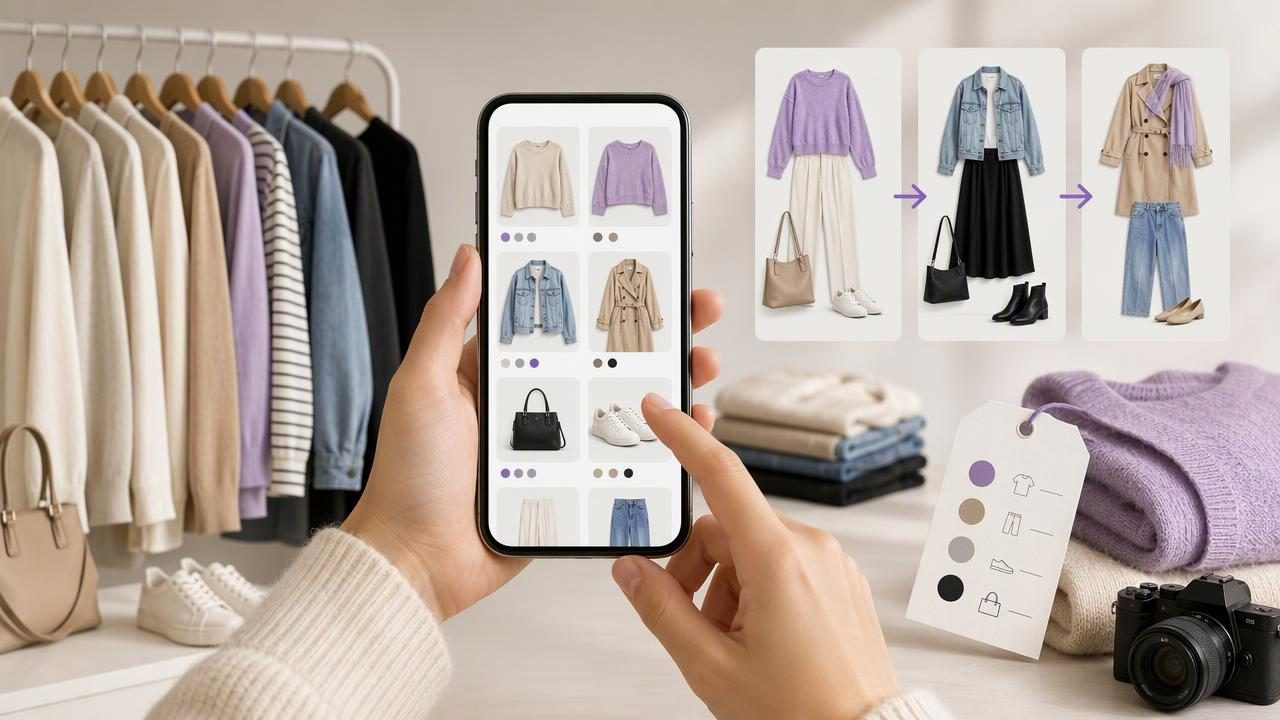
A closet catalog app can turn a crowded wardrobe into a useful visual library. Instead of opening every drawer, trying on multiple tops, and forgetting what you own, you can create a digital wardrobe that helps you find items, compare outfit combinations, and make more intentional choices.
For beginners, the goal is not to document every sock, accessory, and old T-shirt in one afternoon. A good closet catalog starts small, focuses on the clothes you actually wear, and becomes more detailed over time. These closet catalog app tips for beginners will help you create a system that is practical enough to maintain—not just satisfying to set up.
What Is a Closet Catalog App?
A closet catalog app is a digital tool for recording clothing items in your wardrobe. Typically, you add a photo of each garment and organize it with details such as category, color, season, occasion, or brand. The result is a searchable digital closet rather than a collection of vague mental notes about what might be hanging in the back of your wardrobe.
Some digital wardrobe tools also support fashion planning features, such as saving outfit combinations or using virtual try-on imagery to visualize how selected pieces may look together. This can be useful when you are deciding between looks for work, travel, a date, or an event.
However, keep the purpose clear: a closet catalog is primarily an organization and outfit-planning system. A visual try-on can help you assess overall styling, color balance, and proportion, but it does not guarantee exact fit, fabric drape, comfort, or sizing.
Start With a Small, High-Value Section of Your Closet
The fastest way to abandon a digital closet project is trying to catalog everything at once. Begin with the pieces that create most of your everyday outfits. For many people, that means tops, bottoms, layers, shoes, and one or two bags.
A useful first catalog can contain only 25 to 40 items. That is enough to create many outfit combinations without making setup feel like a weekend-long inventory project.
A simple beginner starter list
- Five to eight tops you wear regularly
- Three to five bottoms, such as jeans, trousers, skirts, or shorts
- Two to four layers, including jackets, cardigans, or blazers
- Two to three pairs of everyday shoes
- One bag and a few frequently used accessories
Choose a category that solves a current problem. If weekday mornings feel rushed, catalog your workwear first. If you are packing for an upcoming trip, begin with clothes you may realistically take. Starting with a clear purpose makes the process more useful than cataloging random items.
Take Consistent Clothing Photos
Clear photos are the foundation of a useful smart closet organizer. You do not need studio lighting or professional equipment, but you do need images that make each item easy to recognize at a glance.
Lay clothing flat on a plain surface, hang it against a simple wall, or photograph it in natural daylight. Keep the background uncluttered so the item, its color, and its shape remain obvious. For shoes and bags, shoot from an angle that shows their overall form.
Consistency matters more than perfection. If every item is photographed in a similar style, scrolling through your digital wardrobe will feel much faster and more organized.
Quick photo checklist
- Use even light so dark navy, black, and charcoal items remain distinguishable.
- Photograph the front of each garment first.
- Include a second image only when a detail matters, such as a patterned back, unique sleeve, or formal neckline.
- Remove distracting hangers, laundry, and background clutter where possible.
- Crop images so the clothing item fills most of the frame.
If a photo does not show the true color perfectly, add a color tag later. This is especially helpful for shades that cameras often distort, such as cream, olive, burgundy, and deep blue.
Use Simple Tags You Will Actually Search
Tags make a closet catalog app valuable after the initial upload. But too many labels can create another form of clutter. Start with a small set of tags based on decisions you make often: what to wear, when to wear it, and what it works with.
| Tag type | Useful examples | Why it helps |
|---|---|---|
| Category | Shirt, jeans, blazer, sneakers | Lets you build outfits by clothing type. |
| Color | Black, white, denim blue, tan | Helps you find coordinating pieces quickly. |
| Season | Warm weather, cool weather, year-round | Prevents unsuitable items appearing in a seasonal search. |
| Occasion | Work, casual, dinner, formal | Supports faster outfit planning for real events. |
| Status | Favorite, needs repair, donate, laundry | Keeps your catalog connected to your actual wardrobe. |
Try not to create tags you will never use. For example, recording every fabric composition may be worthwhile if you have skin sensitivities or care requirements, but it may not help a beginner planning everyday outfits. Add more detail only when it answers a recurring question.
Create a Naming System That Makes Search Easy
Names should be descriptive enough that you can find an item without opening every image. Avoid vague labels such as “top 3” or “black shirt.” Instead, use a short formula:
Color + item type + key detail
Example: Black ribbed long-sleeve top
This naming approach becomes especially helpful when you own similar pieces. “Blue straight-leg jeans” and “Blue wide-leg jeans” are much easier to distinguish than two entries labeled “blue jeans.”
Use details that affect how you wear an item: silhouette, sleeve length, neckline, pattern, or formality. You do not need to list every design feature. The name only needs to help future you recognize the garment quickly.
Build Outfit Combinations From Real Clothes
One of the best closet catalog app tips for beginners is to move from collecting item photos to creating reusable outfit combinations. A catalog tells you what you own; an outfit library helps you decide what to wear.
Start with five reliable combinations rather than aiming for dozens of looks. Choose outfits that address common situations in your schedule, such as a casual weekday, office day, dinner out, weekend errands, or a weather-changeable day.
Concrete example: a five-look workweek starter set
Imagine your first digital wardrobe includes a white button-down shirt, black ribbed top, striped knit, blue straight-leg jeans, black trousers, tan blazer, white sneakers, and black loafers. You could save these five outfit ideas:
- White button-down, black trousers, and loafers for a polished workday.
- Black ribbed top, blue jeans, tan blazer, and loafers for smart casual plans.
- Striped knit, black trousers, and white sneakers for a relaxed office setting.
- White button-down, blue jeans, and white sneakers for a casual daytime outfit.
- Black ribbed top, black trousers, tan blazer, and loafers for dinner after work.
These looks use only eight garments and two pairs of shoes, yet they reduce daily decision-making. Save a note with each outfit if useful, such as “works best after steaming trousers” or “bring jacket for air conditioning.” Practical notes are often more valuable than vague style labels.
Review Your Catalog Against Your Actual Closet
A digital wardrobe is most useful when it reflects reality. Update items when they are damaged, donated, in the laundry, or no longer fit your current style. You do not need to make changes every day, but a brief monthly review keeps the catalog trustworthy.
During your review, look for patterns. Are there several items you never choose? Do you repeatedly wear the same few pieces? Are you missing a simple layer that would connect multiple outfits? A closet catalog can reveal these gaps without suggesting that you need to buy more clothing.
Beginner principle: Cataloging is not about creating a perfect wardrobe. It is about making the wardrobe you already have easier to see and use.
Know the Limits of Virtual Outfit Visualization
Digital wardrobe and AI outfit generator tools can make style planning more visual. Seeing your own garments organized together may help you compare color combinations, layers, and overall outfit direction before changing clothes.
Still, use visual results as a planning aid rather than a final guarantee. A digital image cannot reliably confirm whether trousers will feel comfortable after several hours, whether a knit will be too warm, whether a fabric will wrinkle during a commute, or whether a shoe will be suitable for walking. Check the physical outfit before an important occasion, especially when dress codes, weather, or comfort matter.
This balanced approach gives you the best of both methods: faster outfit ideas from your catalog and a final real-world check before you leave.
Make the System Easy to Maintain
The most effective digital closet is one you continue using. Set aside ten minutes after laundry, at the start of a season, or when you add a meaningful new piece. Photograph the item, apply your basic tags, and decide whether it works with at least two existing garments.
It also helps to save outfits when they succeed in real life. If you felt comfortable and appropriately dressed, add that look to your favorites. Over time, your outfit library becomes a personal reference based on your own routine—not a generic collection of inspiration images.
For a practical next step, the Outfit Maker digital closet guide explains how a visual wardrobe can support organizing garments, creating outfit combinations, and planning looks from your own clothing.
Start Simple and Improve as You Go
A closet catalog app works best when it removes friction from getting dressed. Begin with your most-worn clothes, take clear photos, use a few useful tags, and save outfit combinations that fit your real life. As your digital wardrobe grows, it can become a reliable tool for fashion planning, reducing forgotten clothes and making everyday decisions feel easier.
You do not need a perfectly curated closet to begin. You only need a small, accurate catalog and a willingness to build on it one outfit at a time.
