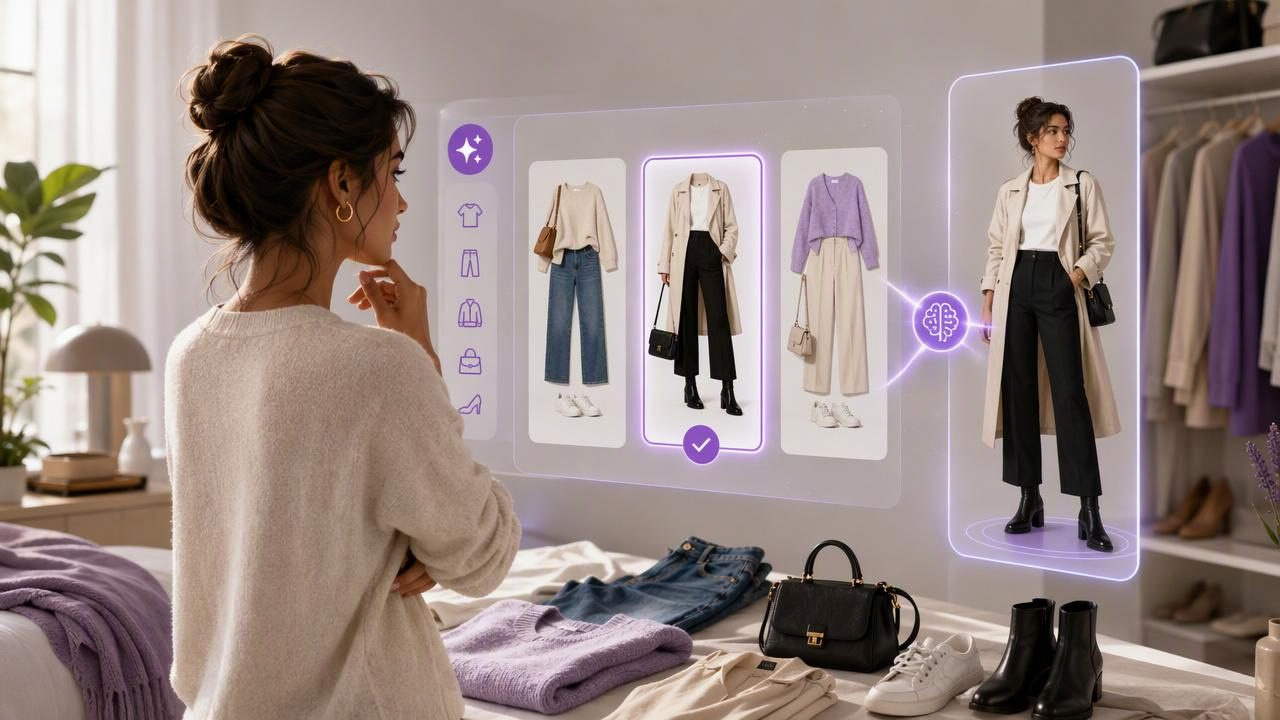
Choosing an outfit can take far longer than it should. You may have a full closet, yet still spend ten minutes trying on combinations, changing your mind, and returning to the same familiar jeans-and-top formula. An AI outfit generator can make that decision process faster by helping you visualize clothing combinations from items you already own.
But the best AI outfit generator to decide what to wear faster is not necessarily the one that produces the most dramatic images or the largest number of suggestions. The most useful option is one that supports your real wardrobe, your schedule, and your style preferences without creating more steps than it removes.
This guide explains what an AI outfit generator can realistically do, which features matter most, how to use a digital wardrobe effectively, and where virtual try-on has important limitations.
What Is an AI Outfit Generator?
An AI outfit generator is a tool that helps users create, organize, and visualize outfit combinations. Rather than mentally sorting through hangers, drawers, laundry piles, and shopping screenshots, you can add photos of your clothes to a digital wardrobe and explore potential looks in one place.
Depending on the tool, you may be able to:
- Catalog tops, trousers, skirts, dresses, shoes, outerwear, and accessories.
- Group items by season, color, category, or occasion.
- Create outfit combinations from garments you already own.
- Use AI virtual try-on from photos to visualize a look.
- Save looks for workdays, events, trips, or repeat outfits.
- Share options with a friend when you want a second opinion.
The purpose is not to replace personal style. It is to reduce the friction between opening your closet and leaving the house in an outfit that feels intentional.
A helpful outfit generator turns “What should I wear?” into a smaller, clearer decision: “Which of these two or three saved looks works best today?”
Why Outfit Decisions Take So Long
Outfit indecision is usually not caused by a lack of clothing. It often comes from having too many unorganized choices and too little time to assess them. A shirt may look good on its own but feel wrong with a particular pair of trousers. A favorite jacket may be forgotten because it is stored out of sight. Weather, dress codes, comfort, laundry status, and confidence can all affect the final choice.
A digital wardrobe can reduce this mental load because it gives you a visual overview. Instead of relying on memory, you can see which pieces work together before pulling everything off the rail.
The hidden cost of an unplanned wardrobe
- Repeating a small group of familiar outfits while ignoring other clothes.
- Buying similar items because you forgot what you already own.
- Running late after trying on multiple combinations.
- Packing too much because you have not planned complete travel looks.
- Wearing an outfit that feels only “fine” because the better option was not visible.
An AI outfit generator will not solve every wardrobe problem, but it can make the daily choice more structured and less stressful.
What to Look for in the Best AI Outfit Generator
When comparing outfit planning tools, focus on whether the experience helps you make a decision quickly. A long feature list is less valuable than a simple process you will actually use.
| Feature | Why It Matters | Practical Question to Ask |
|---|---|---|
| Digital wardrobe | Creates a visual record of clothing you own. | Can you add and find your most-worn items easily? |
| Outfit combinations | Helps you see complete looks, not isolated pieces. | Can you save combinations for repeat use? |
| Virtual try-on | Supports style visualization before changing clothes. | Does it help you compare overall color, proportion, and layering? |
| Organization tools | Makes the wardrobe usable as it grows. | Can you group items by type, season, or occasion? |
| Saved looks | Prevents repeated decision-making. | Can you create ready-to-wear options for busy mornings? |
| Sharing options | Provides an easy way to request feedback. | Can you share a few specific looks rather than sending many photos? |
1. Start with your own garments
The best system begins with the clothes you already have. Generic AI-generated fashion inspiration can be interesting, but it does not answer the immediate question of what you can wear today. Look for a tool that lets you build outfits from your actual shirts, trousers, dresses, shoes, and layers.
This approach is especially useful when you are trying to get more value from your wardrobe rather than constantly searching for something new to buy.
2. Prioritize fast visual organization
A smart closet organizer should make clothes easier to find at a glance. If adding items feels overly detailed or searching through your wardrobe is cumbersome, you may stop using it after the first week.
You do not need studio-quality images of every garment. Clear photos with good lighting and a plain background are usually enough to make items recognizable. Begin with the pieces you wear most often, then add the rest over time.
3. Choose meaningful outfit filters
The most useful outfit suggestions are connected to a real context. Think about the questions you ask most often:
- What can I wear to the office tomorrow?
- Which outfit works for a casual dinner?
- What layers make sense for a cool morning and warm afternoon?
- Which shoes go with this dress?
- What can I pack for three days with minimal duplicates?
Even if an app does not automatically know every detail of your day, your saved categories and outfit collections can guide you toward relevant choices quickly.
A Concrete Example: Planning a Workday Outfit in Five Minutes
Imagine it is Tuesday evening and you need a polished but comfortable outfit for an in-person meeting the next morning. The forecast suggests a cool commute and a warmer afternoon. Instead of opening your closet and experimenting while rushed, use your digital wardrobe to narrow the options.
- Choose the occasion: Select your work or business-casual collection.
- Choose an anchor piece: Start with navy tailored trousers you already know fit comfortably.
- Add a top: Compare a white shirt, a soft blue knit, and a striped blouse.
- Layer for the commute: Add a blazer or light trench coat.
- Compare footwear: Place loafers and low ankle boots beside the look.
- Use visual try-on: Review the overall balance of colors, silhouette, and layers.
- Save the winner: Label it “Tuesday meeting” so you can repeat or adjust it later.
In this example, AI does not need to dictate your taste. Its value is in helping you compare a few viable combinations quickly. You are still the person deciding whether the blue knit feels more like you than the white shirt.
How Virtual Try-On Helps—and What It Cannot Confirm
Virtual try-on can be particularly useful when you want to visualize the overall impression of a combination before physically changing. It can help you assess whether a jacket creates enough contrast, whether a color palette feels cohesive, or whether a long coat overwhelms a shorter dress.
However, it is important to use virtual try-on with realistic expectations. A visualized outfit is a styling aid, not a guarantee of how clothing will perform in real life.
What virtual try-on can help you assess
- Color coordination between garments.
- General outfit balance and layering.
- Whether a casual or formal mood comes across visually.
- Alternative pairings for pieces you rarely wear.
- Which saved look you want to try on physically first.
What it cannot reliably predict
- Exact fit, sizing, or garment length on your body.
- Fabric stretch, thickness, drape, texture, or breathability.
- Whether shoes remain comfortable after several hours.
- How an item will move when you sit, walk, or carry a bag.
- Whether an unfamiliar garment needs tailoring or alterations.
For important events, treat the visualization as the first step. Try the final outfit on in person, check it in natural light, and move around in it before committing.
A Simple Weekly Fashion Planning Routine
AI outfit planning works best when it becomes a small weekly habit rather than another daily task. A 15-minute planning session can reduce weekday decision fatigue considerably.
- Review your calendar for work, social plans, travel, and weather changes.
- Select three to five likely outfit combinations from your wardrobe.
- Save each look with a clear label, such as “client call,” “gym commute,” or “Saturday dinner.”
- Identify missing basics, such as a clean camisole, tights, or a weather-ready layer.
- Keep one flexible backup outfit for unexpected plans or laundry changes.
This routine also reveals patterns. You may notice that you consistently save outfits built around the same blazer, avoid a certain color, or need more versatile footwear. Those observations can guide future wardrobe choices without pressuring you to shop impulsively.
Common Mistakes That Make Outfit Tools Less Useful
Adding everything before creating any outfits
It is easy to turn wardrobe cataloging into a huge project. Start with 20 to 30 frequently worn pieces. Once you can build useful looks from them, add seasonal or occasion-specific items.
Saving too many nearly identical combinations
If every look contains the same black trousers and white T-shirt, the system may not reduce decisions. Save genuinely distinct options: one polished, one relaxed, one weather-ready, and one more expressive look.
Trusting visual results without a real-world check
Use virtual try-on to shortlist options, not to replace physical try-ons when fit and comfort matter. This is especially important for formal clothing, new shoes, and structured garments.
Ignoring outfit notes
A short note can make a saved look more useful. Record details such as “works best with seamless underlayer,” “too warm above 20°C,” or “wear with gold hoops.” Those small reminders prevent repeat trial and error.
Make Your Wardrobe Easier to Use
The best AI outfit generator is ultimately the one that makes your existing wardrobe feel more visible, flexible, and wearable. Focus on tools that support outfit combinations from your own garments, allow quick organization, and help you save decisions for later.
For a practical introduction to building this kind of system, Outfit Maker’s digital closet guide explains how a visual wardrobe can support everyday fashion planning. Use any AI-generated visualization as a helpful starting point, then rely on your comfort, personal preferences, and real-world try-on to make the final call.
