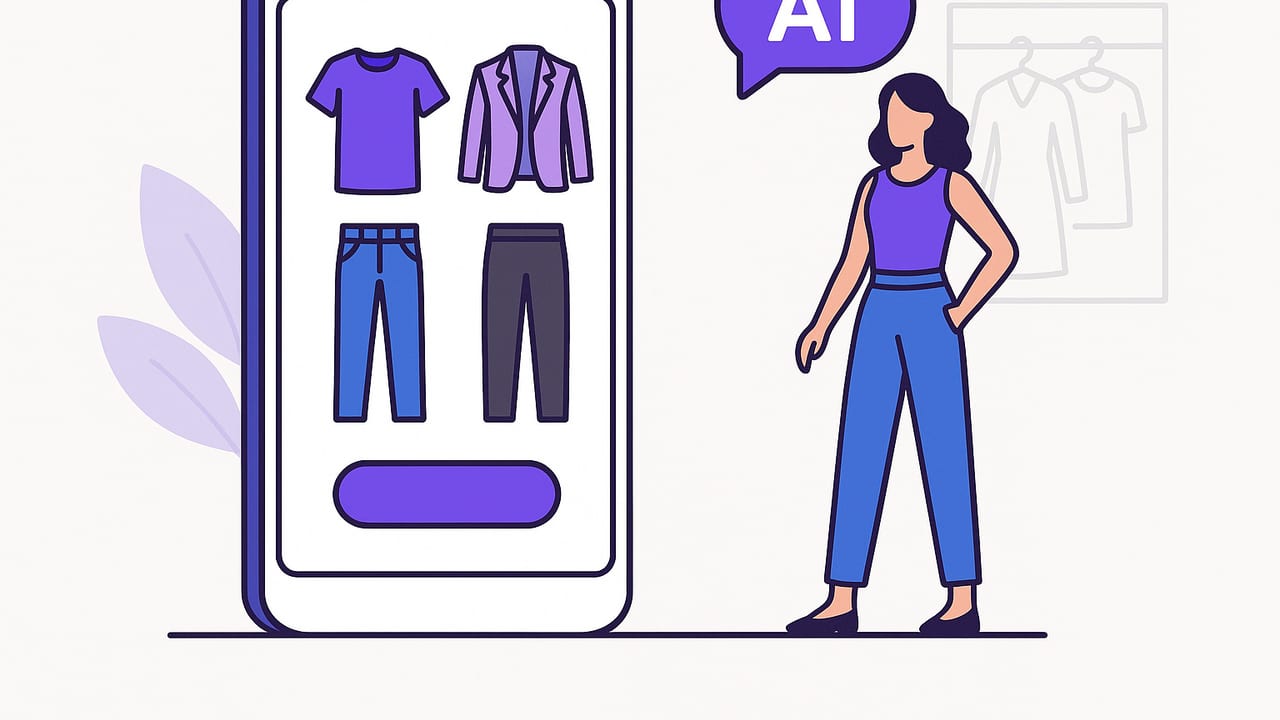
An AI outfit maker turns your closet into a living system that suggests, tests, and improves what you wear. Instead of flipping through hangers or guessing whether a blazer matches your sneakers, you can catalog clothes, generate combinations, virtually try them on, and refine the results with real feedback. This guide explains how an AI outfit maker works, how to set it up, and how to use it to build a wardrobe that’s stylish, practical, and easy to wear every day.
What Is an AI Outfit Maker?
An AI outfit maker is a digital wardrobe tool that analyzes your clothing items and personal preferences to recommend outfits. It blends computer vision (to recognize garments, colors, textures), style rules (silhouette balance, color harmony), and contextual data (weather, calendar, dress codes). You can upload photos of clothes, tag them, and let the system suggest looks. Modern apps also offer virtual try-on so you can see proportions and layering before changing clothes.
Typical capabilities include:
- Smart cataloging: auto-detect categories (tops, pants), colors, and patterns from photos.
- Outfit generation: combine pieces using learned style rules and your constraints.
- Context-awareness: factor in weather, events, travel, and laundry status.
- Virtual try-on: preview fit and layering on your photo or avatar.
- Learning loop: improve recommendations based on your ratings and wear history.
How an AI Outfit Maker Works (Under the Hood)
While interfaces feel simple, a lot happens behind the scenes. At a high level:
- Ingest and label: The system extracts garment type, color palette, pattern, texture, seasonality, and possible formality from photos.
- Embed your style: It builds a vector profile of what you like based on ratings, past outfits, and saved looks.
- Constrain by context: Filters outfits by temperature, event, dress code, and comfort preferences.
- Score and rank: It scores combinations for harmony, silhouette balance, novelty, and practicality.
// Simplified pseudo-logic for outfit scoring
for each candidate_outfit in combinations(closet):
  if violates(dress_code or weather or laundry): continue
  c = color_harmony_score(candidate_outfit)
  s = silhouette_balance_score(candidate_outfit)
  p = personalization_score(candidate_outfit, user_profile)
  u = utility_score(pockets, layers, activity)
  n = novelty_penalty(repeat_rate)
  total = 0.35*c + 0.25*s + 0.25*p + 0.15*u - n
  rank(candidate_outfit, total)
return top_k(rankings)
Different apps optimize different parts of this pipeline, but the core idea is consistent: find the best outfit for your constraints and taste.
Set Up Your Digital Wardrobe for Better Results
Great recommendations start with great inputs. Invest an hour up front to shoot and tag your pieces well.
- Photo tips: Use indirect daylight, plain background, and flat lay or hanger shots. Photograph front, back, and key details (collar, print, texture). Avoid harsh shadows.
- Consistency: Keep items squared in the frame. Crop tightly so the model sees the garment, not the room.
- Essential tags: Category (top/bottom/outerwear), fit (slim/regular/oversized), color, pattern, fabric, season, formality, care status (clean/needs tailoring).
- Sizes and notes: Record inseam, sleeve length, and any quirks—e.g., “runs short,” “needs no-show socks.”
- Duplicates and variants: If you own multiples (e.g., white tees), tag them as a set to reduce redundant suggestions.
Teach Your AI Outfit Maker What You Want
Algorithms learn faster when you give clear signals. Start with these inputs:
- Occasion presets: Work casual, business formal, date night, gym, errands.
- Comfort constraints: No heels for commutes, breathable fabrics above 80°F, layers if below 55°F.
- Palette boundaries: Your neutrals (black, navy, tan) and accent colors; specify 1–2 accents per outfit max.
- Silhouette preferences: Slim top + wide leg, cropped jacket + high-rise pants, or balanced top/bottom.
- Repeat frequency: Allow repeats for core basics; limit repeats on statement items to maintain freshness.
Color and Fit Rules the Model Understands
You can nudge the system with simple, reliable rules that map well to machine-readable constraints:
- 60–30–10 rule: 60% base, 30% secondary, 10% accent. Encourages balanced color distribution.
- Analogous vs. complementary: Analogous (navy–teal) for low risk; complementary (blue–orange) for bolder looks.
- Texture contrast: Pair matte with sheen, smooth with coarse to add depth without clashing.
- Silhouette balance: If the bottom is voluminous (wide-leg, pleated), keep the top fitted or cropped—and vice versa.
- Rule of thirds: Aim for 1/3 top and 2/3 bottom (or the reverse) for pleasing proportions.
Use Cases and Outfit Templates
To get high-quality suggestions quickly, seed your ai outfit maker with proven templates. Here are four that work across most closets:
- Work smart-casual: Knit polo + tapered chinos + minimal sneakers; swap sneakers for loafers for higher formality. Add an unstructured blazer when needed.
- Travel capsule: Merino tee + stretch jeans + lightweight bomber + slip-on sneakers; pack a scarf and packable rain shell. All pieces should layer easily and share a color story.
- Weekend uniform: Boxy tee + straight denim + canvas sneakers + baseball cap. Add a chore jacket if temperatures drop.
- Gym-to-street: Moisture-wicking top + track pants + trainers; throw on an oversized hoodie and crossbody bag post-workout.
Within each template, specify your preferred color set and fabrics. The system will then swap equivalent items while respecting the template logic.
Measure What Matters: Make the Algorithm Work for You
Use simple metrics to close the loop:
- Time to decide: Track how long it takes to pick an outfit. Aim to cut this in half within two weeks.
- Repeat wear rate: Healthy repetition of basics (25–40%) is good; statement pieces should stay below 15% repetition.
- Cost per wear: Tag prices for big items and watch this number drop as the system redistributes wear.
- Comfort and confidence scores: Quick 1–5 ratings after wearing help tune personalization.
Troubleshooting and Edge Cases
- “Everything looks off” in try-on: Re-shoot your base photo with consistent lighting, neutral background, and a natural stance. Ensure the app’s body segmentation is clean.
- Too many similar outfits: Increase novelty weighting and reduce repeat tolerance for non-basics. Add accent accessories to expand variety.
- Seasonal mismatch: Tag seasonality for each item; enable weather integration; add layer thresholds (e.g., auto-add outerwear below 55°F).
- Pattern clashes: Mark high-contrast prints as “statement” to avoid pairing multiple statements.
- Color drift in photos: Use daylight; avoid mixed bulbs. If available, apply white balance correction before tagging.
Privacy, Ethics, and Data Quality
Your closet photos and body data are personal. Look for features like on-device processing, clear permission prompts, and encrypted sync. Confirm how virtual try-on images are handled and whether they’re used for model training. Remember: AI can reflect biases in training data. Counter this by rating diverse outfit outcomes and including a range of silhouettes and styles you like; feedback helps the system learn your authentic taste rather than a narrow aesthetic.
AI Outfit Maker vs. Alternatives
| Option | Cost | Time | Personalization | Scales | Virtual Try-On |
|---|---|---|---|---|---|
| Manual planning (spreadsheets, mood boards) | Free–Low | High | Medium (requires effort) | Low | No |
| Human stylist | Medium–High | Medium | High | Medium | Sometimes |
| AI outfit maker | Low–Medium | Low once set up | High (learns from use) | High | Yes (in many apps) |
Quick Checklist and Daily Workflow
Use this condensed plan to get value fast:
- Photograph 25–40 core items first (tops, bottoms, shoes, outerwear).
- Tag category, color, season, formality, and fit for each piece.
- Create 3 occasion presets and 2 silhouette rules you love.
- Enable weather and calendar filters.
- Generate 5 looks the night before; pick 1–2 finalists.
- Rate comfort and confidence after wearing; hide any misses.
- Review weekly: retire low performers, add one new accent piece if needed.
FAQ
How accurate is virtual try-on?
Accuracy depends on your source photos, body segmentation, and garment photography. With good lighting and clean backgrounds, proportions and layering previews are often reliable enough for everyday decisions.
Can an ai outfit maker reflect my personal style?
Yes, if you provide clear signals: rate outfits, save favorites, and specify what you don’t want. The more you interact, the more the model adapts to your silhouettes, colors, and comfort thresholds.
Does it work with small wardrobes?
Absolutely. AI thrives on constraints. With a compact set of high-utility pieces, you’ll get fewer but stronger suggestions, helping you repeat intentionally without feeling repetitive.
What if I don’t like the suggestions?
Use dislikes as data. Hide items you’ve outgrown, lower novelty if picks feel too experimental, or adjust color palette and silhouette rules. A few days of feedback can dramatically improve results.
Pro tip: Treat your wardrobe like a product. Ship a look, collect feedback, iterate. Small daily improvements compound into a closet you love.
Conclusion
An ai outfit maker can shorten decision time, surface better combinations, and help you wear more of what you own. Start with clean photos, clear rules, and steady feedback, and you’ll see rapid gains in both style and ease. If you want to try one on iPhone, Outfit Maker offers a streamlined way to catalog your closet, generate outfits, and preview looks with realistic try-on.
