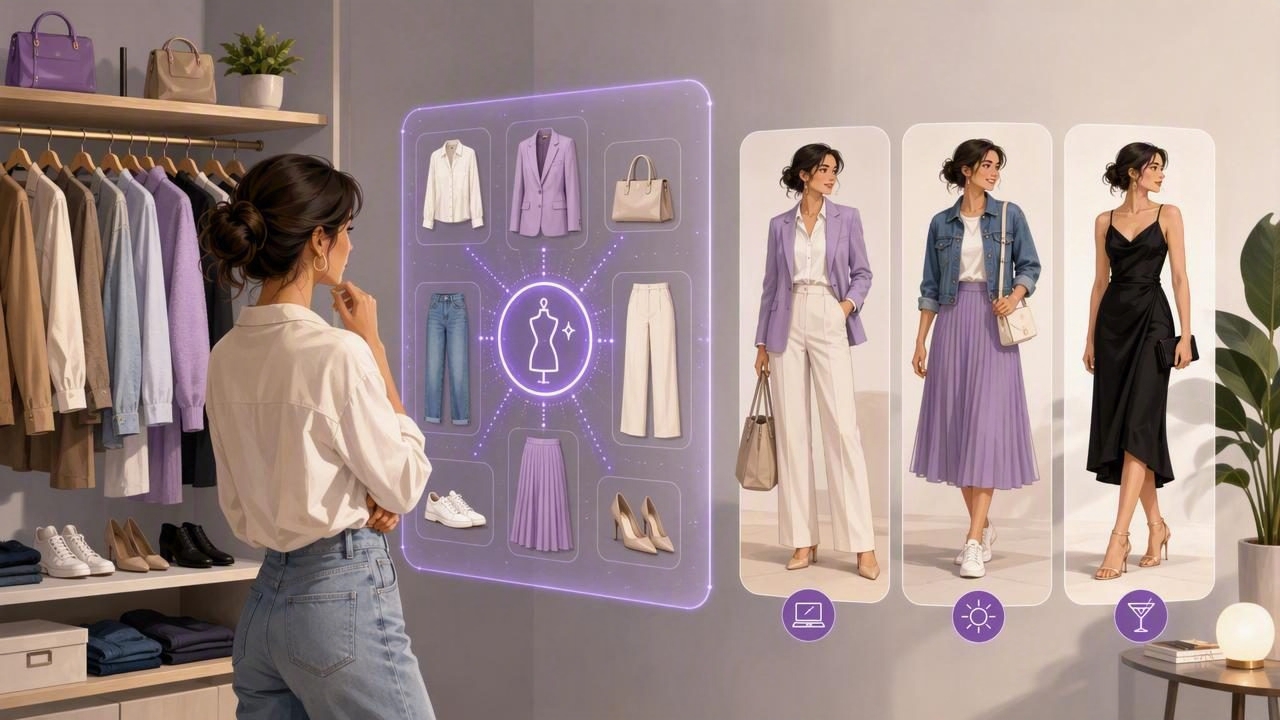
An ai outfit generator is most useful when it doesn’t just throw random combinations at you—it helps you make repeatable, confident outfit decisions with the clothes you already own. Think of it as a smarter way to see your wardrobe: you digitize items, add a few details (like color, fit, and occasion), and then test outfit combinations through a digital wardrobe and virtual try-on workflow. The goal is simple: fewer “nothing to wear” moments, fewer regret buys, and faster mornings.
This guide walks through how ai outfit generators work, what to upload and tag for accurate recommendations, and a practical outfit-planning system you can copy—whether you’re building a capsule wardrobe or just trying to use your closet more efficiently.
What an AI outfit generator actually does (and what it doesn’t)
At a high level, an ai outfit generator helps with three jobs:
- Organization: Turns your closet into a searchable smart closet organizer (items, categories, colors, seasons).
- Recommendation: Suggests outfits based on rules and patterns (color harmony, silhouettes, dress codes, weather, and your saved favorites).
- Visualization: Uses virtual try-on or outfit previews so you can judge proportion and cohesion before you get dressed.
What it doesn’t do well on its own: understand your workplace norms, interpret a vague invitation (“dressy casual?”), or know which fabrics itch. That’s why the best results come from a simple setup: accurate photos + consistent tags + a few “style rules” you define once.
Why outfit planning fails without a system
Most closet frustration isn’t about having “bad” clothes—it’s about having clothes that don’t combine easily. Common causes:
- Too many “statement” pieces and not enough basics that connect them
- Unclear color palette (items clash or feel random)
- Imbalanced silhouettes (oversized top + wide-leg bottom + bulky shoe)
- No plan for shoes, outerwear, and bags—so outfits fall apart at the end
An ai outfit generator becomes powerful when you use it to expose these gaps. If the generator keeps repeating the same jeans and sneakers, that’s not “boring AI”—it’s data telling you what actually works with your closet.
Set up your digital wardrobe for better AI recommendations
Before you expect great outfit ideas, build a clean foundation. Here’s the setup that typically yields the best results in the fewest uploads.
1) Photograph items like you’re creating a mini catalog
- Lighting: Indirect daylight is best (reduces color distortion).
- Background: Plain wall or floor; avoid patterned bedding.
- Angles: One straight-on photo is enough for most items; add a close-up for texture if needed.
- Include the whole item: Sleeves, hems, straps—AI can misread missing edges.
2) Tag the details that actually affect outfit outcomes
If you only tag “top” and “black,” you’ll get generic results. Prioritize these tags:
- Category: tee, blouse, cardigan, blazer, trench, jeans, trousers, skirt, dress
- Color family: black, white, cream, navy, gray, brown, olive, red, etc.
- Fit/silhouette: slim, straight, wide, oversized, cropped, midi, mini
- Formality: casual, smart casual, business, formal, occasion
- Season/weight: summer, transitional, winter; light/medium/heavy
- Footwear compatibility: works with sneakers/loafers/heels/boots
Tip: Don’t over-tag. If you add 25 tags per item, you’ll spend hours maintaining the system. Aim for 6–10 meaningful tags per piece.
3) Create “no-go” constraints up front
Even the best ai outfit generator needs boundaries. Add rules like:
- “No wool on sensitive skin”
- “No low-rise bottoms”
- “No heels on weekdays”
- “Avoid clingy tops”
This prevents suggestions you’ll never wear, which makes future recommendations stronger.
A simple outfit formula that AI handles well
If you want consistently good outfits, use a repeatable structure. This formula is easy for both humans and AI to execute:
- Base: top + bottom (or dress/jumpsuit)
- Structure layer: blazer, denim jacket, cardigan, trench
- Finishers: shoes + bag + one accessory
- One focus point: color pop, texture, or silhouette (choose one)
“The fastest way to look intentional is to keep the base simple and let one element do the talking—shape, color, or texture.”
When you run an ai outfit generator, tell it (or filter for) the formula you want: “simple base + structured layer + sneakers,” or “neutral base + one bold color.” You’ll get far fewer chaotic combinations.
Use an outfit matrix to prevent decision fatigue
Instead of generating infinite outfits, build a small library of “approved” looks you can reuse. Start with 12–20 outfits, grouped by occasion. A matrix makes gaps obvious.
| Occasion | Base | Layer | Shoes | Focus point |
|---|---|---|---|---|
| Work (smart casual) | Black trousers + knit top | Blazer | Loafers | Gold jewelry |
| Weekend | Jeans + tee | Denim jacket | Sneakers | Colorful bag |
| Date/night out | Slip skirt + fitted top | Leather jacket | Boots | Texture contrast |
| Event (dressy) | Midi dress | Coat or wrap | Heels | Statement earring |
Once you have a matrix, use the ai outfit generator to fill missing slots (for example, “work outfits with sneakers” or “winter date outfits without heels”). Save your winners and treat them like templates.
How to get more realistic virtual try-on results
Virtual try-on is where an ai outfit generator shifts from “ideas” to “confidence.” To improve realism:
- Use consistent body photos: similar lighting and camera distance helps comparisons.
- Check proportion first: hem length, waist placement, and shoe bulk affect the whole look.
- Zoom out: full-body view catches silhouette issues that mirror selfies miss.
- Compare options side-by-side: save 2–3 versions (shoe swap, layer swap) and pick the best.
If an outfit looks “off,” it’s usually one of these quick fixes: swap to a slimmer top, add structure (blazer/jacket), or change the shoe to match the outfit’s weight (chunky vs sleek).
Color pairing rules an AI outfit generator can follow
You don’t need advanced color theory. These rules create consistent outfits and are easy to encode with tags and filters:
- Rule of 3 colors: one neutral base + one secondary + one accent (optional).
- Match warmth: keep undertones aligned (warm browns with cream/olive; cool grays with white/navy).
- Repeat a color: echo your top color in shoes/bag or accessories.
- Use a “bridge” neutral: denim, black, cream, or navy can connect louder colors.
In practice: if you tag an item “olive” and “warm,” it becomes easier for the generator to consistently pair it with cream, tan, and gold instead of icy gray and stark white.
A lightweight naming and tagging standard (so your closet stays usable)
If you ever export your wardrobe data, share items between apps, or just want consistency, a simple schema prevents chaos. Here’s a compact example you can adapt:
{
  "id": "top-knit-cream-001",
  "category": "top",
  "type": "knit",
  "color_family": "cream",
  "fit": "regular",
  "formality": ["smart casual"],
  "season": ["fall", "winter"],
  "pairing_notes": ["works_with_wide_leg", "needs_structure_layer"],
  "avoid": ["high_heat_wash"]
}
You don’t need to be technical to benefit from the idea: choose consistent labels for the attributes that change your outfit decisions (fit, formality, season), and keep everything else optional.
Common mistakes that lead to “meh” AI outfit suggestions
- Uploading only favorites: The AI can’t suggest realistic outfits if it never sees your basics.
- Ignoring shoes and outerwear: These are outfit-defining pieces. Add them early.
- Not updating wearability: If something is uncomfortable or doesn’t fit, mark it accordingly.
- Saving everything: Be selective—your “saved looks” should be a high-quality library.
- No occasion context: “Cute” isn’t a use case. “Client meeting,” “school pickup,” and “wedding guest” are.
How to use AI to shop smarter (and buy less)
Once your digital wardrobe is reasonably complete, use the ai outfit generator for “cost per outfit” thinking:
- Find your top 3 most-worn items (the app’s history or your own notes).
- Generate 10 outfits around each and note what’s missing (often: a better shoe, a layer, or a neutral top).
- Only buy gap-fillers that create at least 5 new outfits.
This flips shopping from impulse (“I like this”) to strategy (“this connects my closet”). It also prevents duplicate purchases—if you already have three similar black tops in your digital wardrobe, it’s obvious.
Quick-start routine: 10 minutes today, easier outfits all week
- Today: Upload 15 items you wear often (including shoes and one jacket).
- Tag fast: category, color family, fit, formality, season.
- Generate 10 outfits: Save only the top 3.
- Tomorrow: Add 10 more items and build 3 more saved outfits.
- By the weekend: You’ll have 12–15 proven outfits—enough to stop overthinking.
As your library grows, you’ll rely less on “infinite generation” and more on a curated set of outfits you’ve already validated with virtual try-on.
Choosing the right tool for your workflow
Look for an ai outfit generator that supports: a usable digital wardrobe, strong tagging or filtering, easy saving/organizing of outfits, and realistic virtual try-on previews. The best app is the one you’ll actually maintain—because consistency (not perfection) is what makes outfit recommendations improve over time.
If you’re building this system on iOS, an app like Outfit Maker can help you combine a smart closet organizer with virtual try-on so you can plan, compare, and save outfits without changing clothes.
