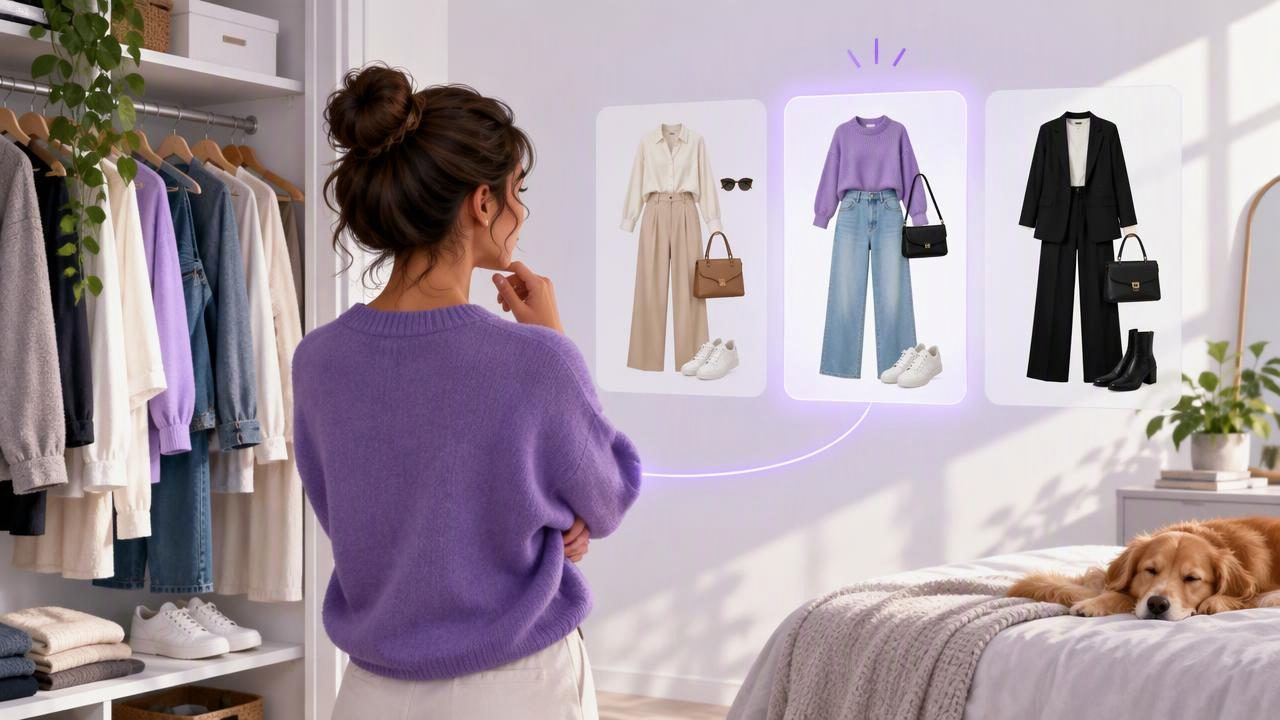
When getting dressed takes longer than it should, the problem is not always a lack of clothes. It may be the effort of remembering what you own, picturing possible combinations, and deciding which one suits the day. An AI outfit generator for faster outfit decisions can help by turning pieces in your digital wardrobe into visual outfit ideas.
The useful part is not simply receiving a list of looks. It is being able to narrow choices using your own garments, the occasion, the weather, and your preferences. With a few practical habits, you can make outfit planning quicker without treating an AI-generated image as a promise about fit or fabric.
What an AI outfit generator can—and cannot—do
An AI outfit generator uses information such as clothing photos and styling prompts to help visualize combinations. In a digital closet, the starting point is your own wardrobe: a shirt, trousers, shoes, and layers you have cataloged. Instead of holding every item up together, you can review possible combinations on a screen and decide which ones are worth trying on.
This is most helpful when you already have options but find it hard to picture them together. It can make familiar pieces easier to reconsider, support planning for an event, or help you compare a few alternatives before you get dressed.
There are important limits. A virtual try-on is a style visualization, not a reliable fit assessment. An image cannot guarantee how a garment will sit on your body, whether a size is right, or how a fabric moves, feels, or behaves in real light. Treat the result as a way to explore an idea; use the actual garment and its sizing information to judge fit and comfort.
Start with a useful digital wardrobe
A digital wardrobe is only as helpful as the information you put into it. You do not need to catalog every item before planning an outfit. Begin with clothes you wear often or pieces that are hard to combine. Add clear photos and simple descriptions, such as “navy knit cardigan,” “straight-leg black jeans,” or “white leather sneakers.”
Keep categories practical. Tops, bottoms, dresses, outerwear, shoes, and accessories are enough for many people. Add details that influence your decisions, such as color, sleeve length, warmth, or whether an item feels suitable for work. Avoid making the catalog so elaborate that maintaining it becomes another chore.
For example, if you often reach for a black blazer but forget which tops work under it, catalog the blazer and several likely options. The next time you plan a look, you can compare those combinations rather than starting from the whole closet. A guide to building a digital closet can help you think through what to include and how to keep it useful.
A simple method for faster outfit decisions
- Set the real-world constraints. Note the occasion, expected conditions, and practical needs. A day with a commute and lots of walking calls for different choices than a seated dinner. Keep the prompt specific: “comfortable office outfit for a cool, rainy morning” gives more direction than “something stylish.”
- Choose a starting item. Select one garment you want to wear, such as a patterned skirt or a particular pair of trousers. Building around a fixed piece reduces the number of combinations you need to consider.
- Generate or assemble a small set of looks. Use garments from your digital wardrobe to explore a few combinations. Aim for a manageable shortlist, not an endless stream of possibilities. If the first suggestions feel off, adjust one detail at a time—such as the shoe style, color balance, or warmth.
- Compare the options against your day. Ask whether each look fits the occasion, feels comfortable for the planned activities, and works with the forecast. Remove any outfit that requires an item you do not have or a layer that will not be practical.
- Check the chosen clothes in person. Look for wrinkles, weather-appropriate layers, comfort, and fit. A visual preview can guide your choice, but the final check belongs to the clothes you will actually wear.
Concrete example: choosing a look for a busy workday
Imagine you have a cool morning commute, a regular office day, and a short walk at lunch. Your digital wardrobe includes charcoal trousers, a cream blouse, a blue button-down, a navy cardigan, a light jacket, and two pairs of shoes. You want an outfit that feels polished but does not require delicate shoes for walking.
Start with the charcoal trousers. Compare a cream blouse with the navy cardigan against the blue button-down with the light jacket. The first combination may read softer and more layered; the second may feel more structured. If the forecast suggests rain, check whether the outer layer and shoes make sense for the walk, rather than choosing only by how the outfit looks in a preview.
After comparing the two, you might choose the blue shirt, trousers, and light jacket, then try them on to confirm the proportions and comfort. The generator helped you bring two plausible choices into view; it did not decide whether the shirt pulls at the shoulders or whether the jacket is warm enough. That final judgment comes from wearing the pieces.
Ways to make the process genuinely quicker
Save combinations you would wear again
When you find an outfit that works, save it in whatever planning system you use. A record of reliable combinations means you do not have to reconstruct them from memory on another busy morning. Add a short note if it helps, such as “good for presentations” or “needs a warmer coat.”
Use repeatable outfit formulas
A formula is a flexible structure, not a uniform. Examples include a simple top, tailored trousers, and a layer; or a dress, comfortable shoes, and weather-appropriate outerwear. Once you know a formula suits a particular kind of day, you can swap in different garments while keeping the decision manageable.
Plan around the garments you actually wear
Do not build every plan around aspirational purchases or rarely worn items. Start with pieces that are clean, comfortable, and available. If a generated combination uses something that is in the laundry, unavailable, or unsuitable for the occasion, remove it from consideration and try another option.
Set a stopping point
More choices do not always make choosing easier. Decide how many options you want to compare—perhaps two or three—and make a selection once they meet your needs. The goal is a wearable decision, not a theoretically perfect outfit.
What virtual try-on is useful for
Virtual try-on can help you explore the overall visual relationship between garments: whether colors feel balanced, whether a layer changes the mood, or whether two pieces could form a coherent outfit. It is especially useful when you want to see combinations from your own closet without physically changing into each one.
However, visual similarity should not be confused with exact garment behavior. Photos can differ in angle, lighting, and how an item is displayed. The image may not communicate fabric thickness, stretch, drape, or the effect of movement. Do not use a generated preview as a substitute for checking measurements, trying on an item, or following the retailer’s sizing guidance.
It is also sensible to review suggestions with your own taste and context. A combination can be visually interesting and still be wrong for your workplace, comfort needs, cultural setting, or personal style. You are the one who knows how you want to feel in the outfit.
Common habits that slow decisions down
- Cataloging too much at once: Add a useful selection first and expand gradually.
- Using vague prompts: Include the occasion or practical need so the ideas have direction.
- Ignoring the forecast: Check temperature and rain before settling on layers and shoes.
- Chasing novelty every day: Repeating a dependable outfit is often more efficient than starting over.
- Expecting fit predictions: Use the image to explore styling, then assess the actual clothes yourself.
Make outfit planning a small routine
For a faster morning, plan the next day’s look when you have a quiet moment. Check your schedule, choose a starting garment, compare a few combinations, and save the one you intend to wear. If plans change, keep a second option rather than reopening every possibility.
Over time, saved looks and a well-organized digital wardrobe can make your choices easier to revisit. An AI outfit generator is most useful as a decision aid: it helps you see options, while your real clothes, practical needs, and personal judgment determine the final outfit.
