Getting dressed can feel harder than it should when your closet is full but outfit ideas are scarce. A wardrobe assistant can make the process easier by helping you see what you own, combine pieces, and plan looks for everyday activities. You do not need an expert sense of style or a completely new wardrobe to get started. A few simple habits can help you make more use of your clothes and feel more prepared each morning.
This guide explains how to use a wardrobe assistant as a beginner, from making a useful clothing inventory to testing outfit combinations. It also covers what digital tools can—and cannot—tell you, so you can use suggestions as inspiration rather than rules.
What is a wardrobe assistant?
A wardrobe assistant is a way to organize clothing and make outfit planning more manageable. It might be a person, a set of planning notes, or a digital wardrobe tool that helps you keep track of garments and assemble looks. A digital wardrobe, sometimes called a digital closet, represents clothes you already own so you can browse them without searching through your physical closet.
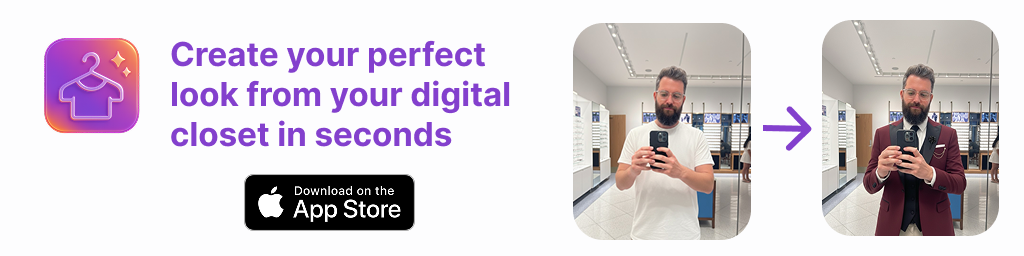
Depending on the tool, you may be able to group garments by type, save outfit combinations, or use AI outfit generation and virtual try-on to visualize possible looks. These features support decisions; they do not replace your own judgment. Comfort, personal taste, weather, dress codes, and the actual condition of each garment still matter.
Start with the clothes you reach for
Fashion beginners often assume they need to catalog every item before they can plan outfits. That can turn a helpful project into a chore. Instead, begin with a small, useful selection: perhaps ten to twenty garments you wear regularly. Include a few tops, bottoms, layers, shoes, and any pieces that make an outfit feel like you.
Choose a realistic starting point. If you mainly need help getting dressed for work, begin with work clothes. If you want easier weekend outfits, start with casual pieces. You can add special-occasion or seasonal items later. The aim is not to document a perfect wardrobe; it is to create a clear view of the clothes that matter to your routine.
Make a simple digital closet
For each item, record enough information to recognize and use it. A clear photo is useful, while a short description can capture details that a photo may not show. Start with garment type, color, and a note about when you wear it. For example: “cream knit sweater, comfortable for cool days” or “navy trousers, usually worn to the office.”
Keep categories simple at first. Useful groups include tops, bottoms, dresses, outerwear, shoes, and accessories. You can add labels such as “work,” “weekend,” or “warm weather” if they help you find things. Avoid spending time adding details you will not use. A digital closet should make choosing clothes easier, not become another complicated task.
Also be honest about what is wearable right now. If a piece needs repair, does not fit comfortably, or is not suitable for the current season, note that or leave it out of your active selection. A wardrobe assistant can only help you plan with the information you provide, so a practical inventory is more useful than an idealized one.
Build outfits from a reliable starting point
When you are unsure how to combine garments, begin with one item you already like wearing. This could be a printed skirt, a pair of comfortable jeans, or a jacket that makes a simple outfit feel more complete. Then add pieces that suit its color, shape, and purpose. There is no single formula for style, but a simple structure can reduce decision fatigue:
- Choose an anchor: Pick one garment that sets the direction of the look.
- Add a complementary piece: Select a top, bottom, or dress that works with the anchor.
- Check the layer and shoes: Consider temperature, walking, and the setting.
- Finish only if useful: Add an accessory or outer layer when it serves the outfit.
Think about the whole day, not just the mirror. An outfit for a long commute may need comfortable shoes and a layer that is easy to carry. A casual dinner may call for a different level of polish. The most successful combination is one that works for your plans and feels comfortable to wear.
A beginner example: three looks from five pieces
Imagine your digital closet includes a white T-shirt, a blue button-up shirt, dark jeans, a black skirt, and a light cardigan. You could start with the dark jeans and white T-shirt as a familiar base. For a relaxed day, add the cardigan and comfortable shoes. For a slightly more polished setting, wear the blue shirt with the jeans and leave the cardigan as an optional layer.
For a third look, pair the black skirt with the white T-shirt and cardigan. If the setting calls for a more finished appearance, try the blue shirt with the skirt instead. These are possibilities, not guarantees: the colors, proportions, and dressiness may feel different on you than they appear in a list or image. Check the actual garments together and keep only combinations you would choose to wear.
This small example shows why a wardrobe assistant is useful even without a large closet. It helps you notice combinations you might overlook, while leaving room for personal preferences. You can save the outfits you like and make a note about where or when each one works. Over time, your saved looks can become a practical reference rather than a source of pressure to wear every item.
Use virtual try-on as a visualization aid
Some AI tools can create a visual preview using photos of you and your clothing. This kind of virtual try-on may help you compare outfit ideas without physically changing clothes each time. It can be useful when you are deciding between combinations, planning ahead, or trying to picture how items in your digital closet might work together.
However, a generated image is not a reliable fit assessment. It may not accurately represent garment sizing, drape, stretch, fabric weight, texture, or how an item moves when you walk or sit. A visual preview should not be treated as proof that something fits well or will look exactly the same in person. Use it to explore styling possibilities, then try on the real garments when fit and comfort matter.
Plan for real occasions and real constraints
Before saving a look, consider where you are going and what you will be doing. A useful outfit plan takes account of the occasion, expected weather, travel time, and practical needs. A look that works for a seated meeting may not suit a day spent walking. If the dress code is unclear, choose an option that feels appropriate without making assumptions based only on an AI suggestion.
When planning for a specific day, choose a main outfit and, if helpful, one backup. Note any item that needs washing, ironing, or repair so you can prepare it in advance. For a trip, plan around the forecast and activities, and make sure the pieces you select can be worn comfortably in the conditions you expect. A wardrobe assistant can organize ideas, but it cannot know every detail of your day unless you account for them.
Make outfit planning a small routine
You do not have to plan every outfit far in advance. Try setting aside a few minutes once a week to look at upcoming commitments and save a couple of combinations. Start with the days that usually create the most uncertainty. If a plan changes, treat your saved look as an option, not an obligation.
After wearing an outfit, notice what worked. Was it comfortable for the full day? Did the layers suit the temperature? Would you wear the combination again? A brief note can make future choices easier. You might also discover that a frequently worn item needs a repair or that a garment does not work with the pieces you expected. These observations help you maintain a wardrobe that reflects your actual life.
Common beginner mistakes to avoid
- Trying to catalog everything at once: Begin with a manageable group and expand only when it is useful.
- Following every suggestion: An outfit generator offers ideas, not instructions. Ignore combinations that do not suit your taste or plans.
- Confusing appearance with fit: A photo preview cannot confirm sizing, comfort, fabric behavior, or movement.
- Planning only for looks: Consider weather, dress codes, walking, and other practical needs.
- Keeping an unrealistic inventory: Make your active digital closet reflect items that are clean, available, and wearable.
It is also easy to think that a wardrobe assistant should make every decision for you. A better goal is to make decisions clearer. You remain the person who knows whether a combination feels like your style, suits the occasion, and works for your body and day.
Choose tools that fit your planning style
A notebook or a simple photo album may be enough if you only want to save a few outfits. A digital wardrobe can be more useful if you want to browse a larger selection, keep combinations together, or plan looks from your own garments. If you try AI features, pay attention to whether they help with your particular question. You may need outfit inspiration, a quick way to compare pieces, or a place to keep saved looks; those are related but distinct needs.
For beginners exploring a digital closet, this digital closet guide from Outfit Maker offers more context on organizing garments and planning combinations. Whatever method you choose, start small and use it consistently enough to learn what is helpful.
Build confidence one outfit at a time
A wardrobe assistant is most valuable when it helps you use what you have with less guesswork. Start with familiar clothes, make a simple inventory, and test a few combinations for real situations. Save outfits that feel comfortable and appropriate, and treat AI-generated previews as visual references rather than promises about fit or fabric.
There is no need to create a perfect closet or follow a fixed set of style rules. As you notice which colors, shapes, and combinations you enjoy wearing, your choices can become more personal and easier to repeat. A practical wardrobe assistant does not tell you who to be; it helps you see your options and choose with greater confidence.