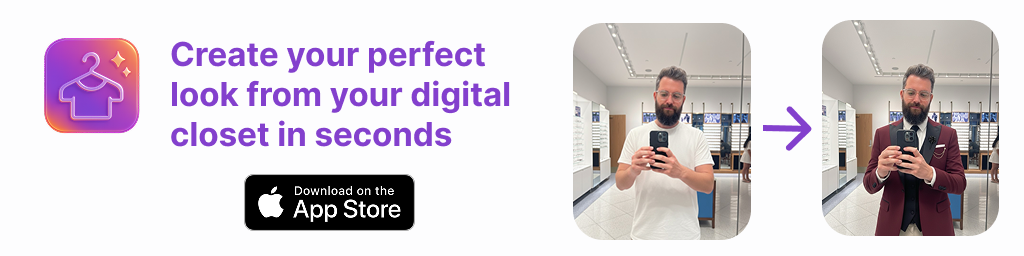
A capsule wardrobe sounds simple: fewer clothes, more outfits, less time deciding what to wear. In practice, the hard part is knowing which pieces work together—and whether the clothes you already own can cover your real week. A wardrobe assistant for easier capsule wardrobes can help by organizing clothing, revealing outfit combinations, and making gaps easier to spot before you shop.
The best approach is not to let an app decide what your style should be. Use a digital wardrobe as a visual planning tool, then make the final choices based on your routines, comfort, climate, and personal taste. Here is a practical way to build a capsule around the clothes you actually wear.
What a wardrobe assistant can—and cannot—do
A wardrobe assistant may mean a person, a planning method, or a digital tool. For a capsule wardrobe, its useful role is helping you see what is in your closet and how individual garments can be combined. A digital closet can make it easier to review pieces without pulling everything off hangers, while an outfit planner can help you compare possible looks for work, errands, or weekends.
This kind of planning is especially useful when you have plenty of clothes but repeatedly reach for the same few outfits. It can reveal a neglected jacket that works with several trousers, or show that a favorite top has no comfortable bottoms to pair with it.
It is still a visualization aid, not a fit or fabric authority. A photo-based virtual try-on can help you imagine how colors and silhouettes might look together, but it cannot guarantee exact sizing, drape, texture, comfort, or how a garment moves in person. Treat the result as a styling reference, not a promise about fit.
Start with your actual week, not an idealized closet
Before choosing a capsule, write down the situations your clothes need to cover. A person working from home most days may need a different mix from someone who commutes to an office. Consider your recurring activities, local weather, laundry habits, dress expectations, and any clothes you need for special occasions.
For one week, note what you wear and why. Record practical details as well as garment names: “soft trousers for a long commute” is more useful than simply “black pants.” This small review helps separate clothes you genuinely use from items you keep for a hypothetical lifestyle.
- Which outfits do you choose repeatedly?
- What do you avoid because it is uncomfortable, difficult to care for, or hard to style?
- Do you need layers for changing temperatures or indoor and outdoor settings?
- How often can you realistically do laundry?
These answers set a sensible boundary for your capsule. There is no universal item count that makes a wardrobe work. The right size depends on your circumstances, not a checklist from someone else.
Audit your closet by useful categories
Review your clothes in groups, such as tops, bottoms, layers, dresses, shoes, and accessories. A digital wardrobe can make this process more visual: add the items you want to plan with, then scan the collection for duplicates, missing basics, and pieces that do not fit your everyday needs. You do not have to catalog every item at once. Start with the season or category that causes the most outfit indecision.
For each garment, ask whether it is comfortable, suitable for your routine, in wearable condition, and compatible with other pieces. “Compatible” does not mean that everything must match everything. It means a piece has at least a few realistic partners you would actually wear.
Set aside uncertain items rather than forcing a decision. You might test them during the next few weeks, then decide whether they deserve space in the active capsule. This avoids turning a planning exercise into pressure to discard clothes. Keep sentimental, occasional, or specialized items outside the everyday group if that makes the system easier to use.
Choose a palette that reflects what you own
A capsule wardrobe often feels cohesive when its colors coordinate, but you do not need to adopt a strict minimalist palette. Begin with the colors already present in your most-worn clothes. Identify a few dependable neutrals—perhaps navy, denim, cream, brown, or black—and add colors you enjoy wearing.
Then check the combinations rather than relying on a color theory rule. Does a particular green top work with your actual jeans and jacket? Can you make a warm-weather outfit and a layered outfit from the same group? A visual wardrobe assistant can help you compare these combinations at a glance. If a color only works with one item, that may be fine; it simply has a more specific role.
Color coordination should make getting dressed easier, not make your wardrobe feel restrictive. Prints, bright shades, and personal favorites can belong in a capsule when they suit your life and combine with enough of your other clothes.
Build outfit formulas from repeatable combinations
An outfit formula is a simple structure you can reuse with different garments. It gives you a starting point on busy mornings without requiring every outfit to look the same. Begin with two or three formulas that match your common activities.
- Everyday casual: comfortable top + jeans or casual trousers + weather-appropriate layer.
- Polished casual: simple top + tailored trousers + cardigan, blazer, or overshirt.
- One-piece outfit: dress or jumpsuit + suitable shoes + optional layer.
- Relaxed weekend: easy top + comfortable bottom + practical footwear.
Now test each formula using your own pieces. For example, a cream knit top might work with dark jeans and a navy cardigan, then with olive trousers and a denim jacket. If the same three layers repeatedly appear in combinations, they may be useful anchors for your capsule.
Save combinations you would genuinely wear, not every technically possible pairing. Add a note about context when helpful, such as “office with comfortable shoes” or “mild weather.” This turns a collection of clothing photos into a practical outfit plan.
A concrete example: a small work-and-weekend capsule
Imagine you want a compact group of clothes for a casual office, errands, and relaxed weekends. Your closet already contains dark jeans, olive trousers, a cream knit, a striped shirt, a plain black top, a navy cardigan, and a denim jacket. Rather than buying a full matching set, first map combinations from these pieces.
The cream knit can pair with the jeans and either layer. The striped shirt can work with the olive trousers and cardigan. The black top may sit under the denim jacket with jeans, or pair with the trousers for a more polished option. You now have several foundations using clothes you already own. Check them against your real needs: are the shoes appropriate, are the layers warm enough, and do you have a clean option for each workday?
If your review shows that the trousers only work with one top, that is a more specific gap than “I need more clothes.” You could first try another top already in your wardrobe. If nothing works and you often need that outfit, then a versatile top in a compatible color may be a considered addition. The example is a planning method, not a prescribed capsule or shopping list.
Use a digital closet to compare and save looks
Once you have a working set of items, a digital closet can support ongoing decisions. Organize entries in a way that makes sense to you, such as by garment type, season, or use. Create and save a few outfit combinations for recurring situations, then compare them before a busy day or when planning a week.
Photo-based outfit visualization is useful for seeing a combination without changing clothes repeatedly. It can help you compare the overall look of two tops with the same trousers or decide which layer feels more cohesive. Keep expectations grounded: image-based styling can support visual choices, but it does not establish exact fit, sizing, fabric behavior, or comfort.
If you want guidance on getting your clothing into a usable digital collection, Outfit Maker has a guide to organizing a digital closet. The important principle applies to any method: catalog enough of your wardrobe to solve a real planning problem, rather than making data entry a project of its own.
Keep the capsule flexible and season-aware
A capsule is not a permanent, sealed collection. Weather changes, routines shift, and some garments need repair or replacement. Review your saved outfits when a season changes or your schedule changes. Swap in appropriate layers and shoes, and move rarely used items out of the active view if they make planning cluttered.
When an outfit does not work, note the reason. Maybe the proportions feel off, the weather calls for another layer, or the combination is not comfortable for a full day. That feedback is more useful than assuming you need an entirely new wardrobe. You can revise the formula, try another garment, or remove the look from your saved options.
Common mistakes to avoid
- Choosing a number before assessing your needs: a small wardrobe is not automatically a functional one.
- Building around aspirational clothes: prioritize garments suited to your present routine.
- Buying pieces to complete a template: test existing combinations and identify a specific, recurring gap first.
- Expecting virtual try-on to predict exact fit: use it to visualize styling, then rely on real-world checks for fit and comfort.
- Cataloging everything at once: begin with the clothes you use most or the category that causes the most friction.
Make getting dressed easier, not more complicated
A wardrobe assistant is most useful when it helps you make clearer decisions with the clothes you already own. Start with your actual week, find reliable combinations, and save only the outfit ideas that suit your life. Let the capsule change as your needs change, and treat digital outfit images as visual guidance rather than exact predictions.
With a practical closet audit and a few repeatable formulas, a capsule wardrobe can become less about owning a perfect set of basics and more about knowing what works for you. That clarity—not a strict item count—is what makes everyday outfit planning easier.